


When evaluating a production order closeout system for a manufacturing plant, the first question is not whether an order can close automatically as soon as an operator reports output. Physical completion and business closure are separate decisions. Material issues and returns, good and rejected quantities, quality holds, work in progress (WIP), and cost must be reconciled before the order is finally closed. This guide explains the controls a plant in Thailand can specify in an RFP and test during FAT and SAT.
What is the difference between finishing and closing a production order?
A production order can move through planning, release, start, actuals capture, report as finished, cost determination, and closure. Names and permissible transitions depend on the ERP. In Microsoft Dynamics 365 Supply Chain Management, reporting finished quantity updates finished goods on hand; rejected quantity and its reason can also be recorded. Ending the order is a different step: actual cost is calculated, estimated cost is replaced, and the Ended state prevents unintended additional cost posting. A single “complete” flag obscures these different business events.
SAP documentation describes technical completion as an end to the order from a logistics perspective, affecting open requirements and capacity requirements. Settlement and final close have their own behavior. Before selecting software, define what plant personnel mean by “close”: the last operation ended, warehouse transactions cleared, or ERP financial status finalized. Without that definition, an order may close while transactions remain, or remain open indefinitely after production.
Separate three timestamps: the final operation and quantity report; the reconciliation of warehouse, production, and quality records; and the ERP cost and WIP review that precedes final restrictions on further posting. Store the responsible person and evidence for each transition. The time between them will vary with the product and route. If a gate fails, show the exact unresolved condition and re-evaluate it after correction.
Where do orders get stuck after the shop floor finishes?
Material transactions often lag behind the final quantity report. Operators see a finished product, the warehouse sees an unposted return, and finance sees a WIP balance. Each view can be internally correct, so the system must connect them by order. Backflushing does not remove the need to confirm that configured consumption produced the expected transaction.
A second cause is a misleading total that combines good output, scrap, rework, and goods on quality hold. An order with 96 good units, three scrapped units, and one held unit may balance against a plan of 100, yet the held unit still needs disposition. Depending on local rules it might stay in quarantine, become good stock after inspection, or be rejected. A numerical balance alone cannot approve closure.
Late operation records, outsourced processing not yet received, missing lot genealogy, duplicated finished goods receipts, and differences between physical WIP and the ledger also create exceptions. A generic month-end adjustment hides the source. Give each exception a code, owner, correction route, and audit record. Studying a small set of real orders before writing requirements usually reveals more than a generic feature checklist.
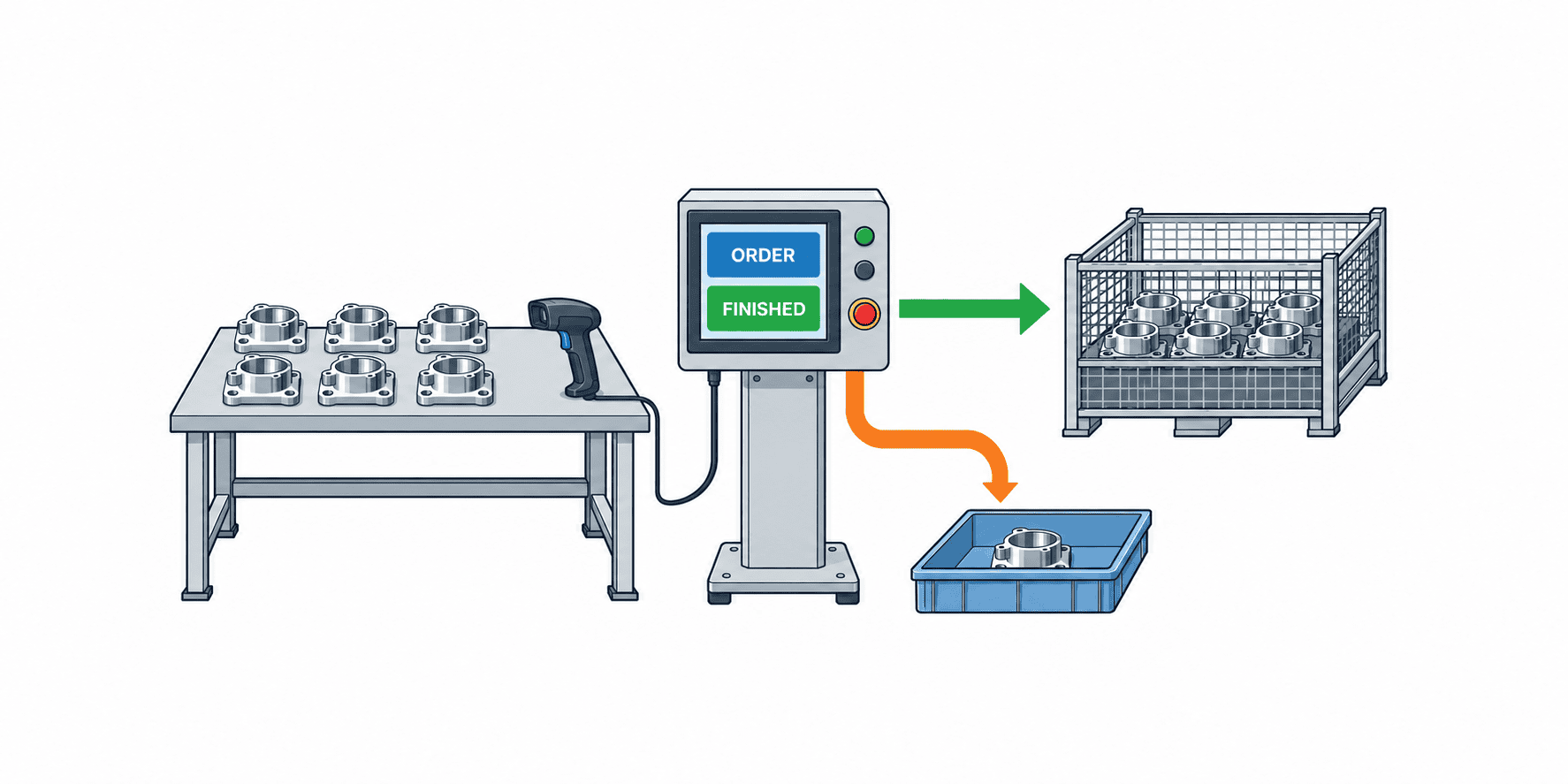
Seven gates for production order closeout
1. Quantity. Reconcile planned, started, good, scrapped, rework, held, and unfinished quantities using consistent units and lots. Define how partial completion is treated: remaining quantity may move to a new order or become an approved plan variance. Set the rule explicitly instead of assuming that a balanced sum always permits closure.
2. Material. Compare planned BOM components with actual issues, substitutions, additional issues, returns, and lot or serial IDs. A physical return is not complete until the designated inventory system records it. Plants may permit a justified variance, but the threshold needs to reflect the item, process, unit of measure, and cost impact; a universal tolerance is rarely useful.
3. Operations and equipment. Confirm that required start and finish events, machine, labor, setup, downtime, and outsourced receipts exist for each relevant operation. Collect only fields needed for traceability, capacity, or costing; forcing identical detail on every machine increases workload. Preserve both original and corrected values when late entries are allowed.
4. Quality. Check inspections, holds, deviations, concessions, nonconforming product decisions, and rework status. The person approving a quality release need not be the person closing the order. The closeout workflow should consume an approved quality decision from its authoritative system. ISO 9001 public guidance discusses identification when traceability is required and records of nonconformities and actions; it does not impose the seven gates in this article as a universal legal rule.
5. Inventory and WIP. Review residual WIP quantity and value, finished goods receipts, inter-operation transfers, and pending warehouse transactions. Distinguish physical material still on the floor from a missing posting or a remaining valuation balance. A zero ledger balance does not prove that no physical material remains. This gate concerns an individual order; a full WIP stocktake is a related, wider process.
6. Cost. Check whether material, labor, equipment, subcontracting, and overhead actuals relevant to the order have posted. Ordinary manufacturing variance is not automatically an error. Separate excessive variance, missing postings, unusual negative values, and unexplained WIP. Microsoft documents reversal of estimated cost and replacement by actual cost when its production order is ended; verify the actual postings in your ERP rather than assuming identical accounting behavior.
7. Approval and integration. Freeze the gate results as an evidence snapshot, obtain authorized approval for any exception, send the close request from MES to ERP, and verify the ERP’s committed response. A successful network request is not proof of a completed business transaction. Use order ID, event ID, version, and processing timestamps so retries cannot create duplicate postings.
Turn the gate rules into a useful RFP table
An RFP should specify each condition, owner, exception, source of truth, and evidence. The following table is a template; it contains no recommended legal or numerical threshold.
| Area | Example normal condition | Show when unresolved | Record for exception |
|---|---|---|---|
| Quantity | Good, scrap, hold, and open quantities explained | Undecided units and last operation | Reason and approver |
| Material | Issue and return transactions committed | Unposted document and lot | Substitution or variance reason |
| Operations and equipment | Required operations and machine actuals recorded | Missing operation, machine, or time | Correction reason and approver |
| Quality | Holds and nonconformity decisions complete | Hold ID and inspection state | Concession basis and approval |
| WIP | Residual quantity and value dispositioned | Location and balance | Carry-forward or transfer target |
| Cost | Required actuals posted | Missing element or variance | Analysis and approval |
| Approval and integration | Authorized approver signs off and ERP confirms closure | Unapproved, unsent, or rejected | Approver plus retry and correction history |
Add the time of evaluation and authoritative system for every row. If ERP inventory transactions are the material source of truth, an issue entered in MES alone is insufficient. If QMS owns quality holds, ticking a MES inspection box does not release the hold. When a gate fails, the user should be able to open the source document, assign an owner, correct it, and see when re-evaluation occurred. Exporting everything to a spreadsheet and chasing colleagues by email does not deliver the intended closeout workflow.
Design data migration together with the closeout rules. Orders already open on go-live day cannot be treated exactly like orders created entirely in the new system: their historical material transactions or quality evidence may be missing and every gate may appear to fail. Segment migration into not started, in progress, reported finished but not closed, and already closed orders. Decide from which state the new system assumes responsibility. For finished yet open orders, reconcile residual material, quality cases, WIP balances, and posting dates at migration; identify any difference as a migration difference with its source and reviewer instead of silently inventing historic transactions.
The RFP should also ask about batch evaluation, recalculation, exporting exceptions, changes to permissions, and the effect of master-data changes on existing orders. Applying today’s BOM version retrospectively can make a previously correct issue appear incorrect. Keep the version at release, any approved alternate actually used, and the version used for gate evaluation distinct. For hundreds of overnight evaluations, specify safe restart after interruption and how results produced at different times are displayed. These controls prevent a flood of false exceptions when the system goes live.
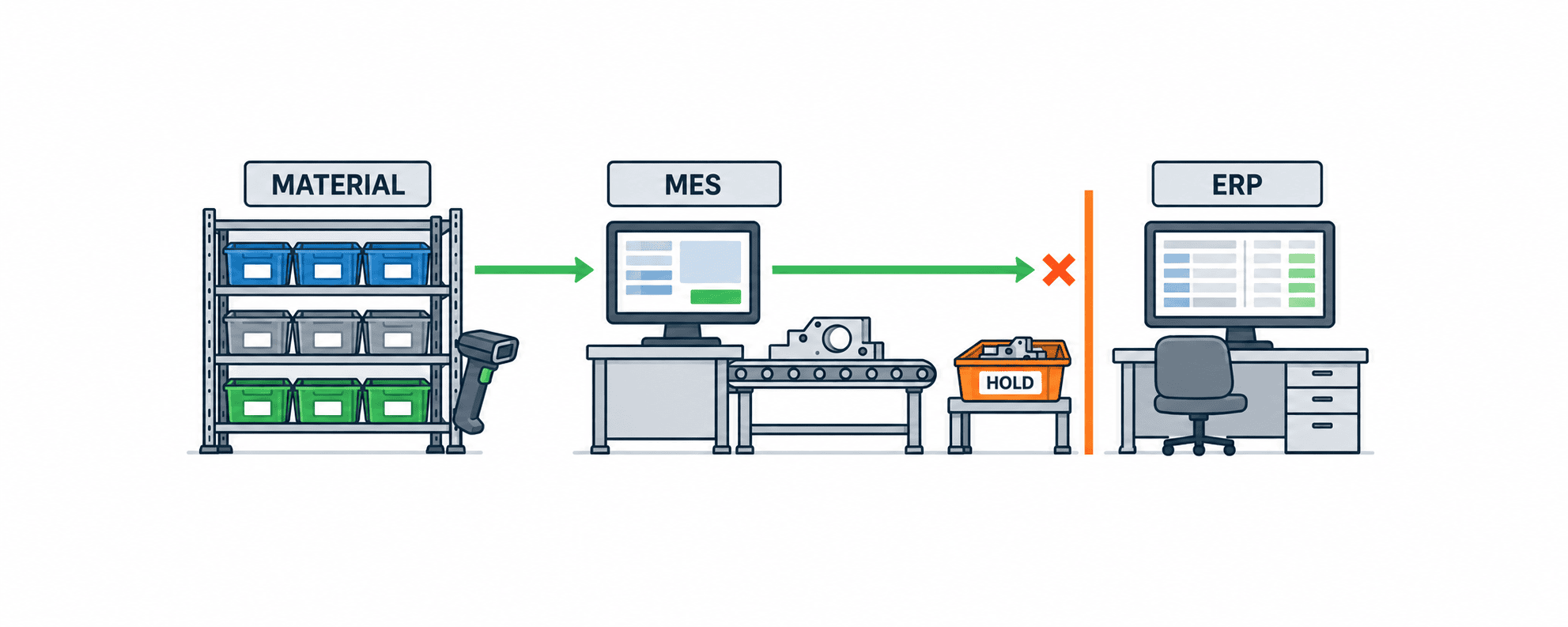
Worked example: closing a month-end production order safely
This fictional order illustrates the sequence of closeout decisions; its quantities and times are examples, not benchmarks. At 23:50 on the last day of a month, operators report the final operation complete for an assembly order planned for 120 units. The screen shows 114 good units, four scrapped units and two units on quality hold. The total is 120, but matching the planned total does not authorize automatic closure. The disposition of the two held units remains open, so only 114 can currently be treated as accepted output. Record two separate results: the quantity breakdown reconciles, while the quality gate remains blocked.
Assume the planned material requirement is 240 units. Operators issued 242 and physically returned two unused units to the warehouse, so net use would be 240. However, the ERP receipt for that return is not posted until 00:05 the next day. MES therefore says “returned,” while ERP inventory transactions still show 242 issued and zero returned. Do not overwrite both records with a convenient “240 used.” Show plan, shop-floor actual, ERP-confirmed value, the pending document ID and last receipt time side by side. Assign ownership of the unresolved return to the warehouse team.
Check the operation and equipment gate separately. Pressing “complete” on the last operation does not prove that required start and end times, rework operations or subcontract receipts are present. Compare only mandatory operations against the BOM and route revisions frozen when this order was released. A master-data revision made at month end must not retrospectively impose a new operation on the older order. If an actual is missing, retain the operator, approver, machine, lot, event time and entry time separately. Backdating one field to make the numbers match would hide the cause.
The next morning, quality inspects the two held units and releases both as good. The breakdown becomes 116 good, four scrapped and zero on hold; the total remains 120. Preserve the original 114-good/two-held event and link the inspection result and release event to the new state. The warehouse posts the return of two units in ERP at 00:05, confirming net material use of 242 minus two, or 240. Even after quantity and material gates pass, wait for the authoritative QMS release if the quality approver is a separate role.
Before MES requests closure, finance checks remaining WIP and cost variances, deciding which amounts have become product cost and which need investigation. A nonzero variance alone should not block every ordinary order; distinguish unposted items and unexplained variances. Before ERP closure, the approver reviews a snapshot of quantity, material, operations, quality, WIP and cost in their authoritative systems and any exception approval with its scope, reason and expiry. Completion time, return document, quality release, ERP response, cost check and approval should all be reachable from the same order ID.
Next, MES sends a close request. ERP completes it, but the network response is lost. A timeout on the MES screen is no reason to send a fresh request under a new event ID, because that can duplicate a business transaction. First query ERP by the original request ID. If the order is already closed, reconcile that result back to MES. If ERP has not processed it, determine whether the same event ID can be retried safely; changed values require the gates to be evaluated again. Keep separate times for MES send, ERP commitment and MES receipt, so the 23:50 physical completion is not silently treated as a next-day or same-day accounting close.
For an RFP demonstration, turn this example into independent tests: an otherwise normal 120-unit order, an unposted return, an unreleased quality hold, a missing prior-operation actual and a lost ERP success response. If all faults are injected together, it is harder to identify a faulty gate. For each test retain the close/no-close decision, displayed reason, notification recipient, state after reevaluation and evidence in both ERP and MES. Finally try to close the same order again and prove that neither finished inventory nor cost is posted twice.
Should MES or ERP decide that the order is closed?
ISA-95 provides a framework for information exchange between manufacturing operations management and enterprise business systems. MES often owns shop-floor facts while ERP owns inventory valuation and financial close, but the boundary depends on the installed products. Model “shop-floor finished,” “awaiting closeout checks,” “awaiting ERP confirmation,” and “closed” as distinct states even if the operator sees a single guided workflow. This exposes integration failures instead of hiding them behind one button.
Define the order and site IDs, version, finished quantity and unit, material and labor periods, quality state, request event ID, ERP result, and error code. Split orders, alternate BOMs, and rework orders may create one-to-many relationships, so test the key design against existing numbering rules and cross-month transactions. Agree on local date boundaries for each site.
A retry needs special care. ERP might have completed the first request while its response was lost. Require either idempotent event IDs that return the prior result or an ERP status lookup before retry. If the current shop-floor values differ from those of the original request, stop automatic retry and use a correction process. Retain who retried, when, which event, and what ERP returned.
How can a closed order be corrected safely?
A system that can never correct a closed order may be impractical, while unrestricted reopening weakens the audit trail. Define permissible correction paths by transaction type. Correcting finished quantity may affect goods receipt, lot genealogy, material consumption, and cost. Changing only the displayed number is not a valid correction. Show old and new values, reason, approver, and affected downstream documents.
Release of a quality hold can sometimes be a separate event rather than a full order reopen. Route approval according to whether the event changes inventory, cost, shipment, or a closed accounting period. Microsoft notes that reversing a Reported as finished production order to an earlier status can require renewed estimation or scheduling. Other ERP products have different restrictions; test whether your installation supports a status reversal, a reversing entry, or an adjustment transaction.
For a post-close correction, distinguish a current-period shop-floor record from an already financially closed order and a shipped lot. Keep links among the original event, any reversal, and the new event. Logging who requested, approved, and executed the correction matters more than merely providing a “reopen” button.
Assign responsibilities for a Thailand plant
In a multilingual plant, translating a status label is insufficient. Define whether “finished” means the last operation, warehouse receipt, or accounting close in Japanese, Thai, and English work instructions. Show the affected record, responsible team, and next action in an exception message. A Vietnam rollout can map local labels to the same underlying state codes.
A practical responsibility map might assign operations and quantities to production, issues and returns to warehouse, holds to quality, cost and balances to finance, and overall exception aging to production planning. Give each exception a primary and backup owner, creation time, target resolution date, and escalation contact. The plant should set its own deadlines according to product risk and close calendar; this article does not prescribe a universal period.
Test local holidays, shift changes, night production, and month end. A finished report before midnight and an ERP posting after midnight may have different production, inventory, and accounting dates. Specify which date controls each record, whether backdating is allowed, and how the workflow waits when an approver is absent. These are operational design questions, not claims about Thai legal requirements.
Measure the baseline before buying a closeout system
Sample a representative period and count orders reported finished but not closed, days from finish to close, outstanding material and WIP, unresolved quality cases, cross-month corrections, and age by responsible department. Segment by product family, line, material type, and subcontracting. Record the sample window and exclusions; a short window can miss seasonality or stocktake effects.
Do not rely on “close rate” alone, because force-closing problematic orders can improve that number artificially. Pair it with the share of orders with unresolved issues after finishing, time to resolve exceptions, reopen rate, correction count, duplicate or inconsistent posting count, and unexplained WIP value. Define denominators and start times, and separate partially finished and held orders. A prototype dashboard can reveal missing data early.
For a business case, measure real time spent on month-end reconciliation, repeated entry, inventory-difference investigations, and audit evidence gathering. Do not promise a cost-variance reduction that cannot be attributed to the software. Include integration, master-data cleanup, terminals, training, FAT, SAT, and parallel operation in initial cost. Include rule changes and ERP upgrades in ongoing cost, not just licenses.
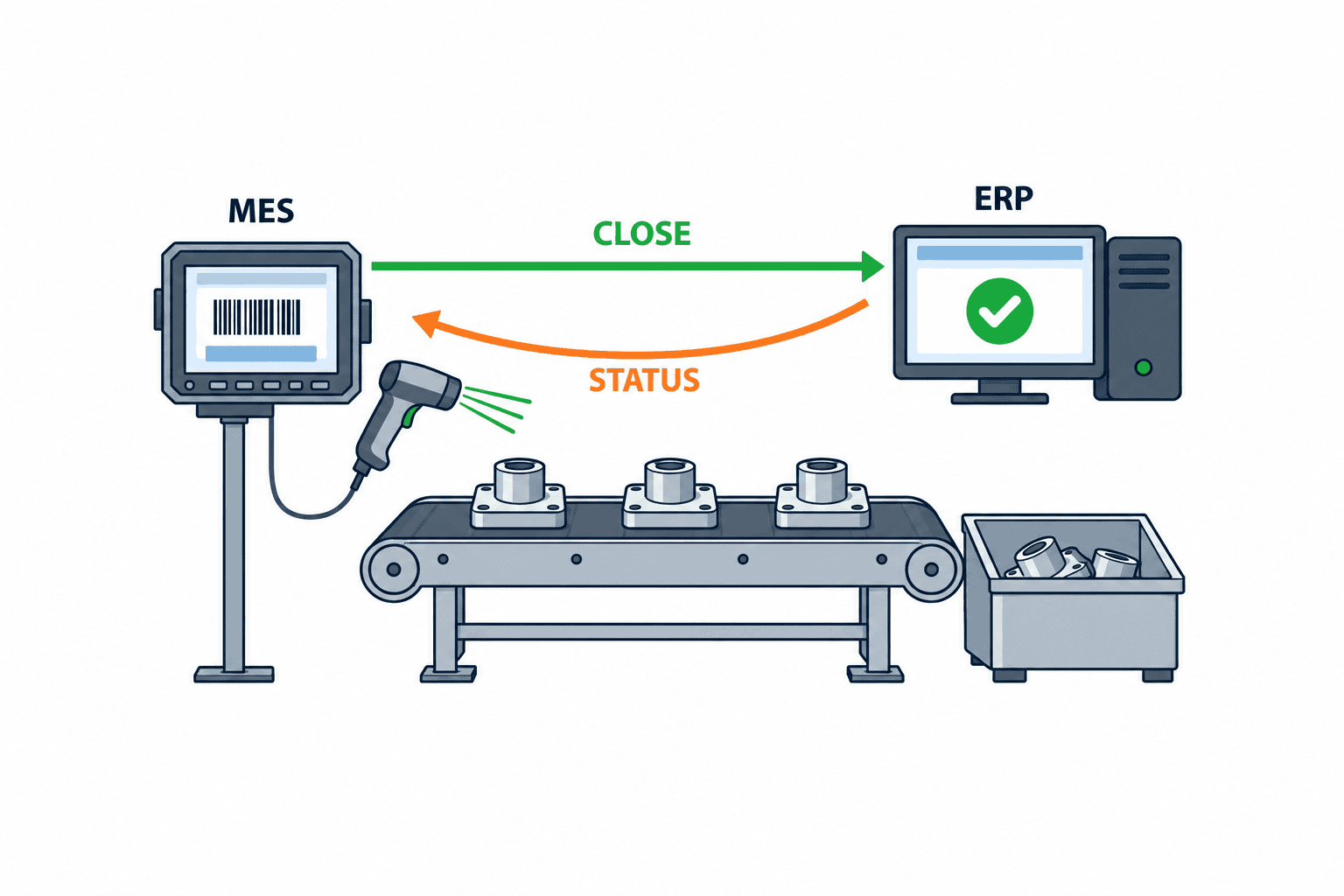
Three scenarios to require in a vendor demonstration
First, an order starts with 100 units and reports 96 good, three scrap, and one on quality hold. The total balances, but the vendor should show who decides the held unit and why ordinary close is blocked. Second, the shop floor records ten units of additional issue and two units returned, but the ERP has not posted the return. The MES must distinguish a local entry from the authoritative inventory posting.
Third, an ERP close request succeeds but its response times out. A retry must not double post, and a status query or event ID should recover the result. For each case, ask the vendor to demonstrate the full path: where the issue appears, who owns it, which permission corrects it, and what logs remain. Ask which steps are standard configuration and which require custom development.
Score the demo on exception handling, alignment with the source system, auditability, ease of use on a plant terminal, and configuration by site. The phrase “automatic close” is meaningful only when the vendor can show every precondition, stop rule, and authorized override.
What should FAT and SAT prove?
For FAT, prepare reproducible data for a normal order, unreturned material, quality hold, WIP remainder, missing cost, duplicate request, timeout, and correction. Give each case a starting state, actions, expected result, records to inspect in both ERP and MES, and evidence location. A test passes only when an invalid close is prevented and the order can be correctly re-evaluated after the issue is resolved.
For SAT, run the flow on actual terminals and network conditions with production, warehouse, quality, and finance roles. Include shift handover, unstable wireless connection, failed label scan, night completion, month-end boundary, and absent approver. Integration delays may differ from laboratory conditions. The assigned personnel should be able to explain how a duplicate request is prevented and how to recover after an outage.
Use observable acceptance criteria: no erroneous closure in the agreed tests, identifiable reason for every blocked order, traceable original and corrected values, and detection of ERP–MES state differences. Agree numerical thresholds and processing times from the target line’s data. A credible recovery process is more useful than a promise that no failure will ever occur.
Start with one line and improve the exception dictionary
Choose one representative line whose production and finance teams can work together. Monitor its orders in parallel for a defined period and collect actual exception types. Classify them as missing entry fields, unclear ownership, delayed integration, or inconsistent master data, rather than automatically blaming operators. Decide whether each cause needs a business-rule change, system change, or training.
Before expanding to different lots, subcontracted routes, or costing methods, repeat FAT and SAT. Standardize only the shared exception codes, roles, and correction paths; keep site-specific calendars and approval structures configurable. Review unresolved-order metrics together with correction and reopen rates. If closures become faster while correction rises, investigate whether the automatic gate is too permissive.
For related topics, see our articles on production order change control and physical WIP inventory reconciliation. This article focuses on the gates for safely closing an individual order after those events have been recorded.
FAQ: implementing production order closeout management
Can an order close automatically when finished output is reported?
Yes, if every applicable material, quality, inventory, cost, and integration gate has passed and unresolved conditions stop the workflow. Specify whether automation ends at shop-floor completion or includes ERP financial closure.
Must one quality hold always prohibit closure?
The answer depends on product and plant rules. If exception close is allowed, record affected quantity and lot, approver, later disposition, and inventory and cost effects. Do not let a production planning click substitute for a quality decision.
Do MES and ERP both need a close button?
No. Choose the authoritative system, executor, and notification flow. One screen may guide the user, but separate internal states are needed if MES confirms physical completion and ERP confirms financial close.
How should implementation cost be estimated?
Count connected ERP, MES, QMS, and WMS systems, exception types, costing methods, correction rules, terminals, training, and test scope as well as order volume. Use the RFP scenarios to distinguish standard features from custom work and estimate initial and continuing costs separately.
Conclusion
Closing an order is a controlled reconciliation of quantity, material, quality, WIP, cost, approvals, and ERP response. Define finishing and closure separately, state the seven gates and correction rules in the RFP, and prove both blocked and successful paths in FAT and SAT. The objective is to remove unresolved work safely while leaving a usable audit trail.
If your Thailand plant is mapping unresolved orders or preparing an RFP, contact TOMAS TECH with your current system landscape and a representative exception. We can help structure the first cross-functional review even at the planning stage.
Sources
- Microsoft Learn: Report production orders as finished.
- Microsoft Learn: Report a production order as finished.
- Microsoft Learn: Production order posting.
- Microsoft Learn: Reverse the production order status.
- SAP Help Portal: Technically Complete Production Order.
- ISA: ISA-95 Series of Standards.
- ISO: Guidance on documented information for ISO 9001:2015.


