



When selecting a factory tool checkout management system, the first question is not “How many tools do we own?” It is “Which specific jig, gauge or dedicated tool can be used on the next production order, where is it, who has it and when will it return?” Three fixtures of the same type may appear on a shelf list, yet one is past its calibration due date, one is quarantined after damage and one is on loan to another line. None is available. This guide explains how factories in Thailand and across ASEAN can turn an electronic checkout register into a dependable production control process.
Manage usable individual assets, not just quantities
Separate the objects first. Drill bits and abrasives that are consumed belong mainly in inventory management. Replacement motors and sensors kept for repairs belong in maintenance spares management. Reusable positioning jigs, clamping fixtures, inspection gauges, torque tools and dedicated adapters require a record for each physical unit. This article focuses on that last group. For the design and sourcing of fixtures, see our jig design guide; for replenishment of replacement parts, see the spare parts inventory guide.
An item master holds the model, drawing, applicable products and owner. An asset record holds its unique ID, physical label, current location, borrower, condition, inspection or calibration due date and maintenance history. Five identical jigs require five condition records. GS1 offers GIAI for individual assets and GRAI for returnable assets. This does not mean every internal tool needs a GS1 key; decide whether IDs must travel between plants or companies. GS1’s asset identification specification explains how an identifier can connect an asset with its attributes and movement history.
| Unit | Example | Main question | Treatment |
|---|---|---|---|
| Consumable item | Drill bit, abrasive | How much remains? | Link consumption to inventory |
| Spare item | Motor, sensor | How many are held for repair? | Refer to maintenance stock |
| Reusable individual asset | Jig, gauge, torque tool | Who uses this unit, and when will it return? | Core of checkout control |
“On the shelf” is not the same as “ready to use”
Location is a physical fact; readiness is an operational decision. A returned tool awaiting inspection, a tool awaiting cleaning, a kit with a missing component and a gauge past calibration must not all appear as available stock. Calculate availability for a time window, machine, product, operation and work order, then filter by individual asset condition. Two bookings for different shifts can conflict even when the tool is currently on the shelf.
Survey physical tools and checkout events before implementation
Walk beyond the tool crib. Check beside machines, in quality rooms, on changeover benches, at subcontractors and on maintenance workbenches. Record assets listed but not found, assets found but absent from the register, and assets with unreadable labels separately. Do not call every discrepancy a loss. An unregistered unit, late return entry, move to another rack, external repair and pending disposal each require a different remedy. As our goods movement timing article explains for inventory, the register is stale whenever a physical move and its record occur at different times. For tools, even a short gap immediately before setup matters.
Define at least these events: registration, putaway, reservation, issue, transfer between operations, return, return inspection, handover to maintenance or calibration, quarantine, release to service and disposal. Decide which events require the asset ID, time, operator, from and to locations, work order, reason and approver. More fields are not automatically better. If a normal checkout takes too long, operators will enter it later and location accuracy will collapse. Keep the normal transaction short and add reasons or approval only for exceptions.

Record reservation, issue and return as distinct events
A reservation grants a future right to use. An issue transfers physical custody. A return ends custody. If booking immediately changes the displayed location, a tool still on the shelf disappears from the search result. At issue, capture the exact asset and borrower. At return, capture both arrival at the rack and the inspection result. A return button must not automatically set a damaged or overdue item to “ready”.
The borrowing destination can include a shift, operation, machine and work order as well as a person. Review who may view personal data and how long it is retained under plant rules. Multilingual plants can translate display names while keeping common asset IDs, state codes and reason codes, so cross-site analysis remains consistent.
Define what happens when a return is late. First confirm with the borrower and record actual usage and location; do not immediately mark the tool lost. If another order has booked the asset, inform planning so it can choose a substitute, change the setup sequence or approve overtime. A manager must not simply set “returned” on screen while the physical tool remains elsewhere. Correct an erroneous event with a reasoned correction event and preserve the original. For an external borrower, distinguish in-transit from stored off-site, and do not add the tool to available stock until receiving confirms it.
Unattended night or weekend checkout also needs a separate physical design. Recording who scanned an open rack does not stop that person taking a different unit. Align rack positions with scanned IDs and consider controlled access for higher-risk gauges. Locking everything may slow an urgent changeover, so separate controls by quality risk and response time. Check high-value, hard-to-replace or frequently transferred assets more often during physical reconciliation. Verify long-outstanding loans at their destination, rather than excluding them from the count. For each discrepancy retain the ID, last confirmed event, likely location, investigator, due date and resolution.
Define the release gate as an operational rule
“Available” should be a calculated decision. The tool must not be disposed, lost, under repair or quarantined. Required inspections must be complete. For a measuring instrument, calibration must remain valid through the planned usage period. The asset must match the product, process, equipment and revision, with no conflicting reservation or checkout. If a condition fails, show the reason and block issue or route it to a defined approval process. An emergency override, if permitted, needs a role, reason, validity window, work order and retrospective review.
ISO guidance on documented information under ISO 9001 mentions evidence that monitoring and measuring resources are fit for purpose and, where applicable, the basis used for calibration. It does not prescribe one calibration interval for all jigs. NIST likewise does not set a universal recalibration interval; accuracy requirements, contractual or regulatory obligations, stability and environment all matter. The system stores the rule and enforces the decision established by the quality team. For the calibration programme itself, see our calibration management article.
| Gate | Data needed | Failed condition | Owner |
|---|---|---|---|
| State | Ready, quarantined, repair, retired | Block issue; display reason | Quality / maintenance |
| Due date | Calibration and inspections | Suggest another valid unit | Quality |
| Applicability | Product, operation, machine, revision | Block unsuitable assignment | Engineering |
| Conflict | Booking and checkout periods | Show overlap and expected return | Planning |
| Kit | Main tool, jaws, reference piece, case | Mark incomplete | Tool crib |
Check validity through the intended end of use
A gauge whose calibration expires after the first shift is unsuitable for a two-day job even if it shows green at the start. Recheck when the order runs longer than planned and prepare an alternative before expiry. Whether an overdue gauge may ever be used is a quality procedure decision, not one for an operator to improvise. Do not store only a PDF certificate; index the asset ID, calibration date, next due date, result and certificate reference.
Keep daily inspection separate from calibration
A pre-use inspection checks damage, cleanliness and completeness. Calibration compares measurement performance with a reference. Passing one cannot silently waive the other. Measurement system analysis, including gage R&R, asks another question: how much observed variation comes from the measurement system rather than production? ASQ’s review addresses that distinction. Keep these records separate, then require the checks relevant to each operation.
Connect tools to work orders and machines
A standalone tool crib knows the last borrower but may not know what the next order requires. Define required tool classes and alternatives by product, operation and machine. Then check the order’s planned time against actual asset availability before setup. The OPC Foundation’s ISA‑95 Job Control overview describes job orders that may include physical asset requirements, such as test equipment, as well as equipment and personnel requirements. You need not claim formal standards conformance to use its helpful separation between required resources and the units actually used.

After a drawing revision, an old jig may no longer fit the same product number. Keep product and jig revisions in the applicability matrix. Reserve by required class, issue by asset ID and record the actually used ID at job completion. Re-evaluate reservations when the order changes. Our production order change control guide explains why a planning change also changes the shop floor’s preparation conditions.
Choose a system of record for each field. The production system may own order numbers and schedules, the tool application may own asset states and movement events, and quality may own calibration approval. Adapt this to existing responsibilities. Avoid a design in which two systems can independently edit the same status. Specify event time, import time, retry and reconciliation after interface failure, and an audit trail for manual correction.
Choose labels and readers from the physical environment
Inspect label area, oil, heat, chemicals, metal surfaces, gloves, shelf density and scanning positions before choosing barcode or RFID. A 2D code is straightforward when a person can see and scan one unit at a time. It may need protection if labels are small or dirty. RFID can work without optical line of sight, but unintended reads of nearby assets and changes caused by metal or installation need an on-site trial. Ask vendors to prove performance on your actual tools and racks.
Not every unit needs a tag on its body. A small gauge may need a labelled case plus a permanent marking on the instrument. Heat-exposed fixtures need suitable durable labels. A shared tool may be scanned only at the crib handover. If contents can be swapped, the case and instrument need separate IDs. Permit a controlled fallback for unreadable labels, recording who verified which physical item. Our handheld terminal implementation guide offers further device test questions.
Write business scenarios in the RFP, not just a feature checklist
“Checkout management: yes” might mean only two date fields. Require vendors to demonstrate exceptions with representative physical assets:
- Several identical jigs exist, but only one is valid; the others are overdue and quarantined.
- Two work orders request the same unit for overlapping periods; the planner can decide on a substitute or schedule change.
- An issued tool passes between lines and shifts without losing its location or custodian.
- Damage is found at return; the tool remains blocked until repair, inspection and release.
- A label fails and connectivity drops; recovery creates no duplicate transactions.
- A product revision changes; an old reservation is invalidated and a suitable asset is reassigned.
For each answer request a classification: standard function, configuration, development or manual workaround, with the relevant screen, API and data field. Separate licence, initial inventory, labels, devices, wireless coverage, migration, ERP/MES integration, training, support and site expansion in the quotation. Decide internally who approves a new asset, a loss, a calibration date update and a quarantine release before asking vendors to propose workflows.
Exception demonstrations reveal the real differences
Most systems can show one normal reservation and return. Differentiators include a last-minute order change, forgotten return, damage, label reissue, simultaneous scans, network loss, expiring calibration and intersite transfer. When an administrator corrects a record, verify that the system retains the original event and logs before and after values, reason and approver. An audit needs to explain why a checkout was permitted at that time, not just where the tool is now.
Fix FAT and SAT acceptance conditions using real assets
FAT checks configuration and functions before deployment. SAT checks the racks, devices, wireless network, labels and users at the target plant. A code scanned in a clean demo room may fail on an oily tool beside a dark machine. Put site conditions in the contract acceptance criteria. Set numerical thresholds from your own transaction volume and risk, rather than copying an arbitrary industry claim.
| Test | Procedure | Acceptance statement |
|---|---|---|
| Asset identity | Similar units; dirty and replacement labels | No wrong or duplicate IDs on real items |
| Double issue | Two terminals act on the same ID nearly at once | Only one succeeds; both receive an outcome |
| Release gate | Select overdue, quarantined and incompatible units | Correct block reason; no unauthorised override |
| Return inspection | Return damaged, repair, reinspect | Approval chain retained until release |
| Network outage | Record offline, then synchronise | No missing or duplicate event; conflicts held |
| Interface | Change, cancel and resend a work order; fail API | Reservation re-evaluated; failure detected and recovered |
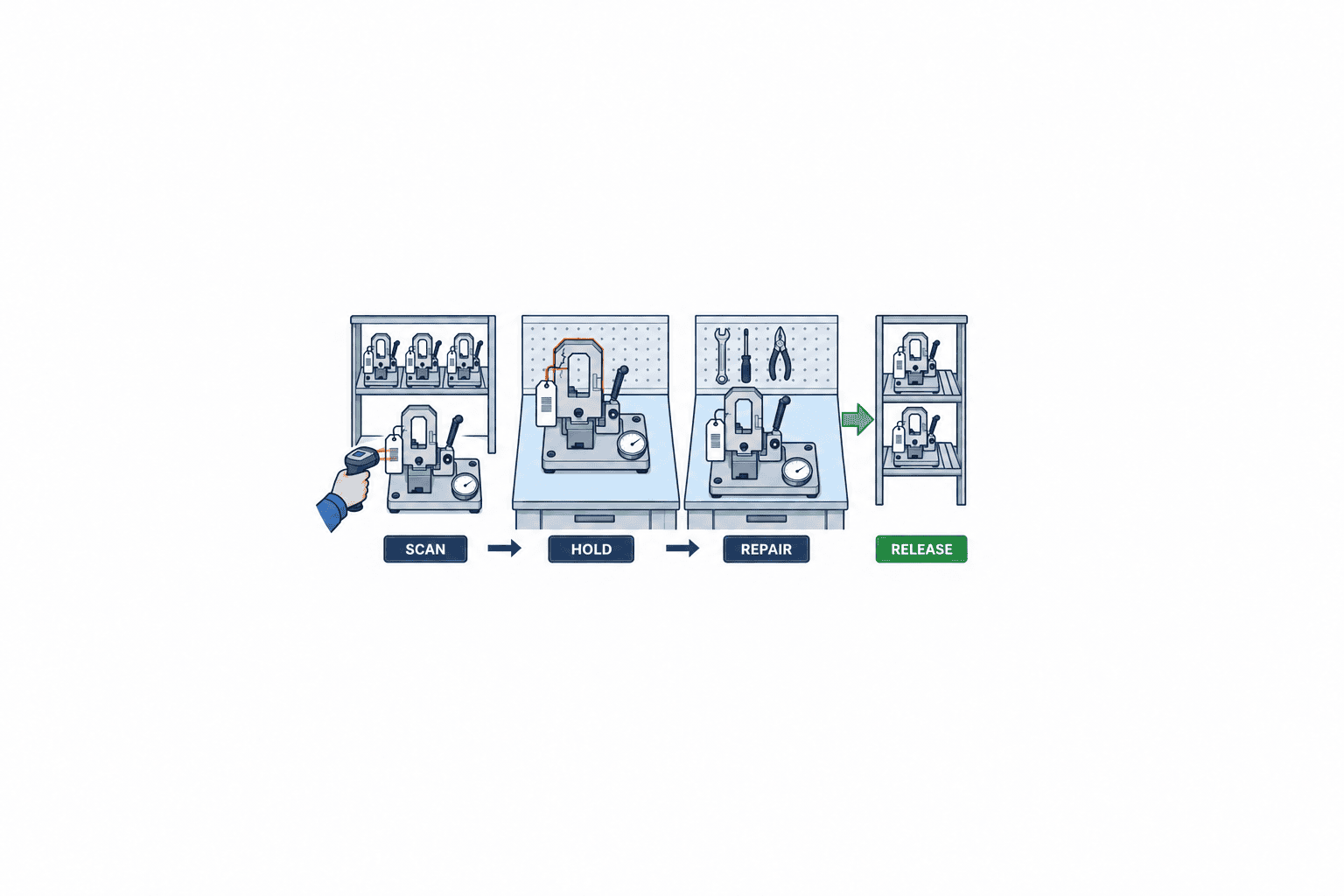
Measure more than taps. One useful completion measure is transactions finished without extra paper, calls, re-entry or administrator correction divided by all attempted transactions. Count manual escapes as failures. Retain source timestamps and device logs, and measure the lag from physical checkout to system visibility. A next-day batch interface does not satisfy an order release decision made in minutes.
Start with a narrow pilot and assign owners
Registering every tool at every factory first often consumes the project in data cleanup. Choose one line and a group with actual searching, setup delays or calibration-related rework. Count both registered and physical units, record discrepancies, define events and states, label the assets, then run the complete workflow across shifts. A two-week pilot may be useful where it covers a representative product cycle; use a longer period where model changes are less frequent.
The tool crib owns physical custody and checkout; quality owns measurement fitness and calibration approval; engineering owns product, process and revision applicability; planning owns reservation and order changes; IT owns access, interfaces and logs. Maintenance may own repair. Decide whether completion of a repair and authorisation to reuse require separate sign-offs. A screen cannot compensate for a missing decision owner.
Make uncertainty visible during master-data migration
Do not merge identical names into one asset. Verify markings, photographs, dimensions, case numbers and rack records. If a unit cannot yet be distinguished, give it a provisional ID and “identity pending” state, blocking automatic order assignment until checked. Retain old numbers as search fields. Distinguish “not applicable,” “no record” and “awaiting verification”; an uncalibrated inspection gauge is not the same as a positioning fixture outside the calibration programme.
The migration sheet should identify old number, new ID, item class, physical check date and checker, location, state, applicability, calibration or inspection reference, photograph and unresolved issue. Have another person rescan the physical asset before expanding the rollout.
Standardise codes across sites and languages
Translated screens alone do not make Thai, Japanese and Vietnamese plants comparable. Agree on state, event and reason codes, time-zone rules, site and rack IDs, and access roles. Keep local-language displays while retaining common codes and original audit text. Treat an intersite shipment as an in-transit state, not as a return that increases available stock at the origin. The receiving site should inspect the asset and its kit before making it bookable.
Design security and audit trails around exception actions
Loss reversal, calibration date changes, quarantine release, event cancellation and forced assignment deserve more controls than ordinary scans. Set role permissions and, where necessary, separate requester and approver. Record time, actor, asset, old and new values, reason, approval, device or interface source, and work order. Add a correction event rather than deleting the original history.
Define a paper fallback for power and network failures. If emergency checkout is allowed, uniquely number the paper slip and use a physical control at the tool crib to prevent two lines from receiving the same tool. Specify who enters slips after restoration, by when, and how duplicates and conflicts are reconciled. Test this process at SAT; an “offline capable” label on a brochure is not sufficient.
Choose indicators that improve the checkout process
Do not rely only on a “zero losses” target, which may simply hide unreported losses. Measure search time, the share of orders whose complete valid tool set is ready before start, blocked improper issues, late returns, return-to-inspection time, utilisation and register-to-physical accuracy. Define each denominator and period. For readiness, the numerator can be orders with every required compatible unit secured before planned start. Decide how cancelled orders are treated.
Calculate savings from your own baseline: monthly searches × average search minutes × actual labour cost, then compare with measured performance. Add setup delay, remake and reinspection costs where evidenced, and deduct labels, devices and support. Track quality risks separately when monetary conversion would be speculative. Compare periods with similar production volume, mix and shifts. Include calls, unsuccessful searches and manual corrections in the measurement. Review new burdens such as missed scans or override requests alongside gains.
Frequently asked questions
How is tool checkout management different from inventory management?
Inventory management primarily tracks quantities and goods movements by item. Tool checkout tracks each reusable unit: who used it, on which order and machine, for how long, and in what condition it returned. An inventory module may work if it supports IDs, booking conflicts, condition, calibration and return inspection.
Should we use barcodes or RFID for jigs and tools?
Both can work. A 2D code is clear for deliberate single-item checks at a tool crib. RFID is worth testing when non-line-of-sight reading is useful and nearby assets can be distinguished. Decide after trials involving metal, oil, heat, label size and rack density. Define the ID and event model first.
Can the system block an out-of-calibration gauge automatically?
Yes, if the asset ID and due date are correct and the gate runs at reservation, issue or use. Quality must still set the calibration policy and approve any exception. Consider the intended end of the job, not only the checkout instant.
What determines implementation cost?
The state of the existing register, rugged labels, terminals, wireless coverage, interfaces, exceptions, sites, languages and support matter as much as asset count. Compare vendors against the same RFP scenarios and ask them to separate licence, setup, integration and running costs.
Must every tool be registered from the beginning?
No. Prove the full sequence from identification to return inspection on one high-impact line or tool family. Measure exceptions, update delays and physical accuracy, then improve the master and procedure before expanding.
Conclusion
Useful tool checkout control goes beyond counting objects on racks. It secures a compatible, fit-for-use individual asset for the right work order at the right time. Unique IDs, reservation and movement events, inspection and calibration gates, order integration and site acceptance testing must work together. Choose a system by reproducing your plant’s exception scenarios, not by the length of its feature list.
TOMAS TECH can help a Thai factory map its tool checkout flow against production orders and quality controls using its actual forms and assets. If you are still defining the pilot line or deciding whether a system is appropriate, you can contact us to discuss the requirements.
References
- GS1 General Specifications: asset identification
- GS1 Global Traceability Standard
- ISO: Guidance on documented information for ISO 9001:2015
- NIST: Recommended Calibration Interval
- ISA: ISA-95 Standard
- OPC Foundation: OPC UA for ISA-95 Job Control, section 4
- ASQ: Gage R&R studies in measurement system analysis


