


A traveler label is torn, a barcode is unreadable, or the printer jams. Reprinting seems simple, but a second physical label bearing the same serial can be placed on a different item. A manufacturing label reprint control system must therefore answer four questions before sending a job to the printer: Which physical object is being identified? Can the old label be accounted for? Who authorized the replacement, and why? How will the new label be verified after it is attached? This guide focuses on replacing lost or damaged labels, rather than general label issuance or printer selection. It covers identity decisions, quarantine, approvals, MES/WMS boundaries, RFP requirements, and FAT/SAT tests.
Replacement is an exception to the first issue
Initial issuance gives a new workpiece, carton, or pallet its first approved representation of an item, lot, or serial identifier. Reissue restores identification to an object that already exists. If the two operations share an unrestricted print button, the original event may be overwritten and a duplicate piece of paper may circulate without an explanation. In an investigation, the plant must be able to show why two physical labels with one identifier were created and which one was accepted.
The GS1 Global Traceability Standard distinguishes identification at item-class, lot, and instance level. Reprinting a label does not create another physical product instance. Conversely, retaining an old number without evidence that the physical object is the same is unsafe. The system should support a quality decision with status, evidence, and authorization, rather than automatically decide identity from a printer error code.
For the baseline architecture, see our factory label printing system guide. For the data capture foundation, see our barcode management system guide. This article addresses the exceptional path after an identifier has already been issued.
Classify the event before printing
Keep at least these cases separate: an issued label was lost; an attached label was damaged; a paper jam interrupted output; incorrect data was printed; a label may have been attached to the wrong workpiece; or a carton was rebuilt with different contents. The same “reprint” action cannot safely cover all of them. When a wrong attachment is suspected, hold the affected item and nearby work before restoring identification. When the printing alone failed and the object-to-ID relationship remains proven, a replacement bearing the original identifier will often be the appropriate option. These are design choices for the plant’s controlled procedure, not universal rules imposed by GS1.
Keep the serial or assign a new one?
The decisive question is whether the identifiable physical object is still the same. For a serialized product, retaining the serial can make sense when manufacturing records, a permanent marking, fixture position, or upstream scan unambiguously identify the item and the original label can be recovered or made unusable. Create a separate reprint event linked to the initial issue; do not create a second product record. Otherwise downstream systems might appear to contain two products when only one exists.
A rebuilt carton or pallet raises a different question. The logistics unit and its contents may have changed even though the products inside have not. The GS1 Logistic Label Guideline identifies SSCC as the key for a logistics unit. Do not collapse product serial, carton ID, and pallet SSCC into a single “label number.” Decide whether a physical relabel restores the same unit or whether a repack operation created a new unit whose identity and content relationship must be recorded.
If no one can distinguish two candidate workpieces, or the old label is missing and could be attached elsewhere, stop automatic printing. Quality should decide whether to void an ID, assign a new one, reinspect material, or widen a hold. Customer requirements and product-specific regulations may override the plant’s default rule.
| Event | Direction to assess | Evidence to retain |
|---|---|---|
| Damaged label, object uniquely identified | Replacement with the same product ID | Old label, permanent mark, process and inspection records |
| Jam, no label was attached | Reprint the same ID | Printer history, recovered output, operator check |
| Old label missing | Hold and search before authorization | Last scan, print count, area search |
| Carton contents changed | Reassess logistics-unit identity | Packing record, old-unit disposition, new contents |
| Possible wrong attachment | Hold affected scope for quality decision | Adjacent items, scans, inventory and shipping history |
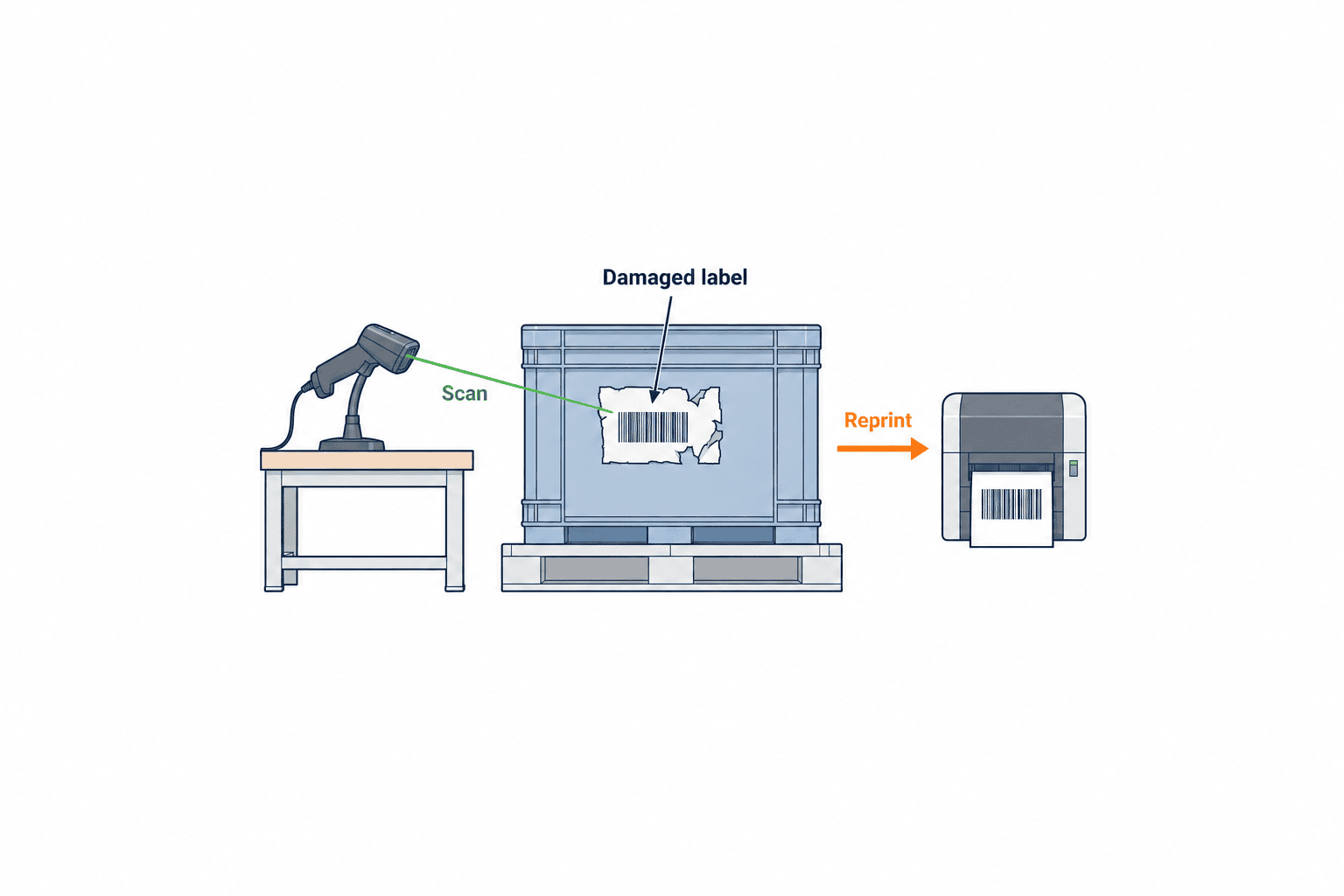
Collect, void, and quarantine the old label
An electronic “void” flag does not erase a barcode from a piece of paper. A loose original left on a bench can still be attached to another item. The procedure should therefore include a physical hold area, recovery of the old label, controlled destruction or segregation, attachment of the new label, and a final scan. An attached damaged label may be removed and retained with the case record. If removal can damage the product or is prohibited, quality must specify whether over-labelling is permitted and test which code the scanner reads.
For a missing label, require the operator to record where and when it was last seen, inspect printer output and scrap bins, and check adjacent work. If the original cannot be recovered, an authorized person must decide whether the risk of two physical labels with one identifier is acceptable or whether a different disposition is needed. Printing should remain blocked until that decision is captured.
Microsoft’s Reprint and void wave labels documentation explicitly covers lost or damaged warehouse labels, reprinting, voiding, and label history. It is an example of one product’s implementation, not proof that every MES or WMS has these functions. It illustrates why reprint and void need distinct states.
The electronic and physical controls must reinforce one another. A voided paper label may still pass through an unconnected manual process, while a recovered paper label without a preserved event history leaves the reissue unexplained. Scanners at critical handoffs should reject or flag a voided issue version, and the paper should be contained by the shop-floor process.
Record reason, operator, and approval
Begin with a scan of the target ID. Require a reason code such as damage, loss, jam, poor print, repack, or quality disposition, with short supplemental notes. An “other” choice that everyone uses produces little analytical value; free text alone creates inconsistent descriptions. Capture the operator, requester, approver, device, printer, station, process, target object, and original issue event. Use a trusted synchronized clock and retain the time zone. A shared approver login cannot establish who actually inspected the item.
An approval matrix should reflect risk. An unreleased, recovered jammed label may need an operator and line-leader check. A lost original or possible wrong attachment may require quality authorization. A changed logistics unit may also require warehouse approval. These are examples, not fixed legal thresholds. Define substitute authority and a hold location for night shifts so absence of an approver never turns into silent bypass.
At minimum, retain the case ID; original label and object IDs; ID displayed after replacement; link to the first issue; reason and notes; request, approval, print, attach, and validation timestamps; participants; template version; print payload or hash; printer response; old-label disposition; and scan result. Keep each field searchable. Images may help but require a retention and privacy policy.
Microsoft’s wave label printing documentation says generated print strings are stored in label history and distinguishes reprinting stored data from regenerating details. That difference matters when a template or item master changes. Specify whether the replacement must reproduce the original display or use current approved data, and show any difference to the approver.
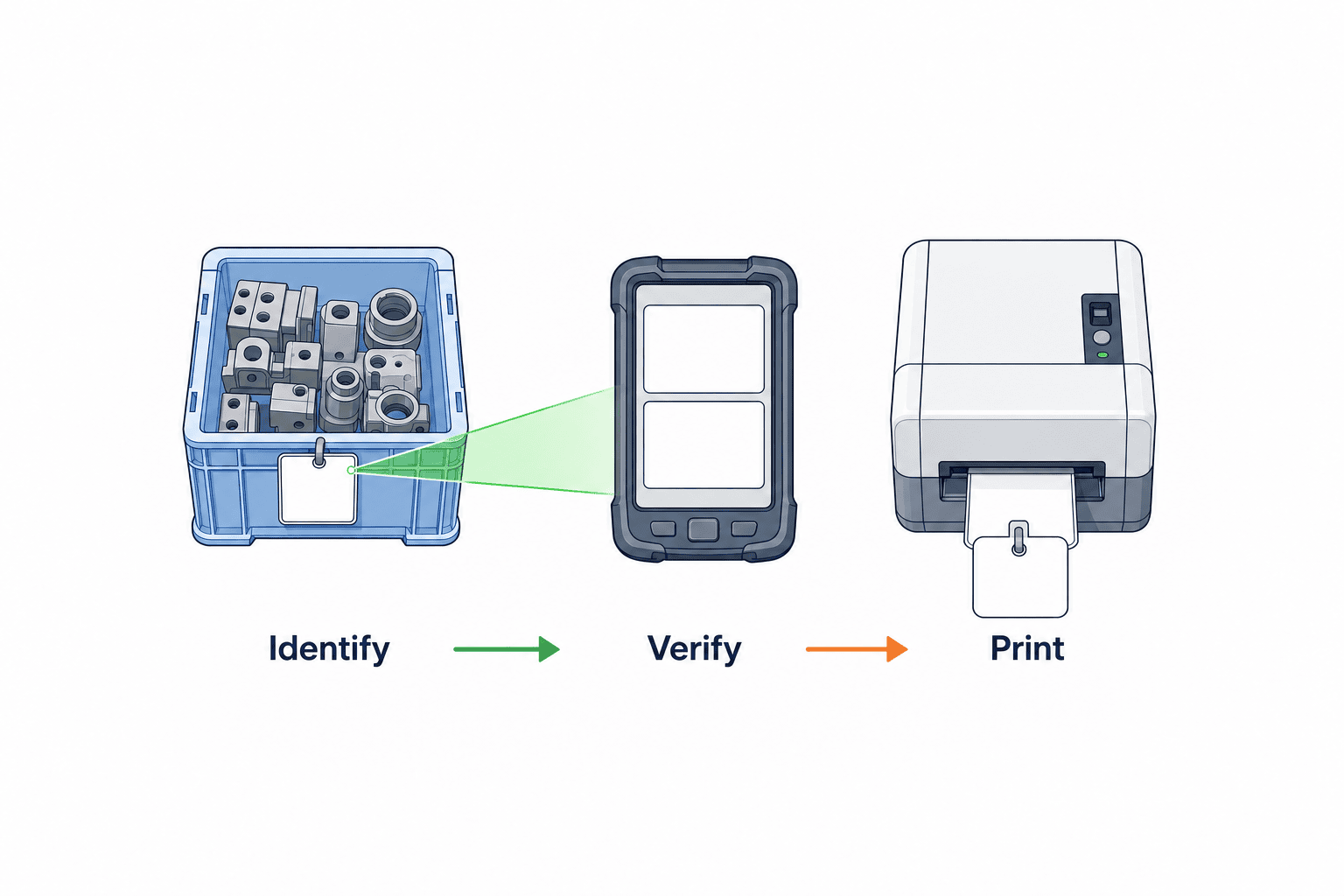
Scan the item and the applied replacement label
A successful print is not a successful attachment. At the same station, scan the workpiece’s independent identity and the new label, then compare item, lot, serial, process state, and any hold status. Where the first label is missing, use a permanent mark, fixture position, or controlled upstream record as the independent evidence. Do not design an exception process that tells the operator to scan the very label that has been lost.
Scan the newly attached label again after application. A barcode read on a desk proves only that ink can be decoded; it does not prove the label was placed on the intended carton. A second use of the same serial on a different item should trigger a duplicate-use hold. Print-quality verification and business-data matching serve different purposes: one checks readability, the other checks the object relationship. The GS1 General Specifications govern GS1 keys and barcode syntax where GS1 is used. For proprietary codes, define a separate ID namespace and parsing rule rather than claiming GS1 compliance.
Design the failure screen first. A mismatch should show expected and scanned values and route the case to hold, without an ordinary “continue” option. If the code cannot be read, allow a controlled exception with a second-person check and alternative physical evidence rather than unrestricted manual entry. For disconnected devices, decide whether reissue stops or a narrowly defined emergency procedure applies. Synchronize and reconcile emergency cases after connectivity returns; unresolved duplicate identities should remain on quality hold.
Divide ownership among ERP, MES, WMS, and QMS
A label service need not replace every system. Define one system of record for each object and decision. ERP may own item, order, and customer masters; MES may own production orders, process state, and product serials; WMS may own packing units, locations, and shipping; QMS may own quality holds and dispositions. The label service can own templates, print requests, reissue events, printer responses, and validation scans. Assign these responsibilities to the actual systems in the plant rather than copying a generic architecture.
Separate numbering from display. If MES assigns product serials, a label service must not assign competing ones. If WMS owns SSCC, a repack transaction should determine whether a new logistics-unit ID is needed; the label service displays the approved value. Preserve the master-data version used at print time. Give each print request an idempotent request ID so an interface retry does not silently generate another physical label.
The GS1 EPCIS and CBV Implementation Guideline describes relating an object to events of what happened, when, and where. A plant need not implement EPCIS to benefit from treating reissue as a linked event rather than an overwrite.
When a printer times out, “no response” is not proof that no paper emerged. Separate requested, printer-accepted, physical output checked, attached, and validated states. Before retrying, inspect both the job log and output tray. A cancel request is not the same as proof that nothing printed. Keep the request ID, source, object ID, version, timestamp, response, and retry count in the interface contract.
Write an RFP that tests exceptions
State whether the label identifies an individual workpiece, WIP lot, returnable box, shipping carton, or pallet. Identify the numbering authority for each and whether old labels can be physically recovered. Attach a state-transition table covering normal, hold, requested, approved, printed, applied and validated, old issue voided, rejected, and canceled. Specify which role and evidence permits each transition.
Functional requirements should include reason codes, same-ID versus new-ID paths, dual authorization where needed, old-label voiding, print quantity limits, scanner matching, template versioning, idempotent retries, and searchable audit exports. Nonfunctional requirements should cover network outages, device recovery, clock synchronization, authority changes, multilingual screens, backup restoration, and retention. Set retention from the applicable law, customer contract, and quality procedure; do not copy a generic number of years.
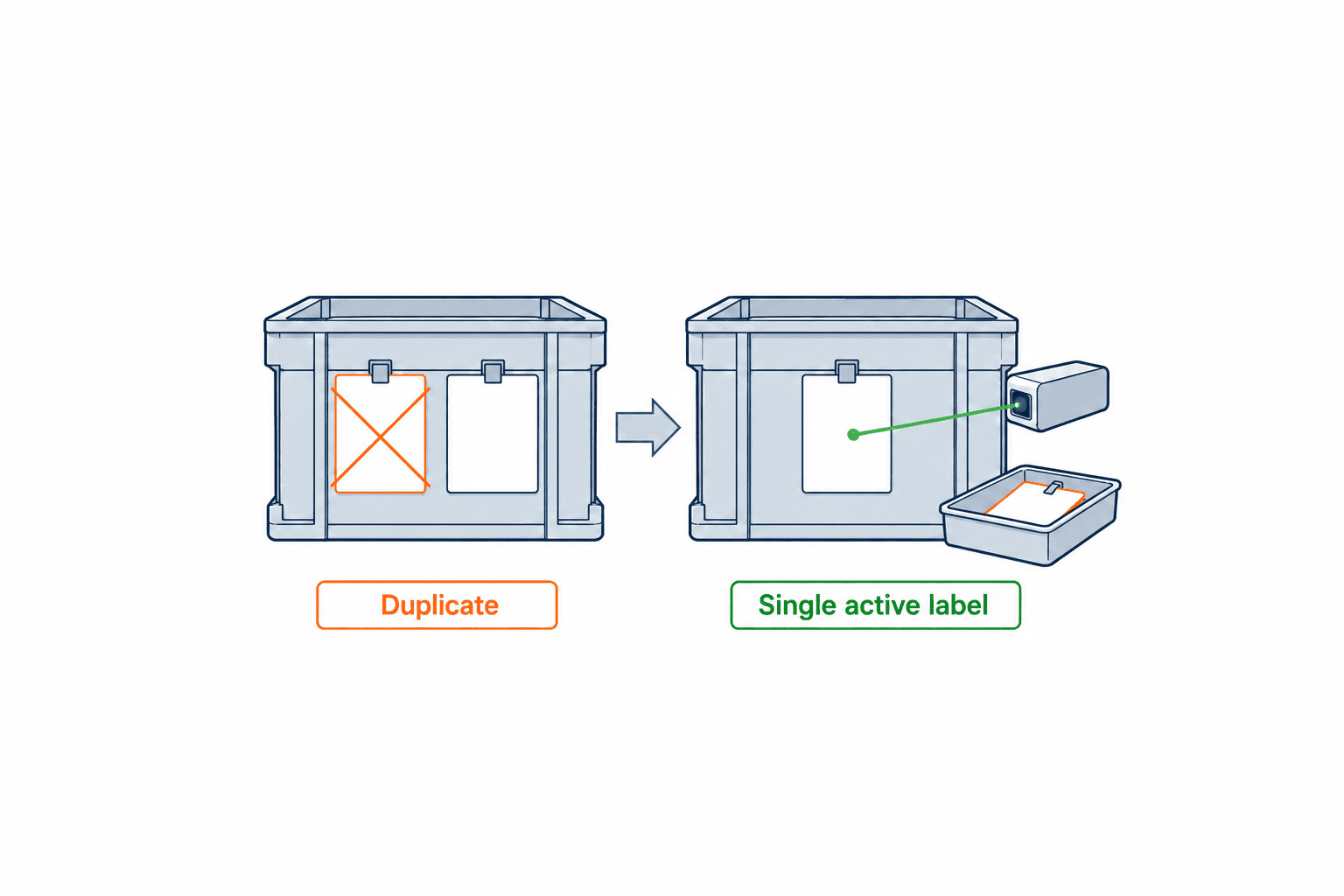
Ask vendors to demonstrate what happens when two copies of one serial are printed and attached to different boxes. Where does the workflow stop the second box? Also ask: Who may approve a missing label? Can a product serial and a carton SSCC have separate numbering authorities? Can the old template be reproduced after a revision? What happens if the print request times out? What does a scanner show when it reads a voided label? Can all events for one case be exported together? Do reason codes have equivalent meanings in Thai, Japanese, and English?
Run FAT and SAT with failure cases
FAT checks behavior in a controlled vendor environment; SAT checks it with real printers, scanners, network conditions, and shop-floor movement. Test damage, loss, a jam with no attached label, suspected wrong attachment, carton rebuild, network interruption, missing printer acknowledgement, repeated clicks, and concurrent requests from different users. For each, specify the starting state, expected physical label count, screen message, event log, and ERP/MES/WMS outcome before running the test.
In FAT, verify that repeated submission with one request ID resolves to one business action, printing cannot start before authorization, a requester cannot approve their own case when separation is required, old labels are rejected by scanners, and history exports are complete. In SAT, test the barcode at actual reading distance, lighting, and protective-film condition. Watch whether operators can complete the post-attachment scan without an awkward detour. A passed test means the right object and record agree, an unsafe reissue is stopped, and a permitted reissue can finish—not merely that a screen appeared.
Operate the case record, reconcile paper, and train roles
Do not reduce the data model to a “reprint count” on the first issue. Give each reissue a case ID and append request, authorization, print, validation, and old-label events. If a reason is corrected, preserve the old and new values, editor, reason, and timestamp. Keep a clear link between the unchanged product ID and the new label issue version. When a logistics unit changes, retain both the old and new unit relationships and packing content, not just two strings called “before” and “after.”
Reconcile issued, ejected, applied, recovered, and destroyed label counts by shift or another defined unit. A printer may report success when a sheet is inaccessible, or report a failure after paper came out. Investigate differences before allowing another issue of the same identifier. Adjust rigor to the risk of each label type; a serialized shipping unit and an internal lot traveler need not share identical controls. Physical layout matters: place the hold tray, old-label bin, printer output, and scanner so the correct sequence is the easiest sequence.
Avoid a simple target to reduce reprint counts. It may encourage unrecorded workarounds. Monitor reason distribution, recovery of old labels, approval wait, completed post-attachment scans, rejected cases, duplicate-use alerts, and recurring printer faults. Establish numeric targets only after observing a baseline. Train operators to distinguish loss, damage, and suspected wrong attachment; leaders to check the physical item; quality to determine identity and affected scope; and IT to reconcile print jobs with data. Practice on night shift as well as day shift.
For a Thai plant, keep one reason-code ID behind Thai, Japanese, and English text. Define who approves across shift changes, which time zone is displayed, and how a temporary paper process is reconciled after connectivity returns. If headquarters and the Thai factory hold different item or customer masters, decide which approved version controls the label before issuing the RFP.
Begin rollout in one process where reprint frequency and consequence are known. Exercise damage, loss, and jam cases, then extend to adjacent processes and finally the warehouse. Old labels issued before the system went live have no original event in its database: treat them explicitly as legacy cases requiring alternative evidence. During migration, post the cutover date, affected items and stations, and whether old templates remain valid.
Run an incident drill in which someone tries to put a recovered old label on a different box. Observe where a voided scan stops the flow and whether shipping detects the duplicate. Repeat with a lost printer acknowledgement followed by a second click. Record weaknesses in interfaces, screens, authority, and physical layout; then retest the same scenario after correction.
Govern temporary paper tickets during an outage
Some plants use a handwritten ticket to avoid stopping every process when a printer or network fails. That ticket must be an identifier for a temporary control case, not an invented substitute for the official product serial. Prepare uniquely numbered paper tickets in advance, secure them, and have a shift leader record the first number used, unused stock, spoiled tickets, and any missing ticket. The ticket should identify the object, production order, issuer, issue time, reason, and hold location. Mark the physical item as restricted and put it in a designated area; define in advance whether it may move to another process and, if so, who authorizes the move and where its destination is recorded. For products requiring reliable serialized identification at shipping, the safer rule may be to prohibit paper substitution and hold the items.
When service returns, do not merely type the handwritten number into the system. Match each paper ticket against the manufacturing order, upstream process record, permanent mark where available, and physical count in the hold area. An authorized person should confirm the mapping between the ticket case number and the official object ID. If the writing is ambiguous or a ticket number appears twice, keep the item on quality hold. Only then issue the official label, scan it after application, and collect the temporary ticket. Preserve the ticket or its controlled destruction record with the case. If a ticket cannot be recovered, leave the case open with a documented search and affected scope. Recovery is complete when the physical items, tickets, and electronic records reconcile, not simply when the network reports healthy.
Reproduce a case for an audit and reconcile paper to data
An auditor or customer may choose one shipped item and ask for the entire exception path. From a case ID, the plant should retrieve the original label content and timestamp, request, reason, hold, approver, print request, printer response, old-label disposition, application, and final scan in order. A rejected request should remain visible with its reason and physical disposition. If a second request was absorbed by the idempotency rule, the event history should show that no second business issue was authorized. Keep source and display time zones explicit and synchronize terminal, printer, MES, and WMS clocks so events are not presented in a false order.
Do not equate requested labels, printer success responses, ejected sheets, applied labels, and destroyed sheets. A printer can acknowledge a job while the output is damaged; a timeout can occur after paper has emerged. Reconcile these quantities per case and shift. Investigate the location of every unapplied sheet and prevent another reprint of the same ID while a difference remains unexplained. The next shift should inherit unresolved cases with their hold status intact. Correcting a mistaken reason should append the old value, new value, editor, time, and explanation rather than erase the original history.
Control template changes and phase the rollout
After a template revision, a replacement might need to reproduce the historical approved content or display current approved content. A spelling correction is not the same as a changed customer part number or safety warning. The change record should state affected products and lots, effective time, customer approval where required, and the rule for already-issued items. The screen should show the selected version and a clear difference from the earlier print. Operators should not choose whichever version is convenient: the production or shipping order should propose the applicable version, and a deviation should go to quality for approval. If the display changes, do not silently reuse an earlier approval of different content.
During phased rollout, a label from a line that has not migrated may be unreadable to a newly installed station. Define the responsibility for reissue of legacy labels rather than letting operators enter an unverified number by hand. The migration table should map product, line, issue date, template version, readable scanners, and system of record. Account for work in progress and carton inventory carrying old labels. At each expansion step, test mixed old and new labels, the cutover date, and the exception path before copying configuration to another line.
Finally, combine exceptions in drills. Try an old-version label damaged the day after a template change, a paper ticket issued on night shift, and a recovered old label after carton repacking. Record where the object was held, who decided its identity and display version, how many pieces of paper were recovered, and which system retained the final event. A pass/fail mark alone will not show where responsibility disappeared. Feed the result into FAT/SAT cases and role training before the next rollout.
FAQ
Is ordinary printer history enough for a label reissue audit?
Usually no. A printer log can show a job was submitted, but not why, which physical object was checked, who authorized it, how the old label was handled, or whether the replacement was attached to the right object. Link printer data and business events with one case ID.
Does every factory label reprint require approval?
The approval level depends on risk. A recovered, unattached jam is different from a missing original. Define a matrix by product, identification granularity, shipping stage, and customer requirement. Record the reason and operator in every path.
How does barcode scanning prevent mislabelling after reprint?
Compare the object’s independent identity with the replacement label at one station, then scan the applied label. Reject voided versions and duplicate use. When the original is missing, use controlled upstream evidence rather than assuming the object is known.
Should MES or WMS own reissue?
MES commonly holds product serial identity; WMS commonly holds cartons and pallets. The actual system of record depends on the installed systems. A label service can own the print and reissue event while referencing the approved ID. Never let two applications allocate the same identifier independently.
Conclusion
Manufacturing label reprint control is a controlled restoration of physical identity. Define when the same ID remains valid, how old paper is collected and voided, who approves an exception, how the applied label is scanned, and which system owns each ID. Put those decisions in the RFP and prove the failure paths in FAT and SAT. That keeps a lost label from breaking the traceability chain.
TOMAS TECH can help map a Thai plant’s replacement-label flow to its existing MES, ERP, WMS, and physical workstations. If you are still defining the old-label procedure or preparing an RFP, you can contact us to discuss the design.
Primary references
- GS1 Global Traceability Standard.
- GS1 General Specifications.
- GS1 Logistic Label Guideline.
- GS1 EPCIS and CBV Implementation Guideline.
- Microsoft Learn: Reprint and void wave labels.
- Microsoft Learn: Configure wave label printing.
*The approval paths, states, and test cases above are implementation examples. Check applicable customer specifications, product regulations, and internal quality procedures.*


