


Implementing a production actuals correction and approval system means more than adding an Edit button. When a factory corrects output quantity, good and scrap quantities, labor time, equipment, or a lot number, it must be able to explain the original report, the reason for change, who approved it, and what happened to inventory and cost. This guide helps manufacturing, quality, warehouse, and IT teams in Thailand design correction history, approval, reversal and reposting, ERP reconciliation, and acceptance tests.
It addresses a factory that already records production actuals but handles exceptional changes through emails, paper forms, spreadsheets, or direct ERP entries. For initial reporting methods, see our shop-floor production actuals collection guide. For the transaction that moves finished products into inventory, see our finished-goods receipt guide. Here the question is what to do when a reported value proves wrong before or after downstream posting.
Why overwriting a production actual is risky
A production actual can be linked to a production order, operation, item, quantity, quality classification, labor time, machine, operator, lot, and timestamp. Suppose the floor reports 100 good units and later verifies 96. Displaying 96 is easy. Explaining when 100 was reported, why four units were removed, whether inventory has already received 100, and whether another system read the earlier number is harder. Investigations and period-end reconciliation need both the current effective value and the path that led to it.
Microsoft explains that reporting a production order as finished moves the finished product into inventory and can include partial quantities and error quantities with reasons. Depending on configuration, it can also trigger material and time consumption, warehouse work, quality orders, or ledger effects. Microsoft’s production-posting documentation separately describes material, time, finished-goods, WIP, and inventory postings. These are descriptions of a particular ERP product, not a claim that every factory behaves identically. They show why the downstream footprint of a correction must be assessed before changing a screen value.
The stronger pattern is to preserve the original event and add a linked correction event or reversal. The application then calculates which version is effective for dashboards and integration. Retaining an incorrect original without excluding it from effective totals can double count production; deleting it destroys the explanation of how a downstream transaction arose. A good design solves both problems.
Keep three times distinct
An operator may say that yesterday’s output was corrected today. That statement contains at least three timestamps: when the work occurred, when the original report was saved, and when the correction was requested and approved. The reporting date for shift performance and the posting date for accounting may differ. A night shift, offline terminal, and ERP cutoff can make the distinction material. Define the time zone and clock synchronization for the terminal, MES, and ERP. A backdated effective production date must never imply that approval also occurred in the past.
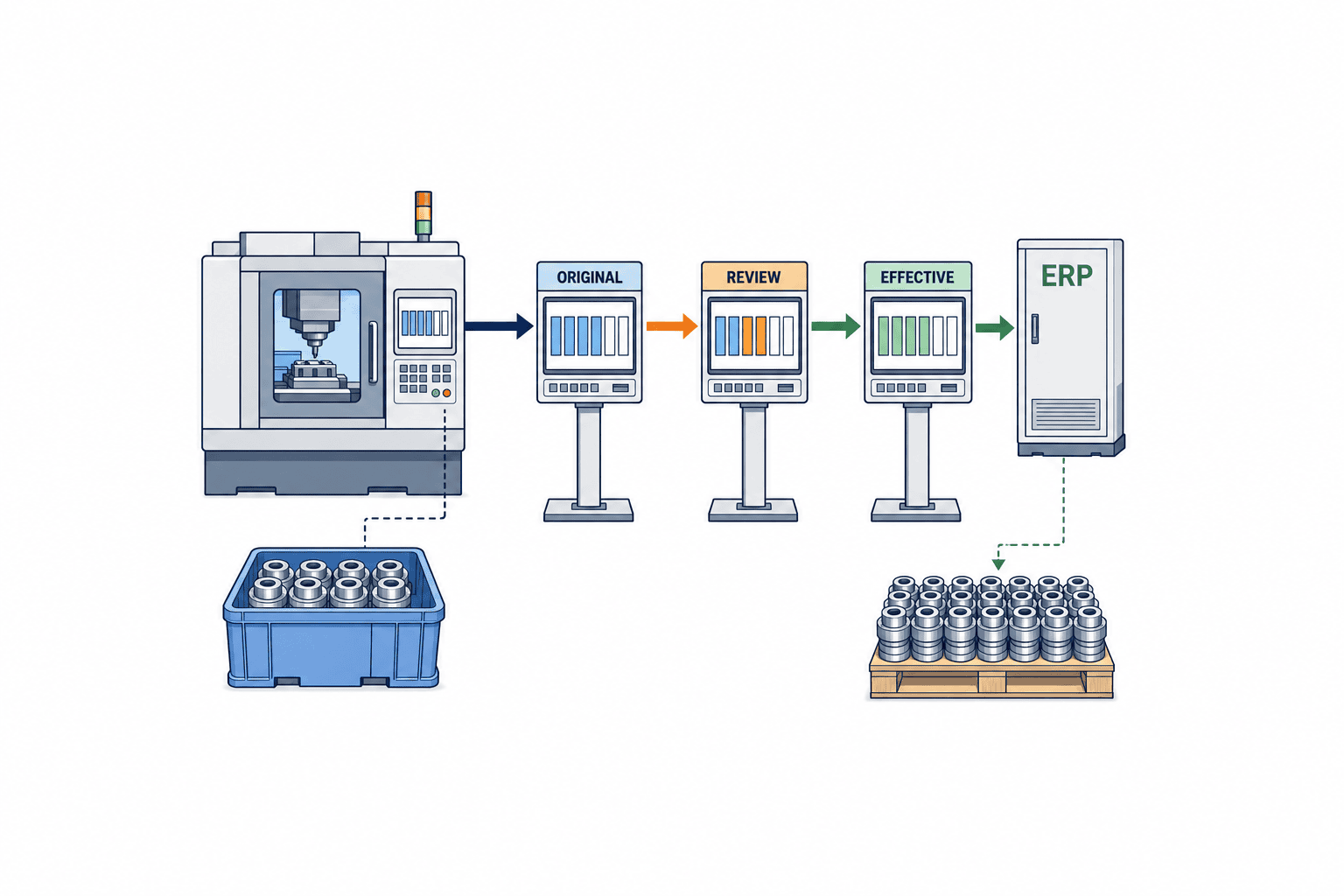
Model correction events and calculate the effective value
The minimum identifiers are an original actual ID and a correction request ID. Keep the original record. Link the request to the original, the before and after values, unit, reason, applicant, and request time. Approval adds the approver and approval time, and only then changes the effective value under a documented rule. Rejection leaves the effective value untouched but retains the request and rejection reason. A pending request must not silently change production totals.
| Field | Design decision | Why it matters |
|---|---|---|
| Identity | Original actual ID, correction ID, order and operation IDs | Separates similar reports |
| Scope | Item, machine, lot, shift, operator | Identifies affected records |
| Values | Before, after, unit, good and scrap | Calculates the difference |
| Explanation | Reason code, note, evidence | Supports review and investigation |
| Decision | Applicant, approver, times, rejection reason | Reveals unauthorized changes |
| ERP link | Request ID, ERP transaction ID, response and retry state | Prevents duplicate posting |
| Version | Original version and effective revision | Keeps reports consistent |
For 100 to 96 good units, retain the original 100 and a signed, approved 100→96 correction. The MES may expose 96 as the current value or calculate 100 plus a minus-four adjustment. Either representation can work if integration and retries use stable identifiers. Directly replacing 100 with 96 makes the original ERP posting of 100 difficult to explain.
Do not treat every field the same. A typo in a work note may remain within MES. A lot correction affects traceability. A machine correction changes equipment-level analysis. Labor time can affect costing or a separate timekeeping boundary. Moving quantity from good to scrap can affect quality disposition and finished inventory. Build a field-by-field impact matrix before assigning approval routes and ERP operations.
Simple, visible states and version conflict checks
A practical state model is Draft, Submitted, Approved, Rejected, Awaiting ERP, Posted, Reconciled, and Error. Approval and ERP posting must be separate states. An approved request can remain unposted during an outage, and the factory needs to see it. Represent cancellation or resubmission as linked events rather than erasing the earlier request.
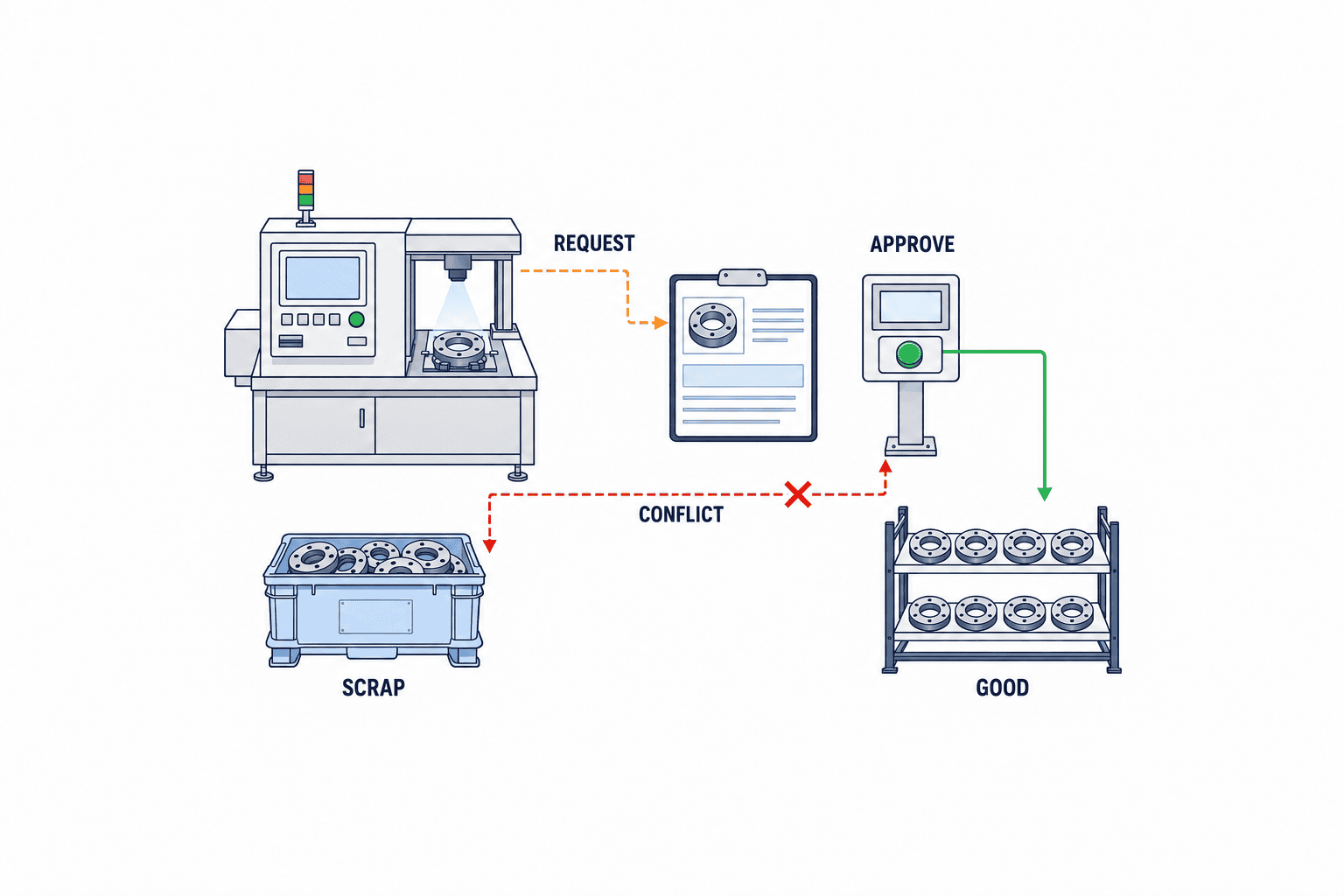
At approval time, compare the version that the applicant saw with the currently effective version. If two requests both started from 100, one proposing 96 and the other 98, accepting both without a conflict check silently discards a decision. Stop the second approval and ask the reviewer to evaluate it against the new effective value. Preserve the chain if a later physical count finds 95: 100→96 and then 96→95 are two decisions, not one overwritten field.
Make approval proportionate to the downstream impact
Approval is a way to verify a consequential change, not a reason to route every spelling correction to the plant manager. A small unposted quantity correction, a scrap reclassification, a lot change, an inventory-posted reduction, and a closed-period adjustment need different checks. Universal numerical thresholds are not appropriate; the plant should choose them from product value, quality requirements, and its responsibility matrix.
| Exception | Evidence to inspect | Possible reviewers |
|---|---|---|
| Unposted input error | Source ticket, counter, shift record | Supervisor or production control |
| Good-to-scrap change | Inspection, quarantine, retest | Quality |
| Lot or serial correction | Physical label and movement records | Quality and warehouse |
| Quantity after inventory receipt | ERP transaction, allocation, shipment plan | Production and inventory control |
| Closed-period cost impact | Posting date and variance method | Finance under company policy |
Show approvers the original value, proposed value, difference, reason, evidence, affected systems, and current ERP state together. If the same person can create and approve a request in an exceptional case, record the exception and its authorization. Define delegated approval for nights and absences, including who delegated, the time window, and the reason. A general access-control policy is relevant, but the specific question here is whether each correction decision can be reconstructed.
Reason codes should reflect actual causes: input error, duplicate entry, equipment-count discrepancy, late inspection, lot identification correction, or integration reprocessing. Avoid a list so rigid that users select “Other” for everything. Permit a provisional “Under investigation” reason, with follow-up before approval if evidence is incomplete. Short structured reasons plus an optional note and attachment are usually easier for the floor to use than a long mandatory narrative.
The normal order is request, impact review, approval, MES effective-value update, and ERP action. Safety or quality containment may need to happen sooner, but record it as an interim action separate from the formal production correction. If the integration posts before approval, define how a rejected request will be reversed. Holding downstream posting at the approval boundary often simplifies accountability.
Design ERP cancellation, adjustment, and reposting explicitly
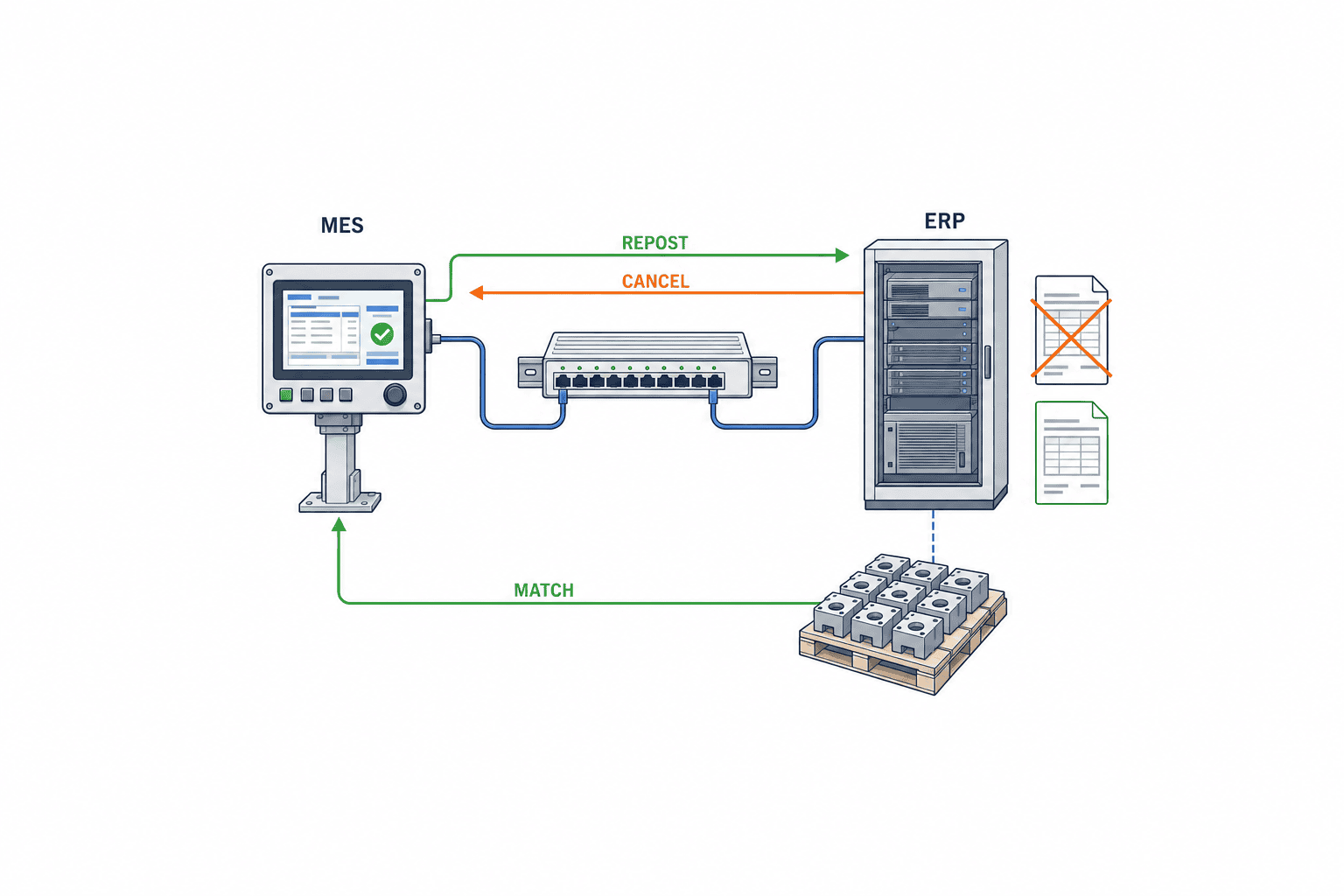
The ERP correction mechanism depends on the product, configuration, and transaction state. Resending a modified MES value under a new request can be interpreted as an additional production posting. Agree on whether the ERP can cancel a specific source transaction, accept a delta, or requires cancellation and reposting. Test the effects on inventory, WIP, cost, warehouse tasks, and related quality records.
Microsoft documents that reversing a production-order status moves the order and route operations to an earlier lifecycle step. Reversing from Reported as finished may require estimation or scheduling to be rerun; a Started-to-Released reversal affects finished items, route quantities, time, and other settings. Reversing a whole order’s status is therefore not equivalent to correcting one individual reported actual. Do not build a generic “Undo” button around an unverified assumption about ERP behavior.
SAP’s production-confirmation cancellation documentation describes identifying the confirmation to cancel, especially when an operation has multiple confirmations. It also notes that an action triggered by a confirmation may not automatically be undone when the confirmation is canceled. A practical requirement is to retain the original confirmation identifier and separately check downstream effects. These vendor examples are not interchangeable; acceptance tests must use the factory’s actual ERP configuration.
Stable request identifiers and uncertain responses
An integration request should include plant, order, operation, source actual ID, correction ID, action type, and a stable request number. Distinguish New, Cancel, Adjust, and Repost. Retries must reuse the same correction and request identifiers, with ERP-side duplicate detection where supported. A timeout does not prove that the ERP did nothing. Query the target transaction before retrying. Capture the ERP transaction and document IDs, posting time, and final status in MES.
If cancellation succeeds but reposting fails, show that intermediate condition. A blind replay of both steps can cancel twice or generate an inconsistent balance. Reconciliation compares the intended corrected item, lot, unit, and quantity with the ERP’s confirmed values. A successful network response alone is insufficient. Escalate cases in which inventory has already been allocated or shipped and a simple negative adjustment cannot be posted.
For a closed accounting period, retain the actual work date while deciding the permitted accounting posting date and variance treatment with finance, production, and inventory management. Editing yesterday’s MES value does not automatically rewrite an earlier ERP ledger transaction. Capture the approved treatment in the correction request. The software implements the company’s documented rule; it should not invent an accounting decision.
Reconcile MES and ERP at the right granularity
The exception queue should distinguish Submitted, Approved but unsent, Sent, ERP processed, Reconciled, and Error. A growing gap between approved MES actuals and confirmed ERP postings means production, inventory, or cost views may diverge. Review the queue daily rather than first discovering it at shift or month close.
Production order alone is often too broad as a key. One order may have several operations, dates, lots, and reports. Match corrections by source actual and correction IDs where possible. If ERP stores only aggregate quantity, define a mapping between detailed MES events and aggregate ERP transactions. Never call a detail-level correction “reconciled” when the target system cannot be checked at that level.
| Measure | MES value | ERP check | First response to mismatch |
|---|---|---|---|
| Good quantity | Approved effective output | Finished report and receipt | Inspect original transaction and delta |
| Scrap | Effective reason-level quantity | Scrap posting | Compare quality records |
| Labor time | Effective operation time | Route or job posting | Check units and pending messages |
| Lot | Corrected lot ID | Inventory movements and lot | Verify label and inspection evidence |
| Posting | Correction and request IDs | ERP transaction and state | Query before retrying |
Where finished-goods receipt or shipment allocation has already happened, a negative correction may be rejected. Route that exception to the warehouse or inventory owner and show it as unresolved. Conversely, additional physical output still needs a justified correction and approval before it becomes a new ERP posting.
What a useful production-actual audit log contains
The log should reconstruct changes in value and decisions: original creation, correction request, evidence update, approval or rejection, ERP send, ERP response, manual retry, and reconciliation. Record actor, time, target ID, before and after values, reason, and linked ERP transaction. Automated actions need a service identity and job ID. If an administrator can edit the live row and delete the corresponding log, the evidence is weak; consider retention, export permissions, tamper detection, and backups under the company’s policy.
A reason note alone does not prove correct approval. Auditors may need to see which rule version applied at the time, whether the applicant and approver were separate, why a delegate acted, whether evidence was retained, and whether ERP reconciliation finished. Do not retroactively assess old events using the current approval rule without retaining the earlier rule version. An export should include its selection criteria, extraction time, effective value, and the full linked event chain.
Requirements to put into the RFP
Replace vague requirements such as “history available” with scenarios and acceptance criteria. Include input error, good-to-scrap change, lot change, quantity reduction after finished reporting, ERP timeout, absent approver, simultaneous requests, and closed-period correction. For each, specify who may apply, review, or approve; what the approver sees; what ERP transaction occurs; and how completion is proven.
Functional requirements should cover linked original and correction IDs, before/after display, reasons and attachments, approval routes, separation of duties, version conflict detection, cancel or adjustment identity, ERP response lookup, safe retry, and audit export. Nonfunctional requirements should cover offline message order, time synchronization, retry behavior, permissions review, retention and backup, and recovery instructions. Set numeric performance targets from measured correction volume and ERP capacity, rather than from an arbitrary benchmark.
If a separate workflow application handles approval, it still needs durable links to the MES effective value and ERP transaction. Ask bidders to provide their event model, API identifiers, error-state diagram, and a sample audit export in addition to screen demos. Separate standard functionality, customization, ERP configuration, test environment, and migration in quotations. For legacy data without trustworthy history, mark the migration-time effective value and identify pre-migration history as unavailable instead of inventing it.
A staged rollout
One route is to establish quantity correction, approval, and MES history first; connect ERP cancellation or adjustment second; and expand to quality, warehouse, and cost exceptions third. If MES already posts directly into ERP, the first stage must still distinguish unposted and posted reports. Draw the current transaction map before selecting the stages. Open, unreconciled legacy transactions need their ERP identifiers preserved during migration.
PoC, FAT, and SAT acceptance cases
A working form is not proof of a closed correction. In a PoC, take one order and operation from incorrect report through request, approval, effective MES update, ERP cancel or adjustment, reposting where needed, and reconciliation. In FAT, verify configured paths and exceptions in the supplier environment. In SAT, repeat with real devices, network, ERP connection, and shift roles. Record what each environment actually demonstrated.
| Test | Action | Pass condition |
|---|---|---|
| Preserve source | Report 100 and request 96 | Original 100 remains; pending effective value follows policy |
| Decide | Approve and reject in separate cases | Only an approved correction changes effective totals |
| Conflict | Submit two requests against version 100 | Stale approval is blocked for review |
| Duplicate | Retry one correction ID | One ERP transaction or a clear duplicate rejection |
| Partial failure | Cancel succeeds, repost fails | Intermediate state visible and recoverable |
| Period close | Correct a closed date | Work time and posting date distinct; required approval used |
| Audit | Export the case | Source, differences, reasons, decisions, ERP outcome traceable |
Include a timeout in which ERP actually posted but the response was lost. Confirm lookup before retry, duplicate detection, operator display, and escalation. At final SAT, production, quality, warehouse, and finance should be able to follow one case from the original 100 to the effective 96 and the corresponding ERP transactions. Document any remaining manual reconciliation step, its owner, and closure evidence.
After go-live, measure not just correction count but request-to-approval time, approval-to-reconciliation time, old unresolved cases, duplicate prevention, and recurring reason codes. Recorded corrections can initially rise when previously hidden work enters the formal process. Repeated errors on one machine or shift may indicate a terminal unit setting, scanner, counter, instruction, or delayed inspection problem. Slow approval suggests role coverage issues; ERP failures may point to master data or interface rules. Review open exceptions across departments until the confirmed inventory and cost effects are closed.
Frequently asked questions
Is a row-change history enough for production actuals corrections?
Usually not. The row history should be linked to the request, approval, ERP cancel or repost, and reconciliation. Use a correction ID that joins the source actual and the target ERP transaction.
Must a supervisor approve every MES actuals edit?
Approval routes should reflect the changed field, inventory and quality impact, and whether the accounting period is closed. Even an allowed low-risk correction needs an actor and reason in the history.
Can ERP production actuals simply be overwritten?
That depends on the ERP and transaction state. Vendor documentation describes different operations for production confirmations and order status reversals, each with downstream effects. Verify the exact mechanism in the installed system and test inventory and costing consequences.
Does an audit log remove the need for reconciliation?
No. The log proves what MES requested, approved, and sent. Reconciliation proves what ERP actually accepted, including quantity, lot, posting date, and transaction number. Timeouts and partial failures cannot be resolved from a send log alone.
Summary
A correction and approval system should trace one case from original production actual through request, decision, ERP action, and reconciliation. Preserve original values; record before and after, reason, and approver; distinguish approval from posting; and test duplicate messages, partial failure, closed periods, and approval conflicts. This makes an exceptional change explainable to the floor and to the teams responsible for inventory and cost.
If your Thai factory is mapping how MES corrections currently pass through forms, people, and ERP transactions, contact TOMAS TECH. A process map of the original report, approval, and inventory or costing effect is a useful starting point even before selecting a product.


