


When a plant urgently needs a replacement part, purchasing still cannot place an order if the item, purpose, required date, budget, and approver are scattered across separate emails. A manufacturing purchase requisition (PR) approval workflow captures the shop floor’s need, checks authority and budget, and passes approved details safely to a purchase order (PO). This guide sets out requirements and test examples that a buyer at a Thai manufacturing site can use in an RFP, pilot, FAT, and SAT.
Purchase requisitions and early procurement solve different problems
A PR is an internal request stating what is needed, why, when, and at what estimated cost. Its approval does not itself place an order with a supplier or form a contract. Microsoft’s PR workflow guidance describes the sequence from draft to approval and then the creation of a PO from requisition lines. An approved PR may remain pending without becoming a PO; terms may also change after conversion. Do not collapse PR, approval, PO, and receipt into one “approved” status.
This differs from managing early procurement of long lead time materials, where design or demand is not yet final and the team must decide which risk to accept before a formal order. Here the focus is ordinary PRs: complete request data, approval routing, delegated authority, budget, returns for correction, substitutes, change history, and PO integration. Exceptional early procurement needs a separate exception category and explicit approval rather than being hidden in the standard route.
The overview of purchasing management systems for manufacturers covers quotation comparison and management after ordering. This guide covers the earlier stage, from creating a PR to handing it to a PO. Its emphasis is therefore on approval routes, changes, returns, and preventing duplicate requests rather than comparing supplier evaluation or invoice matching software.
Even within one plant, indirect materials, maintenance spares, tools and fixtures, outsourced processing, consumables, and capital equipment require different requesters, approvers, delivery dates, and evidence. Distinguish MRP generated production demand from discretionary requests raised by a department. They may appear in one interface, but losing their origin and owner invites duplicate procurement and weak audit explanations. This article focuses on internal requests initiated by shop floor or department staff.
First map the current approval route
Before choosing a screen, trace about ten actual requests. Record where each began, whether orally, in chat, on paper, in email, or in ERP; who checked which facts; and when it became ready for purchasing. Ten is a practical sample for finding different exceptions, not a statistical estimate. Include an emergency breakdown, planned maintenance, mold modification, outsourced work, budget overrun, and an unregistered supplier.
Put request creation, data correction, technical review, budget check, authorization, purchasing review, quotation and supplier selection, PO creation, issue, receipt, and invoice matching on a flowchart. For each step, list the owner, substitute, inputs, decision rule, output, due time, and evidence. For a maintenance spare, the maintenance lead might judge the equipment ID and downtime risk, an engineer the model compatibility, and purchasing the price and supplier. A route that leaves every expert judgment to one manager is inadequate.
“Digitize email approval” is not a sufficient requirement. Separate repeated data entry, long approval waits, missing return reasons, uncontrolled substitutes, and changed terms after approval. Record baseline times from request to approval, returns, changes after approval, and PRs awaiting PO creation, with the relevant category and department. Set improvement targets from your own measurements instead of borrowing another company’s reduction rate.
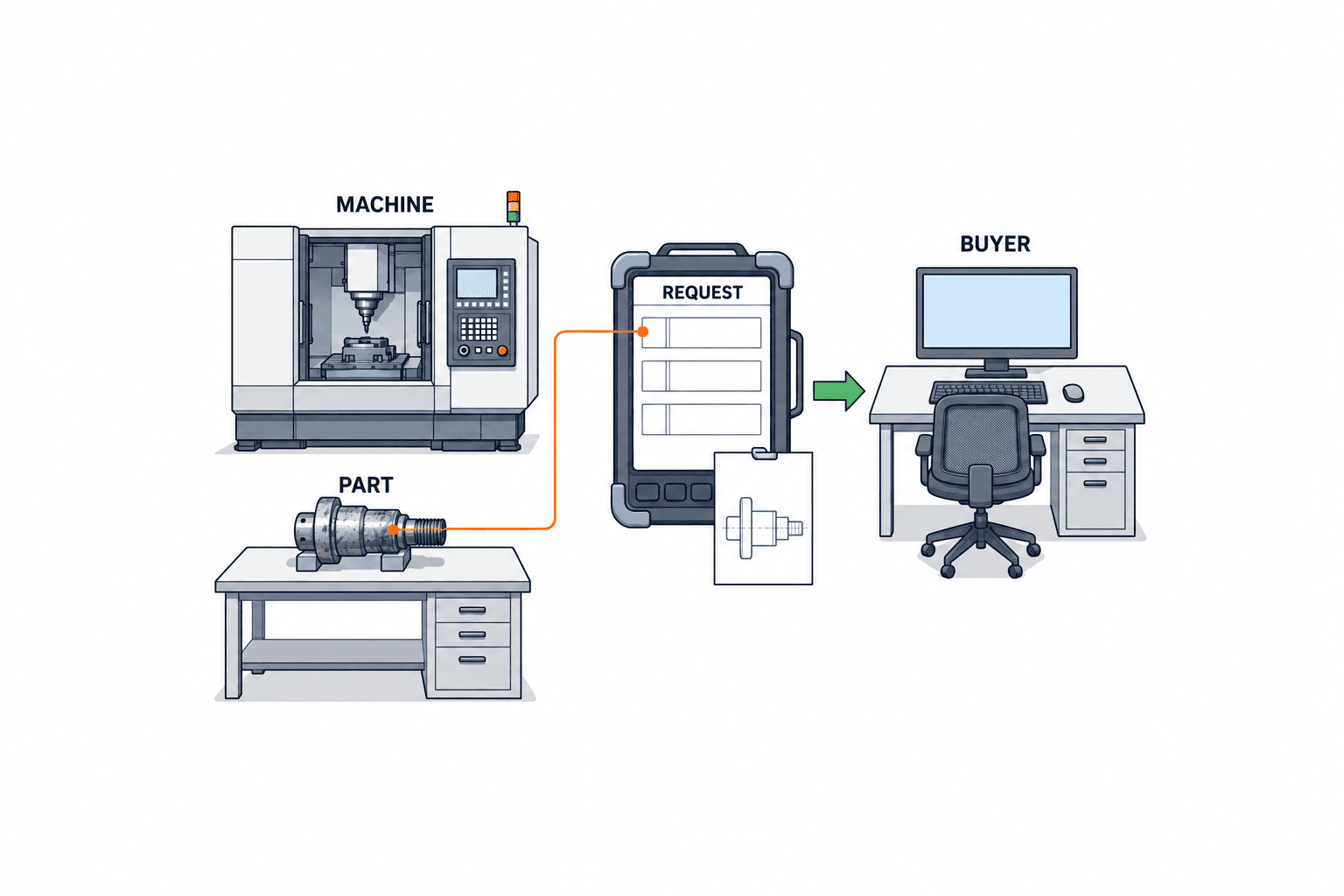
Approve the whole request or individual lines?
One PR may contain lines with different budget owners, categories, and required dates. Microsoft explains both whole document workflows and line reviews. Whole document approval is simpler, but a defective line can hold up the others. Line approval can reach category specialists, but requires rules for completion of all lines, partial rejection, combined thresholds, and split orders. Choose using real category and organizational exceptions.
Test a PR that combines a spare motor and office supplies. The motor may need an equipment number, compatibility check, and urgency; the supplies may need a catalog price and departmental budget. If different people approve them, define whether the PR ends as approved, partly approved, returned, or rejected. When only approved lines feed a PO candidate list, confirm in acceptance tests that rejected lines cannot silently reappear.
Define PR data for both ordering and audit
At minimum, header fields should include PR number, creator, actual requester, legal entity, plant, department, cost center, currency, required date, delivery location, purpose, emergency reason, attachments, status, version, and creation and update times. Lines may need item or service ID, description, quantity, unit, specification revision, preferred maker, acceptable substitutes, estimated unit price, tax treatment, intended use, and equipment or production order number. Conditional mandatory fields by category prevent users from entering dummy data into irrelevant fields.
Microsoft’s purchasing policy guidance shows separate controls for organizational policies, available procurement categories, mandatory fields before submission, RFQ conditions, and conditions for creating POs from approved requests. Translate these into RFP rules, rather than copying product screen names: a fixture request needs a drawing; purchasing selects the supplier for certain categories; a high value request without a quote goes to purchasing review.
Item master versus free text
For an existing item, pull description, standard unit, potential suppliers, and lead time from its code. Allow free text where needed, while asking for specification, intended use, substitute policy, and quotation. A blanket ban on unregistered items drives first time repairs and prototype parts back into email. Unlimited free text, however, produces duplicate equivalent items and prevents price comparisons. Set new item review and temporary code rules by category.
Quantity and unit matter too. Avoid entering “10” and guessing later whether it means pieces, boxes, or meters. Preserve conversion rules when ERP purchasing and inventory units differ. If approval thresholds use converted currency, record the rate date, source, rounding, and whether the amount includes tax. For foreign currency quotes at a Thai plant, decide whether a difference between the estimated request amount and final PO amount triggers reapproval. Use current approved masters for exchange rates and tax rates, not fixed values from an article.
Attachments and revisions
List category specific attachments such as fixture drawings, machine specifications, quotes, photos, failure reports, and customer approvals. Keep not only the submission time but also the exact revision seen by each approver. If a requester replaces a specification during approval, record the change and reason and restart approval for material changes. Display attachment and line versions together so a new file cannot coexist unnoticed with an old quantity or price on screen.
When forwarding attachments from personal email, check access rights and retention. A supplier quote can contain prices and contact information; differentiate access for requesters, approvers, purchasing, auditors, and support vendors under their agreements. The benefit of digitization is the ability to trace which evidence supported which decision.
Route approval by risk and duty as well as amount
Possible routing inputs include entity, site, department, category, amount, cost center, equipment or production order, urgency, budget result, supplier status, and CAPEX or OPEX. Too many conditions make rules impossible to explain. Start with the current delegation of authority and representative requests, then cover real exceptions. When no approver is found, send the request to an administrator’s hold queue, never to unconditional auto approval.
Oracle’s approval rule guidance describes approval groups, job levels, managerial hierarchy, a single approver, and user defined routes. Microsoft describes document and line review as well as combinations of line managers, buyers, and expense reviewers. These are product capabilities, not proof that a company’s controls are adequate. The buyer must decide who approves what, on what evidence, whether creators can finally approve their own requests, and when substitute authority is valid.
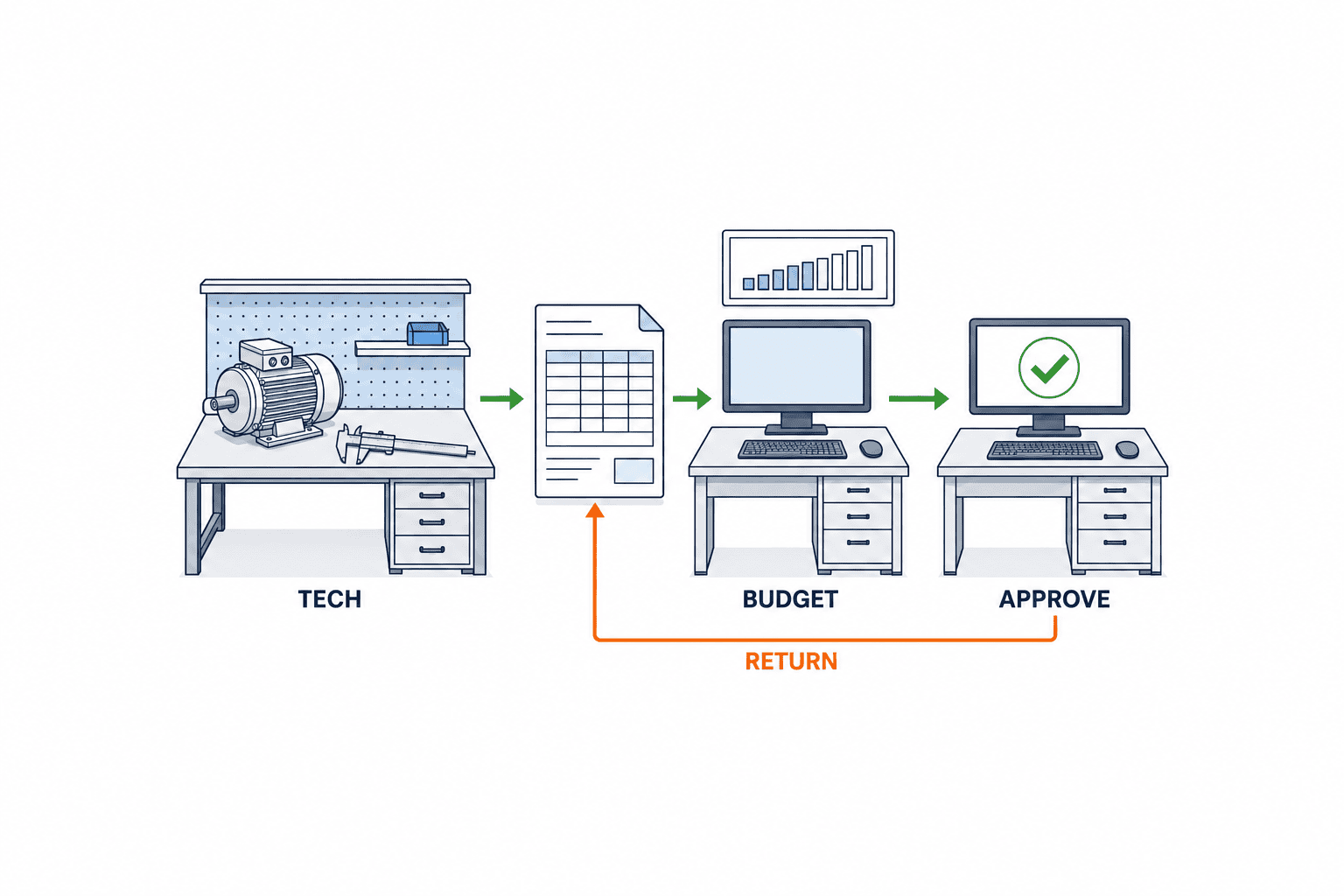
Separate spending authority from technical review
A department manager with an amount limit may not be able to certify a spare part’s technical fit. Record technical review, budget check, spending approval, and purchasing review as distinct actions. An engineer may check the drawing and equipment fit, a budget owner the available allocation, an authorized manager the spending, and purchasing the supplier and price. Even when a small site assigns several actions to one person, preserve separate actions and evidence.
Include segregation of duties in the RFP. At minimum, examine requester versus final approver and supplier master creator versus payee change approver. The prohibited combinations depend on company policy, but the system must retain IDs, roles, substitute relationships, and authority effective at the time. Rules tied to personal names break after transfers; use roles and organizational hierarchy, with expiry dates for named exceptions.
Thresholds and split requests
For amount thresholds, decide whether they apply to the whole PR, each line, or the total for one project. One machine repair could be split into several small PRs to avoid a higher level approval. No system detects every abuse automatically, but views grouped by project number, equipment, recent category, requester, and proposed supplier help reviewers. Set actual amounts and time windows from the company authority policy; do not adopt illustrative figures.
Also define what happens if a quote rises after approval. Microsoft’s purchasing policies can send lines exceeding a price tolerance back for manual review during PO creation. In an RFP, list reapproval triggers for absolute amount as well as percentage, supplier, specification, and delivery date changes. “Approved PR” must not mean that any PO detail can subsequently change without review.
Substitutes, absence, and emergencies
An approver’s holiday or transfer should not stop the plant. Register substitutes in advance with validity dates, covered entities, categories and amounts, who appointed them, and how authority is withdrawn. Preserve both the original approver and the actual user in history. Test that expired authority cannot be used and that simultaneous notifications do not lead to two approvals.
Emergency purchasing is not synonymous with skipping approval. For a night shift breakdown, define the reason, production impact, why a quote is unavailable, temporary authorized person, and later purchasing review. If retrospective approval is allowed, say what must be supplied by when and how overdue cases escalate. If the emergency route becomes common, investigate approval speed and inventory or maintenance planning separately.
Manage budget control as a separate state from approval
Spending authority does not prove that budget remains available. Decide whether the workflow checks budgets by cost center, project, account, and period; warns only; or reserves funds. Oracle’s budget control guidance explains that enabled controls can check funds before submission and, depending on setup, reserve them at submission or approval. The right moment depends on accounting practice and ERP configuration, not simply the product name.
Test exchange rate or price changes before PO, simultaneous PRs against the same budget, release of reservations on rejection or cancellation, and requests crossing periods. Decide whether insufficient funds cause a hold, exception review, or return. If approval completes while funds are on hold, purchasing must clearly see “approved, budget not secured.” A financial approval record cannot replace a successful funds check.
With asynchronous budget integration, the displayed balance may be minutes old. Specify whether to recheck on submission, approval, or PO conversion, and never display “checked” after a failed or timed out response. Retain the external query ID, time, affected lines, result, and retry history. Even before integrating the budget system, provide a field for the checker and supporting evidence.
Design returns, changes, and cancellations as normal routes
Real requests rarely finish on the first submission. A return should show what is missing, who fixes which field, comments, and a resubmission deadline. Rejection means denying the need itself and should remain distinct. Withdrawal stops a request at the creator’s initiative; it should not cancel a line already converted to a PO. Check how budget reservations and purchasing work are unwound before and after cancellation.
SAP’s workflow guidance covers multi stage approval and conditions for restarting a workflow after changes. The buyer must decide how changes to quantity, unit price, specification, delivery date, cost center, suggested supplier, and attachments affect prior approvals. Restarting for a comment typo stalls work; preserving approval after material changes lets unseen content be ordered. Make a material change matrix.
For creation, edit, submission, return, resubmission, approval, rejection, substitution, cancellation, and PO handoff, retain operation time, user, before and after values, reason, and route revision. Users should not be able to overwrite history. “Last updated by” does not establish what an approver saw. Decide what happens to in flight requests when approval rules change so old decisions are not reinterpreted under today’s rules.
Prevent duplicate requests and conflicting concurrent actions
One equipment breakdown may cause a maintenance worker to raise a request in chat while a shift leader submits the same request on paper. Show likely duplicates using project and equipment numbers, item, required date, and source, then let a responsible person decide whether they represent the same need. A suggestion is not automatic rejection: an additional quantity or the same part for another machine can be legitimate. When a request is confirmed as duplicate, retain a link from the withdrawn PR to the active PR rather than erasing its trace.
Consider two approvers acting at the same time. If one returns the request and another clicks Approve, an action from an outdated screen must not overwrite the new state. Compare the request revision or update sequence and prompt the user to reload when state has changed. Count double clicks and network retries as one approval event; an apparent transmission failure must not create another approval. This protects audit evidence as well as usability.
Treat notifications as a support for state changes
Email or chat is a notification channel, not the authoritative approval record. If an email contains an approval button, require a signed link, permission check, expiry, and protection against repeated action. Missing email must not hide a request from the system’s pending queue. Escalate requests beyond their service target to a substitute or administrator, and show the requester the current owner. More notifications alone will not clear a backlog.
Define the boundary with ERP, MES, and maintenance systems
If ERP owns the item, supplier, cost center, and PO masters, a new workflow should not maintain independent competing copies. Specify keys, versions, sync direction and frequency, delayed data displays, retries, and duplicate prevention. Cross reference PR and ERP PO numbers and make current status reachable from either screen. There is no need to replace receipt and invoicing systems at once, but users should be able to trace an approved PR to its order and receipt.
For needs originating in MES or maintenance, pass equipment number, work order, failure cause, line, and required date into the PR. Distinguish automatic creation from a human request and use an idempotency key so one fault ticket cannot generate two PRs. Making a supplier ID mandatory before purchasing has selected one undermines its responsibility. Separate “suggested supplier” from “selected supplier” and retain changes to the latter.
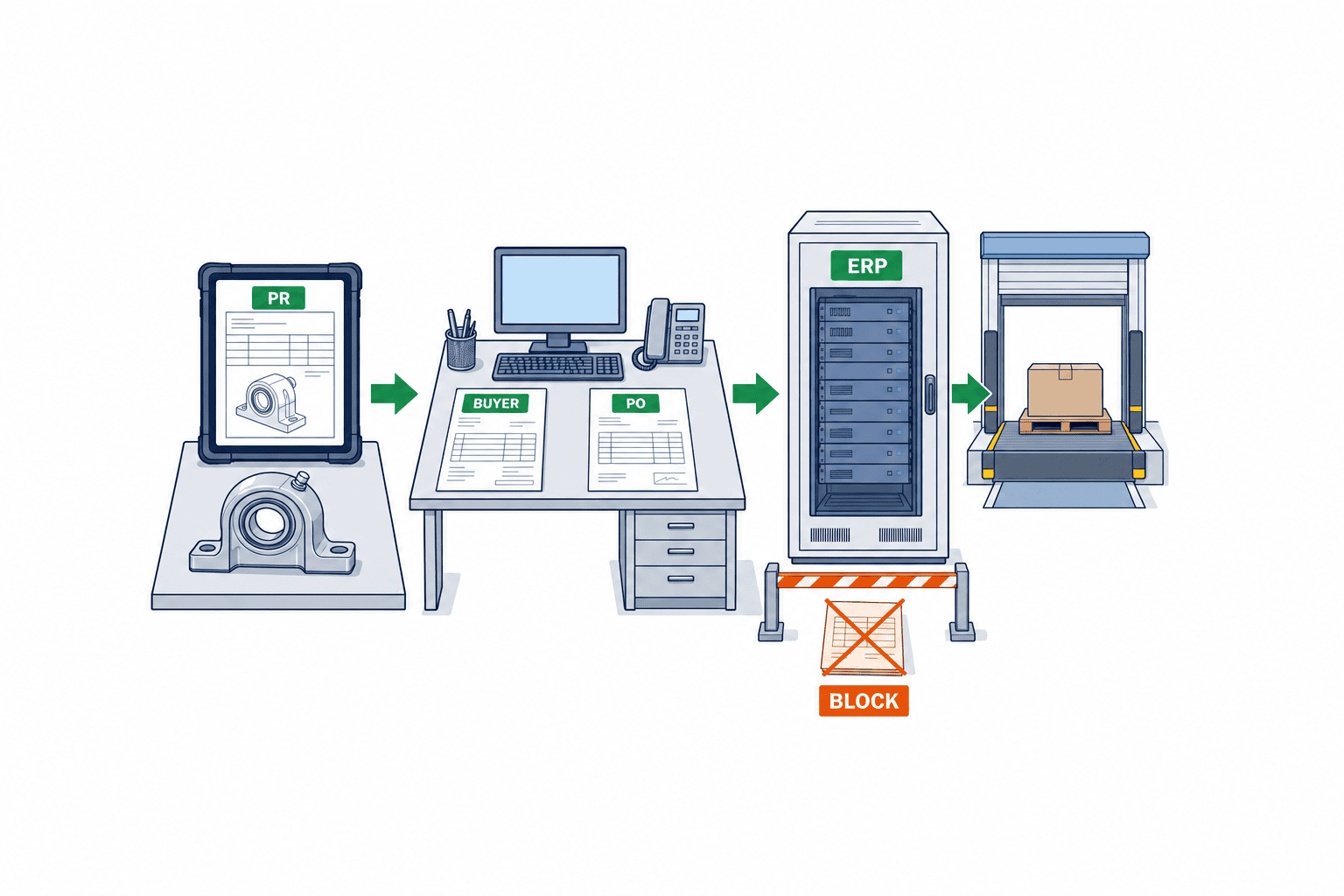
Handoff from approved PR to PO takes more than exporting CSV. Map item, quantity, unit, specification revision, price terms, delivery site, required date, tax, currency, project, and approval evidence. If purchasing can merge and split lines, trace the many to many relationship with original PR lines. Test that a failed PO creation never appears as “ordered” and that a retry cannot create a second PO. If a response is lost after transmission, query the external system before retrying.
Define approver replacement by date and by request
When an approver transfers or leaves, changing the manager master “from today” leaves in flight PRs unresolved. Decide whether to reassign all pending PRs to the new owner, pass them to the former owner’s substitute, or let an administrator decide case by case. For each reassignment retain the previous owner, reason, operator, time, and notified parties. Do not erase a stage already approved by the former owner or automatically approve a stage the new owner has not seen. A restructuring may change only the cost center, so review the approver master and accounting attributes of each request separately.
Predelegation for planned leave, administrative reassignment for sudden illness, and emergency night shift authority have different setters and audit needs. Define when an approver may choose a substitute independently and when a superior must authorize it. If a substitute is also the requester in a particular case, detect the conflict and route elsewhere. When the original approver returns after a substitute was notified, show clearly who owns each pending task on screen and in history. Copying both people on an email does not assign responsibility.
Define where approval restarts after a material change
Restarting every approval for a small addition delays the plant. Restarting only the final approval may let a PO carry a specification the technical reviewer never saw. Define a restart point by changed field: a new equipment number or part model returns to technical review; a changed cost center or amount returns to budget check and spending approval; a typo correction keeps the route while leaving history. If several fields change together, define precedence such as returning to the earliest affected step.
Show approvers the difference between the revision they saw and the current revision. Retain old approvals as audit history without counting them as approvals of the new version. If purchasing changes price, quantity, supplier, or delivery date after PR approval, company rules must decide whether PR reapproval or a separate PO approval is sufficient. Store the relevant fields and tolerance rules with their revision. Even when line data stays the same, replacing a quote PDF can require review if the price evidence on which approvers relied changed.
Test PO handoff retries and partial failures
ERP integration need not map one PR to one PO. Several PRs for the same supplier can be combined, or one PR split by delivery date. Store mappings among PR line IDs, integration event IDs, and ERP PO line IDs so a user can return from a query to the underlying approval. After transmission loses its connection, ask ERP whether it created the PO before resending. Creating another PO solely because the screen timed out can order twice from a supplier.
With partial failure, some lines become PO lines while others error. Do not label the whole PR complete; show line states and who owns recovery. If fixing the error changes item or amount, compare it with the approved revision. A technical retry alone does not need a new approval, whereas a business change follows the change rules. In FAT, send the same event twice, lose only the ERP response, and reject one line. Verify in every case that no duplicate PO or untracked line remains.
Write RFP requirements around exceptions, not screen counts
“Can submit and approve” tells vendors too little. Describe the sites and entities, categories, user counts, delegation rules, and ERP boundary, and provide scenarios: normal shop floor requests, emergencies, multiple cost centers, insufficient budget, missing approver, specification change, failed PO integration, and unregistered supplier. Ask whether each is supported as standard, configuration, custom development, or a manual workaround in one comparison table.
Data requirements should include organization, users and roles, items and categories, amounts and currency, budgets, attachment versions, approval history, PO reference, and retention. Nonfunctional requirements should cover shop floor devices and mobile input, display and search languages, outage procedures, audit export, backup, permission reviews, and migration. Check actual language use by department at a Thai site; do not mandate Thai, Japanese, and English everywhere without evidence. Handle personal data and contracts under company policy.
In scoring, distinguish a demo from successful use with production data and permissions. “Configurable approvers” is weak. Ask who receives in flight cases when a manager transfers and whether an expired substitute loses the approval button. Evaluate the scope of changes internal administrators can make and how they test, approve, and roll back them. Rules that conflict when another site is added create ongoing cost even if the initial price is low.
Define the rollout scope
Start with one plant and one department or two categories, while including the standard route and key exceptions. A pilot that excludes every emergency and return can fail on launch day. State what is outside the rollout and how old route numbering and duplicate prevention work meanwhile. Decide whether in flight requests migrate or finish on the old route.
Training must go beyond clicking submit. Teach approvers what to check and what to return to engineers or purchasing; buyers how to compare approved PRs with final PO terms; and administrators how to configure substitutes, watch backlogs, and change rules. Run realistic cases for every role, including returns and cancellations. Name the support contact, configuration change channel, and temporary outage procedure.
FAT and SAT acceptance criteria for a PR workflow
FAT validates rules and integration in a configured environment. SAT checks them with plant users, organization data, devices, and actual operating hours. Passing means that state, authority, and evidence from entry through PO conversion meet the expected results, not merely that a screen opens. The following test template must be adapted to company amount limits and hierarchy.
| Case | Input and action | Expected result |
|---|---|---|
| Normal request | Create and submit a registered item | Required fields are checked; exactly one request reaches the right approver |
| Technical review | Attach a specification to an equipment part | Assigned engineer receives it; viewed revision is retained |
| Mixed lines | Add different categories to one PR | Route by defined document or line rule; rejected lines never become POs |
| Budget shortfall | Submit above available balance | Enter defined hold, exception, or return path with reason |
| Substitute expiry | Approve within and after validity period | Permit only valid action; retain both original and acting user IDs |
| Return | Approver returns a line | Identify field and reason; resubmission repeats only required approvals |
| Material change | Change quantity or specification during approval | Reevaluate route by rule; do not reuse approval of old revision |
| PO integration failure | Stop ERP response and retry | Show not ordered; create no duplicate PO after recovery |
| Unauthorized action | User from another department opens request | Restrict attachments, amount, and approval per policy |
Include boundary data: just below, at, and just above an approval limit; converted currency boundary; zero and negative quantities; unit mismatch; old and new attachments with the same filename; missing item code; and a transferred approver. This article sets no amount threshold. Write expected results for tax, exchange, and rounding rules before running tests, and have the buyer approve expected states in advance.
SAT should also test plant network latency, mobile access, late notifications, time zones, and date boundaries. Check whether a night shift emergency goes to the wrong next day approver and how calendars differ across entities. After configuration changes, regression test that past approval history is unchanged and in flight routes remain or are reevaluated as intended. After outages, inspect the hold queue, unsent events, and PRs without POs for missed work.
After launch, measure quality and reasons for delay
Measure creation to first submission, submission to final approval, and approval to PO creation separately. Show median and long waits together so faster emergencies do not conceal slower normal requests. Track return rates and reasons, substitute approvals, budget holds, material changes after approval, PO failures, and duplicate requests for one project. Faster approval is not success if data defects or control breaches rise.
A backlog view should show current owner, age, cause, and next action. Waiting for a manager, supplier selection by purchasing, and failed budget queries need different remedies. In a monthly review, adjust common category fields, routing rules, substitute setup, or budget integration according to evidence. Record the reason, owner, effective date, and test result of every rule revision.
FAQ: Implementing PR approval in manufacturing
Can we order immediately after a PR is approved?
No. PR approval confirms internal need and spending authority; issuing a PO to a supplier is separate. Purchasing checks quotations, supplier, price, and contract terms and seeks reapproval when terms materially change. Even automated PO creation needs limited categories, exception rules, and tests for failure and duplicates.
Does a small plant need many approval stages?
The number of stages is not the goal. Identify needed judgments on technical fit, budget, spending authority, and purchasing conditions. Where one person covers several roles, document why and retain each action’s evidence. Additional review may apply only to high value, unusual, or new supplier purchases. Follow the company’s authority rules.
How should we estimate system cost?
Include license fees, cleanup of organization and item masters, roles and rules, ERP and budget integration, migration, FAT/SAT, training, and ongoing configuration. Exceptions and the ERP boundary often determine effort. Give every vendor the same scenarios and ask them to separate standard functions, configuration, custom work, and operating workarounds.
Do we need another workflow if ERP already has purchasing?
Check the ERP’s standard functions first. If it meets shop floor input, mobile, substitutes, multiple sites, attachment revisions, budgets, and audit requirements, another system may be unnecessary. If gaps remain, ERP can retain authoritative data while a front end improves request creation. Prioritize ownership boundaries and maintainability in selection.
Conclusion
A manufacturing PR workflow turns plant needs into explainable internal requests, records technical, budget, authority, and purchasing decisions, and transfers only approved details into POs. Before implementation, define scope and exceptions and put approval units, material change reapproval, budget states, substitutes, and ERP integration in the RFP. FAT and SAT should run returns, absence, price changes, and integration failures as well as normal cases.
If you are mapping PR routes and RFP requirements against your Thai plant’s ERP and authority policy, contact TOMAS TECH. We can start with your real requests and approval rules to define a practical rollout.
References
- Microsoft Learn: Purchase requisition workflow
- Microsoft Learn: Purchasing policies overview
- Microsoft Learn: Purchase requisition overview
- Microsoft Learn: Procurement and sourcing workflows
- SAP Help Portal: Flexible Workflow for Purchase Requisitions
- SAP Help Portal: Workflow Features for Purchase Requisitions
- Oracle Fusion Cloud Procurement: Approval Rules
- Oracle Fusion Cloud Procurement: Perform Check Funds on Requisitions


