


Somewhere on a factory floor in Thailand, the server running the production management system just quietly turned six years old. Nobody scheduled a review — it just kept running. That is how server end of life usually shows up in practice: not as a single dramatic failure, but as a slow creep of higher maintenance bills and longer outages. This article walks through why aging servers have become a sharper problem in 2026 (Windows Server support deadlines and VMware’s licensing changes both play a part), lays out the three realistic refresh paths — on-premises replacement, virtualization, and cloud migration — and runs the numbers on a modeled five-year cost comparison so you can see which direction fits your situation.
Why Server End of Life Has Become an Urgent Problem for Factory IT in 2026
A server that supports the production management system is easy to ignore precisely because it works. Compared with a line improvement project or a new piece of equipment, it rarely competes for budget attention, so it is common for five or six years to pass without anyone formally reviewing it. Around 2026, though, a few external factors are converging to make that neglect more expensive than it used to be.
The first is operating system support timelines. Windows Server 2016 already exited mainstream support in January 2022, and extended support ends on January 13, 2027. Windows Server 2019’s extended support runs out on January 10, 2029. Once a production system is running on an OS past its support date, no more security patches arrive, and any newly discovered vulnerability simply sits there unpatched. Windows 10 support for client machines ended on October 14, 2025, and a growing number of factories are treating that as a trigger to review server-side infrastructure alongside the office PC refresh they were already planning.
The second factor is a change in virtualization software licensing. Broadcom, which acquired VMware, has restructured its licensing model so that every physical CPU core on an ESXi host must be licensed in blocks of at least 16 cores — even when the actual CPU has only 8 or 6 physical cores. That makes smaller virtualization deployments disproportionately expensive under the new rules. Industry licensing surveys report that annual VMware licensing costs have risen anywhere from 150% to 1,200% depending on the organization since the change took effect, with small and mid-sized organizations seeing increases in the 350% to 1,000% range. Factories that already run a virtualized environment may find themselves reassessing that licensing bill the moment a refresh comes up for discussion.
Put together, server end of life in 2026 is not just a hardware-lifespan question. Two separate external forces — OS support deadlines and a licensing shake-up — are both pulling the decision timeline forward at the same time, which is worth keeping in mind before treating this as something to revisit “eventually.”
Three Risks That Come With Letting a Production Server Age
Server aging is not simply a matter of eventual mechanical failure. Below are three separate risk categories worth tracking independently: production downtime, security exposure, and parts procurement.
What Happens When the Production Management System Goes Down
When the server behind a production management system goes offline, most factories fall back to paper for work instructions and output logging. Delayed shipping instructions mean delayed shipments, and gaps in output logging mean the day’s actual production numbers become unreliable. Once the system comes back, someone has to re-key everything by hand, which adds overtime on the floor. The longer the outage, the further downstream the disruption tends to spread through the process.
The Risk After Security Patches Stop
Once an OS reaches end of support, fixes for newly discovered vulnerabilities stop arriving. A production management server typically handles some of the more sensitive information on the internal network — order data, cost data, supplier information — and continuing to run that on an unsupported OS tends to draw attention during audits or customer security reviews. How to keep a clear inventory of factory IT assets, contracts, and license status so that support deadlines don’t sneak up on you is covered in Factory IT Asset Management 2026 — worth a look if you want to start with an inventory of what’s already running where.
Long Downtime From Parts Delays and Stock-Outs
Once a server’s manufacturer maintenance period ends, the manufacturer stops supplying replacement performance parts. After that, repairs depend on whatever parts remain in the market or secondhand supply, and sourcing a failed component can take anywhere from a few days to a few weeks. A failure that would have meant a few hours of downtime during the standard maintenance window can turn into a much longer full outage once the server has aged past that point — which is the core reason server end of life is not something you can safely defer indefinitely.
What It Costs to Keep Running As Is — A Modeled Scenario
From here, we’ll use a fictional modeled company to put numbers on what it costs to leave an aging server in place. Every figure below — the company, the costs, the assumptions — is an original illustrative estimate, not a real statistic or survey result.
The modeled company is “Company B” (a pseudonym), an auto-parts manufacturer in Chonburi Province, Thailand, with 150 employees. It installed one physical server to run its production management system in August 2020, at a purchase price of 900,000 THB. As of August 2026, that server has been in service for exactly six years — one year past the five-year benchmark commonly used as a rough useful-life guideline for servers. That five-year figure, incidentally, comes from Japan’s National Tax Agency depreciation schedule for tax filing purposes (servers are assigned a five-year useful life, versus four years for general-purpose PCs); it is cited here only as a rough refresh-cycle reference point, not as a Thai accounting standard.
For its first five years, Company B ran on a standard maintenance contract at 80,000 THB per year. In year six, the manufacturer’s stock of replacement performance parts ran out, and the contract shifted to case-by-case extended maintenance. We’ll assume that extended maintenance costs 60% more than standard maintenance, or 128,000 THB per year. At the same time, expected annual downtime is assumed to worsen from 2 hours under standard maintenance to 6 hours once parts delays are factored in. If we assume the cost of one hour of downtime for the production management system — counting delayed-shipment response and overtime — at 45,000 THB, annual downtime cost rises from 90,000 THB before aging to 270,000 THB after. The scope and structure of the maintenance contract itself, including how SLAs are typically set, is covered separately in System Maintenance Cost 2026, worth checking if you’re weighing whether to move to an extended contract.
| Item | Year 1 to 5 (standard) | Year 6 onward (aged) |
|---|---|---|
| Annual maintenance cost | 80,000 THB | 128,000 THB |
| Expected annual downtime | 2 hours | 6 hours |
| Annual downtime cost | 90,000 THB | 270,000 THB |
Adding up just the extended-maintenance premium and the downtime-cost increase over five years (September 2026 through August 2031) gives 640,000 THB in maintenance and 1,350,000 THB in downtime cost. To that we add one more factor: the risk of a major failure caused by parts exhaustion, where recovery takes a full 24 hours because no replacement part can be sourced. Assuming that failure has a 40% annual probability of occurring from year six onward, the expected loss works out to 432,000 THB per year, or 2,160,000 THB over five years. Add the three together, and the five-year expected cost of leaving an aging server in place comes to a modeled 4,150,000 THB.
That 4,150,000 THB figure is not meant as a precise forecast. What matters is the structure behind it: once you factor in not just the creeping rise in maintenance cost and everyday downtime, but the expected loss from a probabilistic major failure, the true cost of doing nothing tends to run higher than it looks at first glance.
Three Ways to Refresh a Server
Once you decide to refresh, the options generally fall into three categories. Here’s what distinguishes each.
On-Premises Replacement (Like-for-Like)
This keeps the current setup essentially unchanged — one physical server on-site, with the OS and applications migrated over as-is. Because the operating model doesn’t change much, migration design and floor-staff retraining costs tend to be lower than the other two options. The tradeoff is that the same aging cycle (roughly five to seven years) comes back around, so you end up having this same conversation again on a fixed schedule.
Moving to a Virtualized Platform
This approach puts one high-performance physical server in place and uses a hypervisor to run multiple virtual machines on top of it — separating the database server, file server, and production management application into their own independent VMs. A failure in one VM is easier to contain without affecting the others, and consolidating workloads this way can sometimes reduce the total physical server count. As noted above, licensed virtualization software now comes with a licensing cost that needs re-evaluating, so the modeled scenario in this article assumes a free hypervisor is used instead.
Migrating to Cloud IaaS
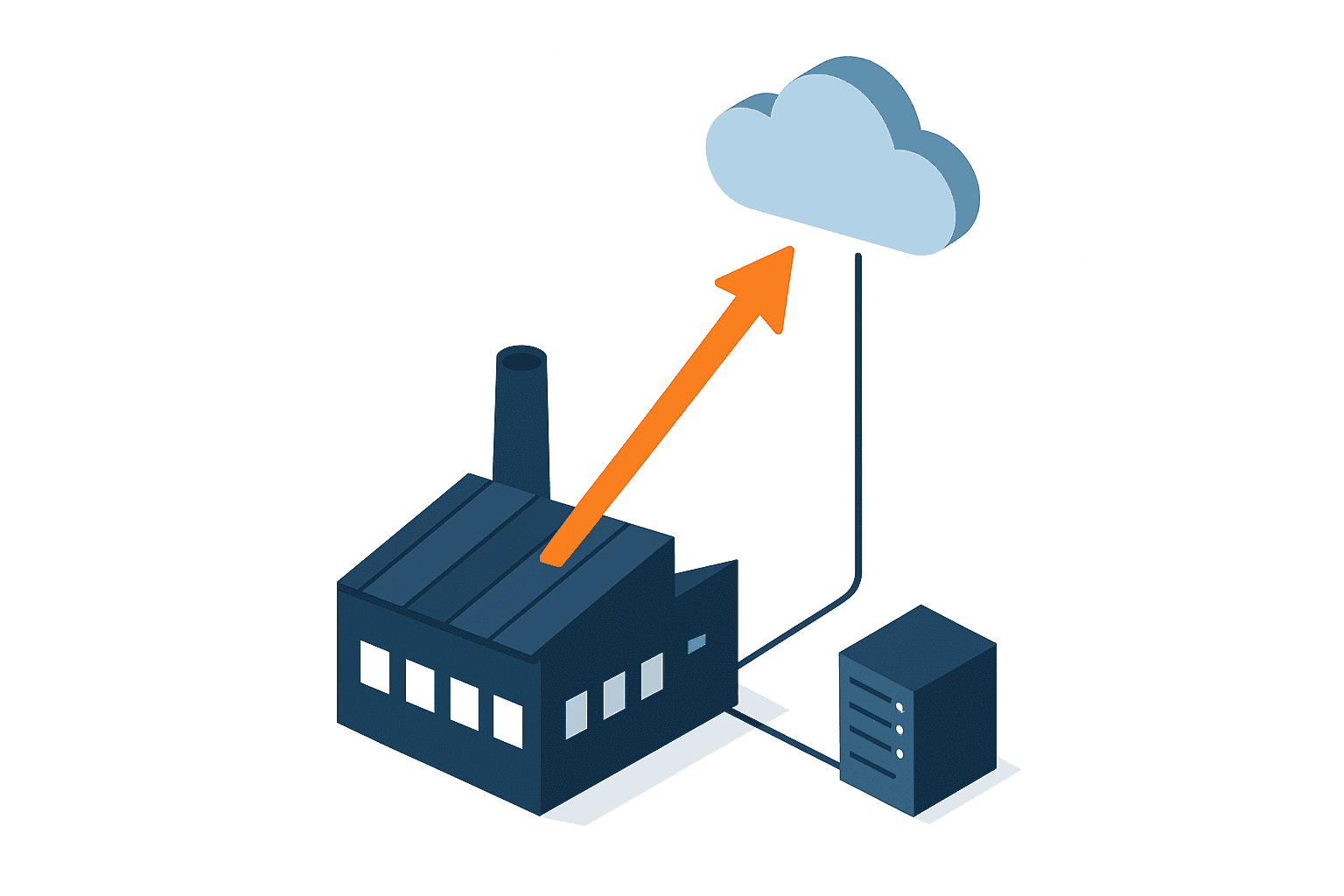
This means running the production management environment on a cloud provider’s Infrastructure as a Service (IaaS) platform instead of owning the hardware yourself. There’s no upfront hardware purchase, and capacity can flex to match actual demand. The tradeoff is an ongoing monthly bill, and contracts are frequently denominated in USD — something worth watching at a site like a Thailand operation that already has to manage costs across both local currency and foreign currency. The broader question of cloud versus on-premises for a new deployment (rather than an aging-hardware refresh) is covered in more depth in Cloud Production Management System 2026, useful if you want to compare from a greenfield-deployment angle.
Comparing 5-Year TCO Across the Three Refresh Options
Using Company B as the example again, here’s a modeled five-year total cost of ownership (TCO) for each refresh path, assuming the refresh happens in 2026.
For on-premises replacement, factoring in current server pricing gives an initial cost of 1,200,000 THB (1,000,000 THB for the server plus 200,000 THB for migration and setup). Annual maintenance stays at the standard 80,000 THB, or 400,000 THB over five years. Since the hardware is new right after the refresh, downtime returns to the standard 2-hour baseline, giving a five-year downtime cost of 450,000 THB. The total comes to 2,050,000 THB.
For a virtualized platform, a high-performance server at 1,600,000 THB plus 800,000 THB in build and migration costs gives an initial cost of 2,400,000 THB. Because there’s more to manage, annual maintenance is assumed to run somewhat higher at 100,000 THB, or 500,000 THB over five years. With VM isolation containing the blast radius of any single failure, downtime is assumed to shrink to roughly 1 hour per year, for a five-year downtime cost of 225,000 THB. The total comes to 3,125,000 THB.
For cloud migration, there’s no server purchase at all — the initial cost is 700,000 THB for migration design and setup. Assuming a monthly fee of 30,000 THB for database- and file-server-equivalent capacity gives 1,800,000 THB over five years. On top of that, we assume 50,000 THB per year (250,000 THB over five years) for the in-house monitoring the cloud provider’s SLA doesn’t cover. With an SLA guaranteeing roughly 99.9% uptime, downtime is assumed at about 0.5 hours per year, for a five-year downtime cost of 112,500 THB. The total comes to 2,862,500 THB.
| Option | Initial cost | Maintenance x 5 years | Downtime cost x 5 years | 5-year TCO |
|---|---|---|---|---|
| Keep running as-is | None | 640,000 THB | 1,350,000 THB (plus 2,160,000 THB expected major-failure loss) | 4,150,000 THB |
| On-premises replacement | 1,200,000 THB | 400,000 THB | 450,000 THB | 2,050,000 THB |
| Virtualized platform | 2,400,000 THB | 500,000 THB | 225,000 THB | 3,125,000 THB |
| Cloud migration | 700,000 THB | 1,800,000 THB + 250,000 THB monitoring | 112,500 THB | 2,862,500 THB |

What this comparison shows is that on-premises replacement looks cheapest if you only look at upfront cost, but measured against the 4,150,000 THB cost of doing nothing, every refresh option comes out ahead of continued neglect. Beyond that headline number, the three paths carry genuinely different tradeoffs. Virtualization costs the most upfront but delivers the biggest reduction in downtime cost, making it the strongest fit for a factory that prioritizes uptime above all else. Cloud migration keeps both upfront cost and downtime cost low, but the monthly bill accumulates over a five-year horizon to a total higher than on-premises replacement — and it carries a separate risk in the form of currency exposure. If the monthly fee is billed in USD against an assumed exchange rate of 1 USD to 36 THB, a swing of just ±10% in that rate produces roughly a 36,000 THB annual swing in cost. That currency exposure is a variable worth factoring in up front if cloud is on the table.
How to Choose — Decision Factors That Matter
Which of the three options fits your situation isn’t just a matter of comparing total cost — it becomes easier to reason about along three axes: how much production volume fluctuates, how much IT staff you have on-site, and any data sovereignty requirements you’re working under.
Why Cloud Suits Factories With Volatile Production Volume
A factory with a large swing between busy and slow seasons, and correspondingly large swings in system load, tends to see less waste from cloud’s ability to flex capacity on demand than from either on-premises or virtualization, both of which lock in a fixed amount of server capacity from day one. Conversely, a factory with fairly steady load may not get much benefit from that flexibility, and the monthly fee risks becoming just another fixed cost.
Why Sites With Thin IT Staff Should Consider Virtualization Plus Outsourced Support
Thailand operations frequently run with far fewer dedicated IT staff than the head office in Japan. A virtualized platform raises the design difficulty at build time, but once it’s running stably, it can reduce the number of physical machines to manage. Running that with a small team is more realistic if you also consider outsourcing post-build maintenance and monitoring. Where to draw the line on how much of that operational scope to hand off externally is covered in IT Department Outsourcing Thailand 2026, worth a look if you’re weighing that tradeoff.
When Head-Office Governance and Data Sovereignty Requirements Mean You Should Stay On-Premises
If head-office information security policy restricts certain data from sitting on a cloud provider’s servers outside the country, or if a customer audit requires you to clearly demonstrate where data physically resides, an on-premises refresh or a self-managed virtualized platform tends to be the easier position to defend. In that case, confirm whether the governance requirement can be satisfied at all before you even start comparing costs.
A Hybrid Approach That Combines All Three
In practice, some factories don’t commit fully to just one of the three options — they combine them. For example, the core production management database might sit on a self-managed virtualized platform where governance requirements are easier to satisfy, while reporting dashboards and read-only distribution run on the cloud. This spreads out migration risk instead of cutting over everything at once, and helps balance governance requirements against flexibility. The tradeoff is that with workloads split across environments, you need a clear architecture diagram showing what’s running where — if that knowledge lives only in one person’s head and that person moves on, nobody may notice the next round of server aging creeping up.
Practical Considerations for Running This in Thailand
Beyond the cost math, a couple of local factors specific to Thailand are worth factoring into a server refresh decision.
Thailand issued a royal decree (No. 802) in the Buddhist calendar year 2569 (2026) offering a corporate income tax deduction to SMEs — defined as companies with paid-up capital of no more than 5 million baht and revenue of no more than 30 million baht — for spending on computer software purchases and development, as well as hardware purchases excluding the computer unit itself. The decree was published on February 7, 2026 and took effect February 8, applying to spending between June 24, 2025 and December 31, 2027. Eligible spending can be deducted at 100%, up to a cap of 300,000 baht, from corporate income tax. It’s worth flagging clearly that the purchase price of the server hardware itself is excluded — but software and peripheral hardware spending tied to the migration may well qualify, so it’s worth checking with your tax advisor or accounting firm whether your specific line items fall under this measure. (This is a Japanese-language summary of a Thai regulatory decree; the primary Thai-language text of the decree was not independently reviewed for this article, so confirm current details with a qualified local advisor.)
On the market side, the range of data center and cloud options near Bangkok has been expanding. Thailand’s data center market was estimated at roughly USD 1.45 billion in 2025 and is projected to reach roughly USD 6.29 billion by 2031. Bangkok reportedly had 31 operating data center facilities and 8 more in the pipeline as of September 2025 — a meaningfully more competitive environment for cloud and colocation than it was just a few years ago. That said, this research did not turn up any publicly documented, named case study of a specific company in Thailand completing this kind of server refresh, so treat the regulatory and market context above as background to weigh against your own situation rather than a template to copy.
If you do choose cloud migration, keep in mind, as noted earlier, that the monthly fee is frequently billed in USD. Movement in the THB-USD exchange rate can shift the baht-denominated cost you originally budgeted for. Before signing a multi-year contract, it’s worth running a multi-year cost simulation that factors in currency movement, so an unexpected rate swing doesn’t catch you off guard later.
How to Run a Server Refresh Project
The first step in a server refresh isn’t requesting quotes. It’s taking stock of where your server actually stands today.
- Document the install date, OS, and current maintenance status (standard or extended) for every server currently in production
- Check the OS support end date and how much runway remains
- Pull downtime records from the past year, along with the business impact of each incident (hours spent on paper workarounds, overtime incurred)
- Ask the manufacturer or maintenance vendor about the current supply status of replacement performance parts
- Assess how much production volume fluctuates between busy and slow periods
- Determine whether you have in-house staff who can operate the refreshed environment, or whether you’ll need outside help
- Check whether head-office data sovereignty or security policy places any constraints on your options
- Ask your accounting firm whether any planned spending could qualify under Thailand’s SME tax incentive
Only once this inventory is done can you meaningfully compare the three options using real numbers specific to your situation. Skip the inventory and request quotes from multiple vendors first, and you’ll end up comparing price tags built on inconsistent assumptions — a good way to make the wrong call.
Frequently Asked Questions
How many years until a server should be refreshed?
Manufacturer support for physical server replacement parts typically ends somewhere between five and seven years after installation. Japan’s tax-depreciation benchmark for server hardware is also five years. Use that five-year mark as a rough planning trigger, but base the actual decision on your remaining maintenance contract term, the OS support end date, and your own downtime history.
Which is cheaper, virtualization or cloud migration?
In this article’s modeled scenario, the five-year TCO comes out to 3,125,000 THB for virtualization versus 2,862,500 THB for cloud migration — cloud comes out somewhat lower, largely because it avoids the upfront hardware purchase. That said, the result is sensitive to the monthly fee and downtime assumptions used. The right answer depends on your own load variability, IT staffing, and tolerance for currency risk, so there’s no universal answer to which is cheaper.
Can I migrate without stopping the production management system?
Zero downtime is difficult to guarantee, but a common approach is to run the old server and the new environment in parallel, keep data synchronized between them, and time the cutover for a production lull — a weekend or overnight window — to minimize disruption. The specifics depend heavily on which refresh path you choose and how your production management system is architected, so work out the details with your implementation partner.
Should I refresh a server as soon as maintenance support ends?
A server doesn’t necessarily fail the moment support lapses, but the risk of a long recovery time from a parts-sourcing delay goes up sharply once it does. As this article’s modeled scenario shows, once you factor in the expected loss from a major failure, the longer you wait, the more the expected cost accumulates. Once support has ended, it’s worth moving the refresh higher up your priority list.
Should I review office PCs at the same time as a server refresh?
Servers and PCs follow different refresh logic — a single server failure can affect the entire production line, while a single PC failure is usually contained. That said, with Windows 10 support already over, a server refresh project is a natural moment to also take stock of how old your office PCs are and what OS versions they’re running. You don’t need to refresh both on the same schedule, but knowing how much runway each one has left is the common starting point for both.
Key Takeaways
Here’s a recap of where server end of life stands and how to think about the refresh options.
- Extended support for Windows Server 2016 ends January 13, 2027, and for Windows Server 2019 on January 10, 2029. Windows 10 support already ended on October 14, 2025
- Broadcom’s VMware licensing changes now require licensing every CPU in blocks of at least 16 cores, and industry reports describe licensing cost increases ranging from 150% to 1,200% depending on the organization
- In the modeled scenario, the five-year expected cost of leaving an aging server in place came to 4,150,000 THB (including expected major-failure loss) — higher than any of the three refresh options: on-premises replacement at 2,050,000 THB, virtualization at 3,125,000 THB, or cloud migration at 2,862,500 THB
- Each of the three refresh paths carries its own tradeoff: on-premises replacement has the lowest upfront cost, virtualization delivers the biggest uptime improvement, and cloud migration keeps upfront cost low but carries currency exposure
- Thailand’s royal decree No. 802 (Buddhist year 2569) gives qualifying SMEs a corporate income tax deduction on eligible software and hardware spending (excluding the server unit itself)
- The data center market near Bangkok is expanding, giving factories more cloud and colocation options than a few years ago
Dealing with server end of life doesn’t have to mean scrambling once something breaks. It’s something you can plan on a schedule, working backward from your remaining maintenance contract term and your OS support end date. The place to start is simply taking stock of where your own server stands right now.
TOMAS TECH supports Japanese manufacturers operating in Thailand across their factory IT infrastructure, including the PEGASUS production management system. We’re happy to talk through server end of life questions from an early stage — whether to refresh or extend the life of your current setup, and whether on-premises, virtualization, or cloud fits your situation best. You don’t need a finalized plan to reach out — get in touch through our contact page whenever it’s useful.
References
- Microsoft Learn – Windows Server 2016 Lifecycle
- Microsoft Learn – Windows Server 2019 Lifecycle
- Microsoft – Windows 10 Support Has Ended
- Broadcom Knowledge Base – Counting Cores for VMware Cloud Foundation and vSphere Foundation
- The IT Vortex – VMware Broadcom Changes 2026, Cost and Risk
- Japan National Tax Agency – Depreciation Useful Life Table (Japanese regulatory reference, cited only as a general benchmark)
- ALG & Associates Law Office – Thailand March 2026 Legal Update on the SME Computer Investment Tax Deduction (Japanese-language explainer of a Thai regulatory decree)
- ResearchAndMarkets via Yahoo Finance – Thailand Data Center Market Investment Analysis 2026-2031


