


The meetings happen every week, and the recordings are all there. Yet by Monday morning all anyone actually has is an audio file nobody opens and a few lines of notes someone wrote from memory. At Japanese-owned manufacturing sites in Thailand, this is not unusual. This article treats AI transcription not as a question of “which minutes tool should we buy” but as the design of an entire business workflow that turns audio into text, text into a summary, and a summary into finished reports. We will look in particular at what happens in meetings where Thai and Vietnamese are mixed in, and at how sending recorded audio to an overseas cloud service is treated under the law, drawing on published sources throughout.
Why meeting recordings stall at the entrance to business automation AI
Audio files pile up, readable documents do not
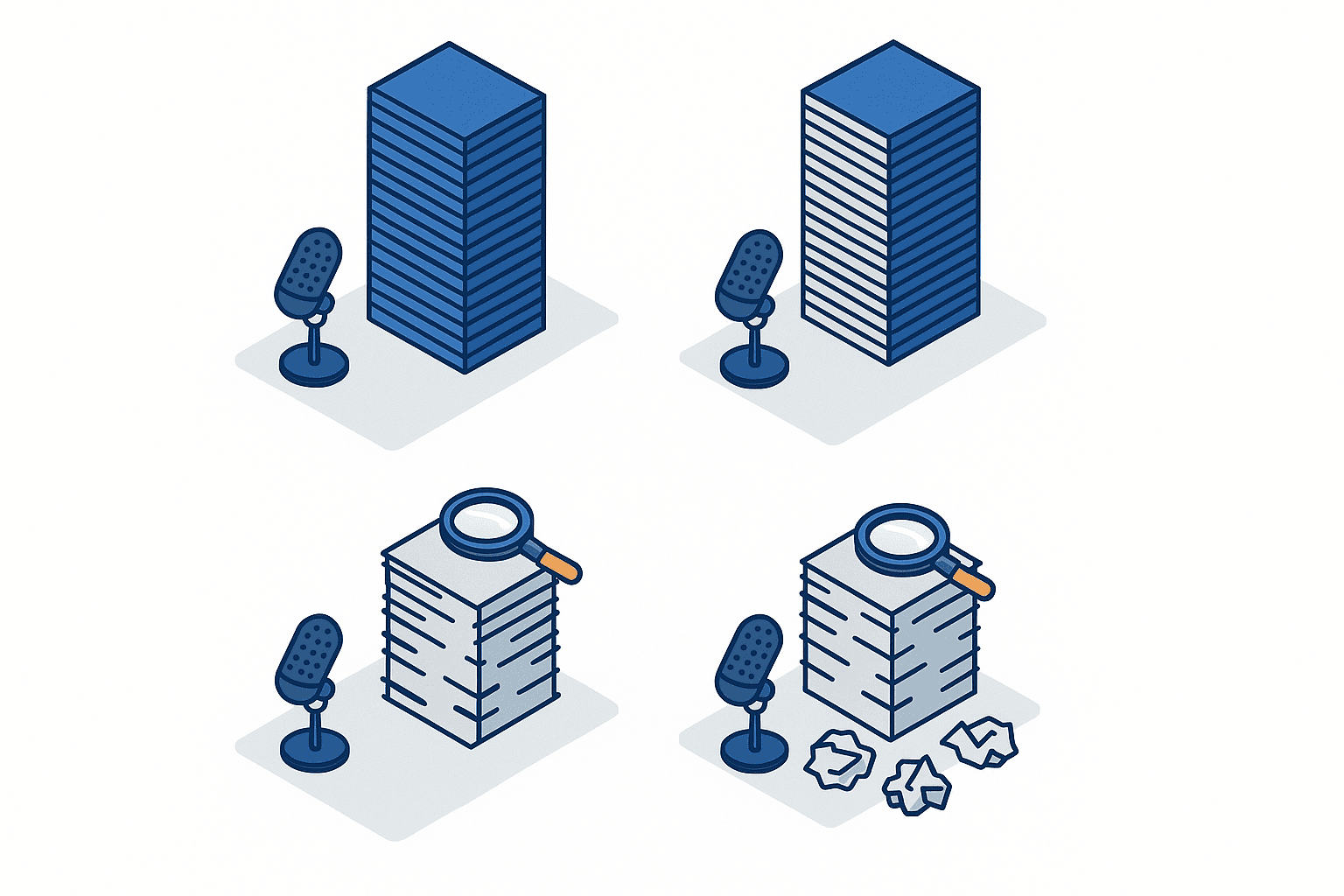
Many sites have already started recording their meetings. Online meeting tools come with recording built in, and a smartphone captures more than enough audio quality, so the barrier to recording has essentially disappeared. Despite that, few people feel the recordings are actually being used, because a recording is treated as insurance in case someone needs to listen back later, and it does not connect to the next step in the process.
Listening back to a one-hour meeting takes, in principle, one hour. At double speed it still takes thirty minutes. If someone who was not in the meeting has to spend thirty minutes to understand it, the obvious call is to spend five minutes asking a colleague who was there. The recording becomes an asset that is only stored, and the folder keeps growing.
What is happening here is not a shortage of technology but a break in the process. The audio exists, but the step that turns it into something readable is still manual, and while it stays manual nobody starts it. Closing that gap is what AI transcription is really for. Automating the transcription alone, however, does not fully close it.
Automating transcription alone does not lighten the work
Transcribe a one-hour meeting and, based on a rough estimate from typical Japanese speaking speed, you end up with something in the region of 15,000 to 20,000 characters. That is a few dozen pages of a book. It takes 10 to 15 minutes just to read through, and because the speaker’s restarts, filler responses and small talk are all still in there, it is a very inefficient thing to read.
In other words, a finished transcript is readable, but it is not usable. Usable means three things are clear within a few lines: what was decided, what was not decided, and who does what by when. As long as a person is performing that conversion, the only thing you have eliminated is the time spent listening back. The time spent writing it up is still there.
It is that write-up time that matters in practice. Many readers will recognise the feeling that the meeting itself takes less out of the day than documenting it afterwards. That is exactly why AI transcription should not be evaluated purely on transcription accuracy. The design has to include everything downstream of it.
Thinking only in terms of meeting minutes leads to the wrong design
There is one more easy way to get the design wrong. Meeting minutes are not the only document a meeting should produce.
A defect review meeting at a customer site, for example, produces not only minutes but also a corrective action report, a handover note to the internal engineering team, and a weekly summary for the Japanese head office. A price negotiation with a supplier produces a negotiation record, plus supporting material attached to the purchasing department’s internal approval request, and a note on the points to raise next time. In reality, a single audio file spawns several documents with different audiences and different levels of detail.
Set automated minutes as the sole goal and all of that disappears from view. You end up stuck halfway, with minutes that come out automatically and reports that are still written by hand. The starting point for workflow design is to switch from “produce one finished artefact called minutes” to “assemble several deliverables out of a raw material called the transcript.”
The quality of the minutes themselves, and in particular the way summaries fall apart in multilingual meetings, is covered separately in How to choose AI meeting minutes automation in 2026. This article sits one layer above that, focusing on the process design of how you assemble a set of deliverables from the raw material.
Build your reduction targets from your own measurements
Before getting into process design, there is one more thing worth settling: which numbers you will use to talk about the benefit. A comparison article published by IT Trend on automated AI minutes tools cites reduced effort in producing minutes as a benefit of adopting these tools. However, what a comparison site provides is a list of features and pricing by product, not a quantified figure for how much can be cut under which conditions.
It is natural to go looking for a reduction percentage when you are building the case internally, but the reduction rates in general circulation tend to get quoted without stating the size of the company, the type of meeting, or the procedure used to write minutes before the tool arrived. An organisation that used to write up handwritten notes into a clean document will show a large reduction; an organisation that was already producing bullet points against a template will show a small one. Put a figure with unknown assumptions into an approval request and you will have no basis for measuring the effect afterwards.
The practical order of operations is to measure your own current state for one to two weeks before you go looking for anyone else’s reduction rate. Measuring is not difficult. It is enough to ask the people involved to self-report the time they spend documenting meetings afterwards. With that measurement in hand, your baseline for comparison is your own number, and you no longer need to borrow external figures of unclear origin.
The accuracy gap between languages that AI transcription starts from
English and Japanese are already at a practical level
General-purpose AI transcription tools such as Notta, Fireflies.ai and Transkriptor have reached a practical level of accuracy for English and Japanese. A guide to using AI transcription for internal meetings likewise sets out the accuracy and confidentiality issues on the assumption of Japanese-language meetings. Feed it meeting audio and you get back text you can follow, although misrecognised proper nouns and in-house terminology remain. Those errors can be suppressed considerably by registering company names and part numbers in a custom vocabulary.
An overseas comparison of summarisation tools also introduces several products that handle everything from transcription through to summarisation in one pass, and in the English-speaking market linking transcription to summarisation is already a standard feature set. That comparison, though, is a blog post written by a company that itself sells a speech recognition API, not an independent side-by-side evaluation by a third party, and should be read with that discount applied.
The problem is that when evaluation gets under way, nobody asks which language that “practical level” refers to. This is exactly where you get the failure of a tool that evaluated well at head office in Japan being rolled out to the Thailand site and then quietly abandoned by the people there.
Thai accuracy drops for structural reasons
Thai speech recognition is hard for reasons rooted in the structure of the language, not in how anyone pronounces it. There are three main factors.
The first is tone. Thai is a tonal language with five tones, and the same sequence of consonants and vowels means a different word under a different tone. The system has to extract changes in pitch correctly from audio recorded in a noisy meeting room.
The second is the absence of spaces between words. Thai does not put a space between words; the characters simply run on. That means an additional word segmentation step is required after the audio becomes text, to determine where one word ends and the next begins. Get that wrong and everything downstream, summarisation and search alike, goes wrong with it. Japanese also runs without spaces, but the alternation between Chinese characters and phonetic script gives a clue to where words break. Thai has no such clue.
The third is number notation. In Thai, the way quantities and dates are spoken depends on context, and there is no single obvious way to render them when writing them out. Manufacturing meetings revolve around numbers such as quantities, dimensions, dates and defect rates, so that ambiguity feeds straight into the practical result.
Research on Thai speech recognition has advanced in recent years, and a study published in January 2026 proposes a lightweight Thai speech recognition model capable of real-time processing. That is an academic result and does not mean commercial tools will reach that level immediately, but read the other way round, it tells you the timeline: practical real-time Thai speech recognition only came together as a research proposition at the start of 2026. That timeline also suggests that Thai support in general commercial tools is not at the same maturity as English or Japanese.
Accuracy and cost for AI in Thai more generally are covered in Thai-language generative AI accuracy and cost. Summarisation and translation downstream of transcription are subject to the same Thai-specific constraints.
Vietnamese means tones, dialect variation, and the volume and quality of training data
Vietnamese is likewise a tonal language, with six tones. As in Thai, a difference in tone changes the meaning of the word itself, so mistaking pitch is not a simple typo but a change in meaning.
A difficulty specific to Vietnamese is the scale of dialect variation. Pronunciation differs across the north, the centre and the south, and the same word is realised differently. Factory meetings put staff from different regions in the same room, so a single audio file contains several pronunciation systems at once.
On top of that, constraints on training data are cited as a persistent issue. A paper presented at a 2026 academic conference again raises data-side problems as challenges for Vietnamese speech recognition, covering not just the volume of training data but its quality and the consistency of annotation. The fact that a peer-reviewed academic paper is still making this point as of 2026 is important information for anyone selecting a commercial tool. Even when a vendor lists “Vietnamese support,” you need to evaluate on the assumption that this support does not mean the same quality as English.
Generative AI accuracy in Vietnamese generally is covered in Vietnamese-language generative AI accuracy.
How to handle each language in practice
Putting all of that into a form you can use during evaluation gives the following. Because no published side-by-side benchmark exists, this table shows how to handle each language operationally rather than accuracy figures.
| Language | Structural difficulty | How to handle it in practice | Rough human review effort |
|---|---|---|---|
| Japanese | Misrecognised proper nouns and in-house terms | Usable almost as-is once a custom vocabulary is registered | Read-through plus checking the numbers |
| English | Strong accents, overlapping speakers | Usable almost as-is. Check speaker diarisation accuracy | Read-through plus checking the numbers |
| Thai | Five tones, no word spacing, inconsistent number notation | Usable as raw material, but numbers and proper nouns must always be checked by a person | Full check of every number and decision |
| Vietnamese | Six tones, dialect variation, limits on training data volume and quality | Same as Thai. Accuracy falls when speakers with strongly differing dialects are present | Full check of every number and decision |
| Mixed languages | Missed detection of language switches | For meetings where the language changes utterance by utterance, revisit whether automated processing is viable at all | Full-text review may be required |
What this table is meant to convey is not that AI transcription cannot be used for Thai or Vietnamese. It is that it can be used, provided you explicitly build a human review step into the downstream process. Adopt it without budgeting that review as effort and the conclusion becomes “the accuracy is too low to use,” and it never takes root.
Decide the accuracy pass mark up front
A common pattern in evaluation is that the accuracy discussion ends as a matter of opinion. “It’s roughly right” and “it gets things wrong sometimes” are not statements you can make an adoption decision on.
In practice, splitting the pass mark into the following three parts brings the discussion to a close.
- Numerical accuracy. Are quantities, dates, amounts and defect rates transcribed correctly? This is an area where you are entitled to demand 100 percent, on the basis that the automated output is never used as-is and a person always cross-checks it
- Proper noun accuracy. Customer names, part numbers, equipment names. Measure how much registering a custom vocabulary improves this during the trial period
- Traceability of meaning. Even with misrecognitions, can a reader tell what the discussion is about? Here you tolerate a certain level of error
With this three-way split in place, you avoid looking at a Thai transcript and immediately writing it off as unusable. A transcript where the meaning is clear but the numbers are suspect is a transcript that becomes practical enough once you insert a single review step.
Extending into summarisation AI and designing automated report generation
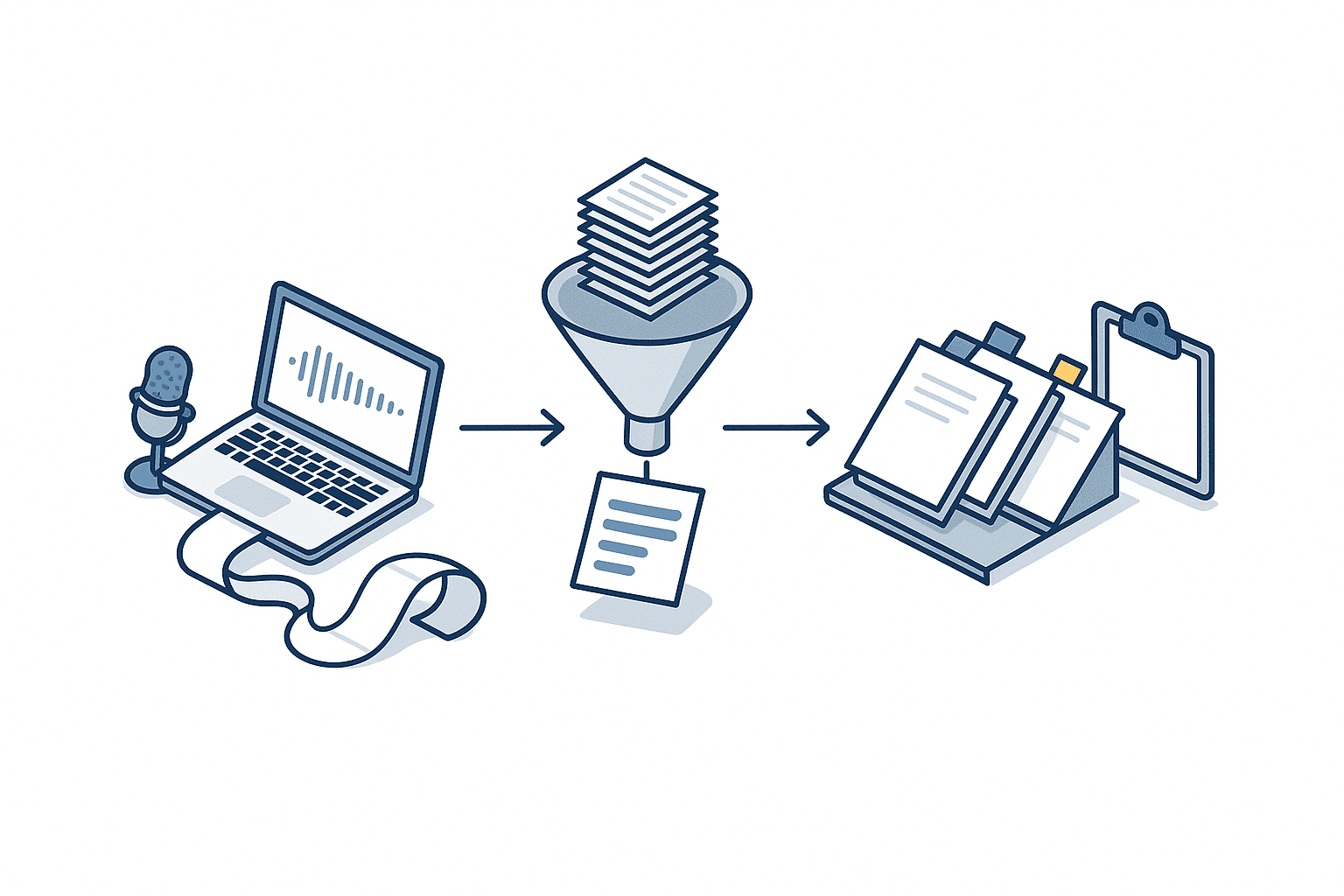
Design it in three stages
This is the core of the article. Design the path from audio to deliverable in the following three stages.
Stage one is transcription. Audio is converted into text with a timestamp and a speaker attached to each utterance. The output of this stage is not a document for humans to read; it is raw material for the downstream stages to process.
Stage two is summarisation. From that raw material, you extract decisions, open items, owners and deadlines, and the background to each issue, and turn them into structured data. The important point here is that the output takes the form of fields, not prose.
Stage three is report generation. The fields obtained in stage two are poured into a template per audience, assembling deliverables such as minutes, reports and weekly summaries.
The biggest advantage of splitting it into three is that you can isolate failures. When the output is unusable, you can tell whether the cause lies in speech recognition, in the extraction instructions, or in the template design. With a single tool that goes from audio to minutes in one shot, you cannot make that separation, and you have no lever for improvement.
Inputs, outputs and human involvement at each stage
Here is what goes in and what comes out at each of the three stages, and where people are involved.
| Stage | Input | Output | Human involvement | Ease of automation |
|---|---|---|---|---|
| Stage 1 transcription | Meeting audio or video | Text with speakers and timestamps | Maintaining the custom vocabulary, cross-checking numbers | High. Largely settled by tool selection |
| Stage 2 summarisation | Text from stage 1 | Field data for decisions, open items, owners and deadlines | Defining the fields to extract, reviewing early output | Moderate. Instruction design makes the difference |
| Stage 3 report generation | Field data from stage 2 | Minutes, reports, summaries and other documents | Creating and maintaining templates | High, but with upfront design effort required |
What the table shows is how to allocate effort. Stage one is largely settled by tool selection, and stage three is reusable once the templates exist. The stage that takes ongoing work is stage two, the design of the summarisation instructions. Put the other way round, concentrating your design time there is the efficient move.
Fix the summary format first
The most common failure when using summarisation AI in a business setting is to instruct it with nothing more than “summarise this.” With that instruction, the granularity and structure of the summary change every time. And when they change every time, the reader has to read the whole thing every time, so no time is saved.
In practice, you fix the fields to be extracted first. For manufacturing meetings, a format along these lines works well.
- Decisions. What was decided, including who decided it and on what date
- Open items. What was not decided, and who makes the call next
- Owners and deadlines. Who does what by when. If the owner is undetermined, require it to be stated as undetermined
- Numbers. List the quantities, dates, amounts and defect rates raised in the meeting exactly as given
- Background to the issue. Why the discussion arose. One paragraph maximum
Fixing this format simultaneously fixes the criteria for judging summary quality, because you can now perform concrete checks such as whether the decisions were captured and whether any deadline is missing. You escape from evaluations along the lines of “the summary feels a bit weak.”
The fourth item, listing the numbers, is especially effective for meetings in Thai and Vietnamese. Have the numbers listed separately as their own field and everything a person needs to check is gathered in one place, so they can cross-check without rereading the whole text. It is what makes the “a person checks every number” rule from the previous section fit into a realistic amount of effort.
Route through structured data when producing reports
We recommend not having stage two emit a finished document directly. Have it emit data broken out by field, then pour that into a template. Doing so brings three advantages.
- You can produce several documents with different audiences from the same meeting, varying the level of detail between the Japanese head office version and the local department version
- Fix the template and you can regenerate all your past meetings at once
- When a field comes back empty, it is easier to tell whether extraction failed or the topic simply never came up in the meeting
The third point matters most in day-to-day operation. Have it write prose and the fact that no owner was assigned gets buried inside a sentence and becomes invisible. Leave a field blank and it is immediately obvious that something remains to be filled in.
The right order when distributing in multiple languages
At a Thailand site, the same content often has to be distributed in Japanese and English, or in Thai. The stage at which you translate determines how much rework you get.
Our recommendation is to run through stage two summarisation in the original language of the meeting, and insert the translation immediately before stage three report generation. Translate the whole transcript right after stage one and translation errors propagate into the summary, leaving you unable to trace where the meaning changed. Field data after summarisation is small in volume, so the effort of checking the translation stays small as well.
How to automate translation processes inside a company is covered in Translation automation for manufacturers in 2026. If you are building translation into a meeting workflow, the glossary practices set out there apply directly.
AI transcription seen through PDPA and confidential information
Alongside the workflow design, one thing you must check is the handling of legal requirements and confidentiality. Sending meeting audio to an external service is technically just a file upload, but in substance it is disclosing personal data and internal confidential information to an outside party. Leave this until later and you get the most costly outcome of all, which is being halted just as operations start running smoothly.
Thailand’s PDPA and cross-border transfer rules
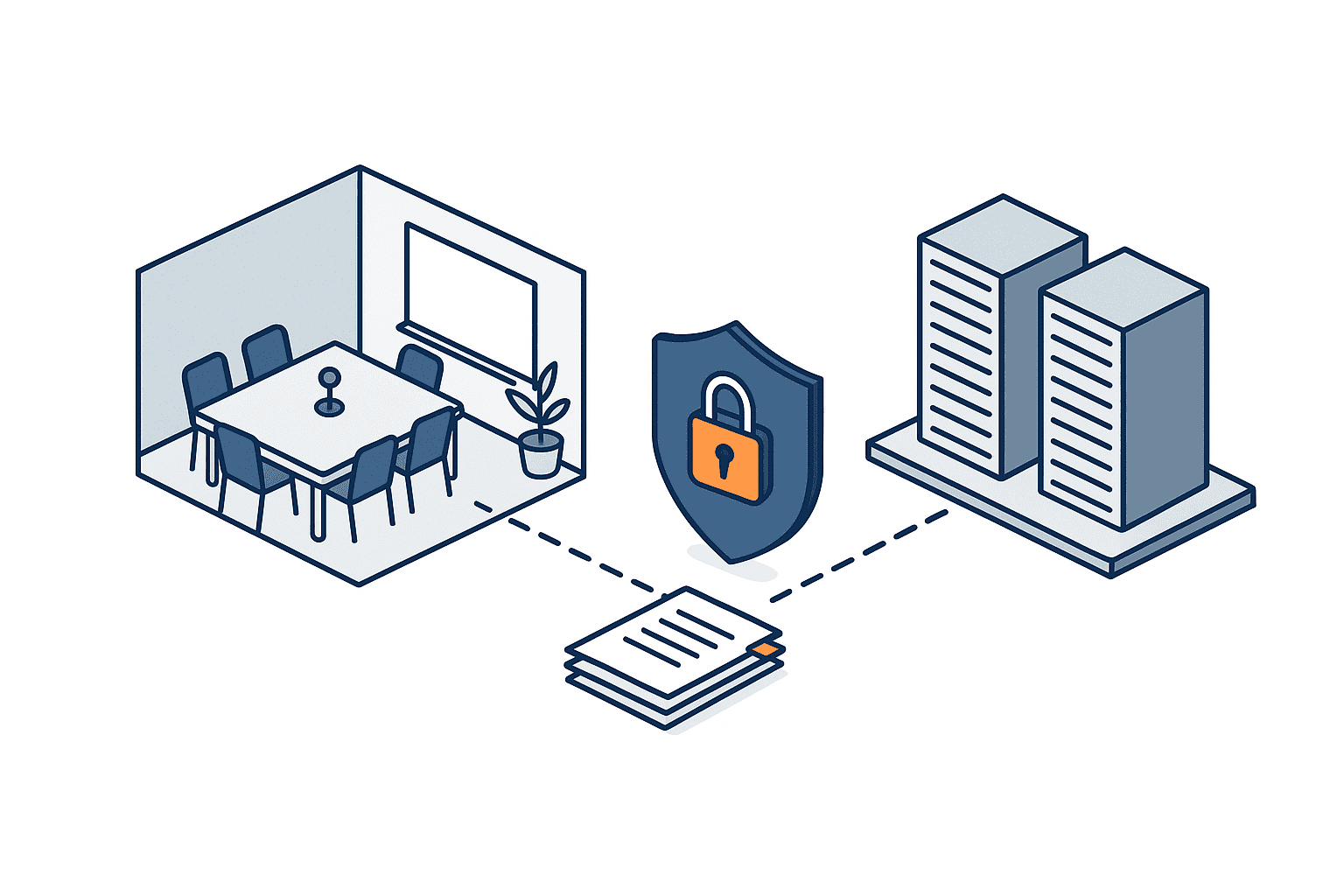
For Thailand’s Personal Data Protection Act, known as the PDPA, subordinate regulations on cross-border transfers have been in force since 24 March 2024. According to a law firm commentary, these regulations gave concrete form to the requirements that apply when personal data is transferred out of the country.
Sending a meeting recording to a cloud transcription service is not unrelated to those rules. Meeting audio contains personal data such as participants’ names, affiliations and voices, and in some cases the names and contact details of customer staff. If you use a service that processes it on overseas servers, that may constitute a cross-border transfer of personal data.
Where it does apply, you may need to satisfy the cross-border transfer requirements the regulations set out, such as obtaining consent or using standard contractual clauses. The point to be careful about is that this is not a story about overseas SaaS being off limits. It is a matter of following the procedure that satisfies the requirements, and the practical problem is that people on the ground start using tools on personal accounts without that procedure ever being followed.
This article does not offer an interpretation of the law. Whether and how the rules apply in a given case depends on the content of the data, where the service processes it and the form of the contract, so confirm with your legal department or a local specialist before adoption. What we want to say here is that the issue exists and needs checking, and that the check belongs early in the evaluation.
What matters when you design this as a workflow is to perform that check not only for stage one transcription but for stage two summarisation and stage three report generation as well. In a configuration that uses a different service at each stage, the destination for the audio, the destination for the text and the destination where the generated documents are stored are all different. Vet only the transcription service and feel reassured, and you can find that the same confidential information was leaving by a different route further downstream. Write out on a single page, stage by stage, which data goes where.
Confirm training use and data retention in the contract
Separately from the law, there are things to confirm from a confidentiality standpoint. Meetings include business strategy, pricing information, unreleased product specifications and personnel matters. Since you are sending that to an external service, you need to confirm at the contract stage how the data will be treated.
The items to confirm are as follows.
- Whether the audio and text you submit are used to train models. Is there a setting that prevents it, and is that setting the default
- Data retention period. After how many days is data deleted following processing, and can you request deletion
- The countries and regions where processing takes place. Can you specify the data centre location
- Whether subcontractors are involved. Is speech recognition subcontracted to another provider
- Provision of audits and logs. Can you verify who accessed what and when
Free plans and consumer plans commonly have different terms on these points than enterprise plans. When a trial by one person on a personal account flows straight into production use, that difference gets missed. Decide at the outset whether even the trial will run under an enterprise contract, or whether the trial will be limited to meetings with low confidentiality.
The design of the environment for using generative AI safely inside the company is covered in Building a secure generative AI environment in 2026. It is realistic to position a transcription workflow within that wider environment design.
Classify meetings by confidentiality and match the tool to the class
Not every meeting has to be treated identically. Classifying by degree of confidentiality and varying the permitted tools and practices by class works better in reality.
| Class | Example meetings | External transmission of audio | Practice |
|---|---|---|---|
| General | Routine progress reviews, internal study sessions | Permitted with a cloud service under an enterprise contract | Apply the standard workflow as-is |
| Contains partner information | Supplier negotiations, technical reviews with customers | Permitted after confirming contract terms and cross-border transfer requirements | Consider pre-processing to mask proper nouns |
| Highly confidential | Business plans, pricing strategy, personnel | As a rule, never transmitted externally | Limited to handwritten notes or a system running in a closed environment |
If your site already has information management rules, the fastest route is to reuse the classes they define. Trying to create new classes turns into a project of several months in its own right. Mapping meetings onto the existing document management classes is an approach that can be settled in a few weeks.
How to roll it out as business automation AI
Start with an inventory of your meetings
Before comparing tools, take an inventory of the meetings at your own site. List the following for the past month.
- Meeting name and frequency
- Number of participants and the language mainly used
- Duration per session
- The types of document produced after the meeting and their audiences
- A self-reported figure for the time spent documenting
Building this list lets you make a judgement about narrowing your scope. At many sites a handful of meetings account for the majority of documentation effort, and the inventory makes that skew visible in numbers. There is no need to cover every meeting; starting with the ones where the effort is concentrated is the rational move.
A side benefit of the inventory is that it makes visible the meetings that are not documented at all. For meetings with no surviving record, you need agreement on what should be recorded in the first place, before any automation.
Break it into 30 days and 90 days
Start a rollout with no deadlines and it stays a trial forever. Setting two checkpoints, as follows, is an easy shape to work with.
| Period | What to do | What to decide |
|---|---|---|
| Two weeks before rollout | Inventory the meetings and measure documentation time | Narrow the target down to at most three types of meeting |
| Day 0 to day 30 | Operate stages one and two only. Report generation stays manual | Does transcription accuracy reach the pass mark? Does the custom vocabulary improve it? |
| Day 30 to day 90 | Build the stage three templates and run the process end to end | How far has documentation time fallen from the measured baseline? |
| Day 90 onward | Widen the meetings covered. Build in multilingual distribution | Roll out to other departments, or keep the scope narrow and let it settle? |
If you try to assemble everything through to report generation in the first 30 days, template design and accuracy validation end up running in parallel, leaving you unable to isolate problems. Stay at stage two through day 30, and hold to the order of starting on templates only once the summary format is stable.
A checklist to clear before you start
The reasons a rollout stalls on the ground are usually not technical. Confirming the following before you begin reduces the chance of a stoppage after you start.
- Has the way of notifying participants about recording, and of obtaining consent, been settled?
- Is the contract for the service you will use an enterprise one, and have you confirmed the training-use setting?
- Have you completed the cross-border transfer check with your legal department or a local specialist?
- Is the microphone setup in the meeting room good enough to distinguish speakers? Are you passing a single microphone around?
- Has it been decided who compiles the list of proper nouns for the custom vocabulary and who keeps it updated?
- Who performs the final check on the documents produced? Does the approval step avoid conflicting with the existing internal approval process?
The fourth item, the microphone setup, is easily overlooked. Speaker diarisation accuracy depends heavily on how the sound arrives. A recording where everyone is speaking from far away from a single microphone makes speaker identification difficult no matter which tool you use. It is not unusual for adding a single conference microphone costing a few thousand baht to change the accuracy of everything downstream.
Where people tend to stumble
Three failures come up repeatedly in rollout support.
The first is casting the net too wide. Cover every meeting and the accuracy pass mark differs from meeting to meeting, so evaluation never settles and the trial period ends with nothing improved anywhere.
The second is starting without deciding the summary format. As described above, with no fixed format the granularity of the output changes every time, and the burden on the reader does not fall.
The third is failing to budget the review step as effort. When Thai or Vietnamese is involved in particular, checking the numbers and the decisions always arises. Write that effort into the plan from the start and nobody is disappointed that it takes more work than expected. Leave it out and the verdict becomes that the promised savings never materialised.
How TOMAS TECH can help
Drawing on our hands-on experience delivering production management and energy management systems to Japanese manufacturers in Thailand, we help embed generative AI into the workflows people actually use on site. For the design of everything from transcription through summarisation to automated report generation, our support commonly takes the following forms.
- Inventorying meetings, measuring documentation effort, and narrowing down the target meetings
- Accuracy validation for meetings mixing Japanese, English, Thai and Vietnamese, and setting the pass mark
- Designing the fields to extract in summarisation and building a format suited to manufacturing meetings
- Preparing audience-specific templates for minutes, corrective action reports, head office summaries and more
- Compiling the list of part numbers, equipment names and customer names for the custom vocabulary, and designing how it is maintained
- Organising the confirmation items on contract form, data retention, training use and cross-border transfer, and framing the issues for your legal department
- Checking the meeting room microphone setup and recording quality, and proposing the equipment configuration required
- Designing the operational flow, including connections to production management systems and existing document management
The question of where the generated documents sit within your existing business systems and document management is an area that adopting a standalone tool never addresses. Because we have seen how documents flow through factories through our production management system work, we can design with you all the way to the destination of the output.
Frequently asked questions
What does AI transcription actually cover?
It refers to the whole set of activities that convert audio to text with AI and then connect that text to deliverables the business can use. This article recommends designing it not as transcription in isolation but as a three-stage workflow of transcription, summarisation and report generation. That is because automating transcription alone produces only a volume of text from a one-hour meeting that takes more than 10 minutes to read through, leaving the work of condensing it in human hands. The work only gets lighter once you carry it through to a state where decisions, open items, owners and deadlines are clear within a few lines. And set your reduction target by measuring your own documentation time for one to two weeks rather than borrowing someone else’s reduction rate.
What does AI transcription cost?
Published pricing models fall broadly into a per-user monthly subscription and usage-based pricing tied to the hours of audio processed. Monthly pricing is easier when you can predict the number of meetings; usage-based pricing is easier when the load swings between busy and quiet periods. What tends to get missed in a cost comparison, however, is not the tool licence itself but the effort of the people who review the output. When Thai or Vietnamese is involved, a step for checking numbers and decisions always arises, so convert that time into a monthly labour cost and compare it together with the licence fee. In addition, enterprise and consumer plans commonly treat data differently, so take care not to base your decision on free-plan pricing.
Can AI transcription be used for meetings in Thai or Vietnamese?
It can, but do not assume the same accuracy as English or Japanese. Thai has five tones, no spaces between words, which makes word segmentation difficult, and number notation that depends on context. Vietnamese has six tones plus substantial dialect variation between north and south, and constraints on the volume and quality of training data are still raised as a challenge in a 2026 academic paper. In practice it is usable enough for following the sense of a discussion, but it is safer to build in a step where a person checks every number such as quantities, dates, amounts and defect rates, along with every decision. Having the summarisation stage list the numbers as a separate field keeps that check in one place and holds down the effort.
When using summarisation AI in a business setting, how much should people check?
Rather than rereading everything, the practical approach is to fix what gets checked using a format. Specifically, make numbers, decisions, and owners and deadlines the three items subject to checking, and limit the prose parts such as the background to a read-through. Include those three items in the summary output format in advance and the check can be done field by field. Conversely, have the summary emitted as a single piece of prose and what needs checking changes every time, so you end up reading the whole thing after all. Plan for roughly the first two weeks of operation as a period for comparing against the original transcript, understanding where extraction tends to miss things, and tuning the instructions.
Where should we start with automated report generation AI?
Start once your summarisation output is stable. The safe sequence is to run transcription and summarisation only for the first 30 days, and begin building templates once the summary format has settled. Build the templates separately by audience, because a summary for the Japanese head office, minutes for the local department, and a record submitted to a customer differ in both granularity and format. Design the summarisation output to arrive as field data rather than prose and you can assemble documents for several audiences from a single meeting, and regenerate past meetings in bulk whenever you fix a template.
Is there a problem with sending meeting recordings to an overseas cloud?
There are issues you need to check. Under Thailand’s Personal Data Protection Act, subordinate regulations on cross-border transfers have been in force since 24 March 2024, and according to a law firm commentary they gave concrete form to the requirements for transferring personal data out of the country. Meeting audio contains personal data such as participants’ names and affiliations, so using a service that processes it on overseas servers may constitute a cross-border transfer of personal data. Where it applies, you need to satisfy the requirements the regulations set out, such as obtaining consent or using standard contractual clauses. Whether and how they apply in practice depends on the data handled and the form of the contract, so confirm with your legal department or a local specialist before adoption. The practical risk lies in people on the ground starting to use tools on personal accounts without that check ever happening.
Summary
When AI transcription comes up for evaluation, the comparison tends to focus on speech recognition accuracy. What actually lightens the workload, though, is the design of the summarisation and report generation that come after it. Transcribe a one-hour meeting and you get a volume of text that takes more than 10 minutes to read through, and that is readable rather than usable. The design has to include the step that carries it through to a state where decisions, open items, owners and deadlines are clear within a few lines.
What is easily overlooked at a Thailand site is the accuracy gap between languages. General-purpose tools such as Notta are at a practical level in English and Japanese, but Thai carries the structural difficulties of five tones, no word spacing and ambiguous number notation, and the research result proposing a practical real-time speech recognition model was only published in January 2026. Vietnamese, on top of six tones and dialect variation, has constraints on the volume and quality of training data raised as a challenge in a 2026 academic paper. Bring a tool evaluated at head office in Japan straight over and you may well conclude it cannot be used in real meetings. The accurate reading is not that it cannot be used, but that you need to budget a step where people check the numbers and the decisions.
The other issue is legal requirements and confidentiality. Under Thailand’s PDPA, subordinate regulations on cross-border transfers have been in force since 24 March 2024, and sending meeting audio to a service that processes it on overseas servers may constitute a cross-border transfer of personal data. Alongside that you also need contractual confirmations covering training use, data retention periods, the countries where processing occurs and any subcontractors. These belong alongside tool selection, not after adoption.
As for how to proceed, an easy shape to work with is to spend one to two weeks inventorying meetings and measuring documentation time, narrow the scope to at most three types, run transcription and summarisation for the first 30 days, and build the report generation templates between day 30 and day 90. Measuring the benefit is impossible without the pre-rollout baseline. Skip that and you will have nothing to point to afterwards.
Which of your meetings to target, and how much review to build in for meetings with Thai or Vietnamese mixed in, are decisions that cannot be made without looking at how your meetings are actually composed and how you document them today. We are happy to take enquiries at the evaluation stage alone, such as how to run the meeting inventory or how to build the summary format, so please start by telling us where things stand. Enquiries are welcome via our Contact page.
References
- 13 recommended AI meeting minutes automation tools compared on pricing and features, 2026 edition – IT Trend — A comparison-site review of automated AI minutes products, citing reduced effort in producing minutes as an adoption benefit
- Guide to using AI transcription for internal meetings, covering accuracy, confidentiality and minutes creation, 2026 – Uravation Inc. — A commentary by an operating company on the accuracy and confidentiality issues in using transcription for internal meetings
- 8 Best AI Transcript Summarizers Compared (2026) – AssemblyAI — A blog post by a company that itself provides a speech recognition API, comparing products that cover transcription through summarisation
- Typhoon ASR Real-time: FastConformer-Transducer for Thai Automatic Speech Recognition – arXiv — Academic research published in January 2026, proposing a lightweight model for real-time Thai speech recognition
- Vietnamese Automatic Speech Recognition: A Revisit – ACL Anthology — A 2026 academic paper setting out challenges in Vietnamese speech recognition, including constraints on the volume and quality of training data
- Notification on cross-border transfer rules under the Thai Personal Data Protection Act (PDPA) – TMI Associates — A law firm commentary on the content of the subordinate cross-border transfer regulations in force since 24 March 2024


