


AI email drafting is fast becoming something you no longer get to decide whether to adopt. Microsoft folded Copilot’s email drafting into Outlook in mid-2026, and has signalled that in the second half of 2026 the feature will be switched on by default in classic Outlook as well. No capital request, no internal approval – one morning a button that offers to draft the message for you simply appears on every employee’s screen. This article takes that as its starting point and works through the problem it creates specifically for Japanese-owned plants in Thailand, namely that the politeness level of the generated text comes out wrong in Thai and in Vietnamese, and then sets out how to govern the capability and how to think about what it costs.
Why AI Email Drafting Is No Longer a Question of Whether to Adopt It
Start with the premise. AI email drafting has stopped being the kind of capability you acquire by evaluating dedicated tools and signing a contract. Microsoft’s own support documentation states that Copilot email drafting is available in the new Outlook, in Outlook on the web and in the mobile apps, and that it covers generating a message body from a prompt, rewriting an existing draft, adjusting the tone of the wording, and expanding a short piece of text into something fuller. In the second half of 2026, the same feature is scheduled to be on by default in classic Outlook, the client most offices have been using all along. A Microsoft 365 Copilot licence is still required, but from the point of view of an employee who already holds one, AI email drafting arrives at their desk with nothing configured and nothing requested.
What that changes is the question the company should be arguing about internally. “Should we adopt AI email drafting” is a question that has lost its meaning, at least for any company running Microsoft 365. The question that replaces it is how to govern a capability that has landed on you. Three things need governing – the quality of the text that gets generated, the terminology and tone of anything that leaves the company, and the range of information employees are allowed to type into the prompt.
Text Generation Dominates How Generative AI Is Actually Used
The reason this is a practical question rather than a theoretical one shows up in the survey data. The Shoko Chukin Bank ran its Survey on the Use of Generative AI by Small and Medium-sized Enterprises in January 2026 and published the results on 31 March 2026. Among the companies that describe themselves as active users of generative AI, the most common application was drafting and summarising emails, reports and meeting minutes, at 74.0%. Second place, support and automation of desk work, came in at 48.7% – more than 25 points behind.
The same pattern shows up in a separate study. Teikoku Databank ran its Survey on Corporate Trends Regarding Generative AI between 17 and 31 March 2026, approaching 23,349 companies nationwide and obtaining valid responses from 10,312 of them. 34.5% of companies said they were using generative AI in their work. That figure is made up of 4.4% using it heavily and 30.2% using it to some degree (the individual figures are rounded, so they do not add up exactly to the total). The largest single area of use was writing, summarising and proofreading text, at 45.1%, and 86.7% of companies said they were seeing a real effect from it.
| Survey | Population | Rank and share of text-related work |
|---|---|---|
| Shoko Chukin Bank, surveyed January 2026 | Supplementary survey to its capital investment trends survey of SMEs, active users of generative AI | Drafting and summarising emails, reports and minutes ranked first at 74.0% |
| Teikoku Databank, surveyed March 2026 | 23,349 companies nationwide, 10,312 valid responses, a response rate of 44.2% | Writing, summarising and proofreading text was the largest at 45.1% |
The two surveys differ in population and in the way the questions are put, but they agree on one thing. The real-world use of generative AI is concentrated on the work of writing. And the document companies write more of than any other is not the report and not the minutes. It is the email.
The Same Entry Point Appears When You Look at It as a Management Problem
In the Shoko Chukin survey, the management issue cited most often as serious was coping with labour shortages and improving efficiency in direct departments, at 39.7%. Direct departments are what the question asked about, but the shape of the problem – absorbing a rising workload without adding headcount – is no different in the indirect functions. If anything the pressure is greater there, because a request to add a head in an indirect function is harder to get approved, so the same number of people are simply expected to process more. JETRO’s survey of Japanese companies operating in Thailand for FY2024 puts the number of Japanese-affiliated companies in the country at 6,083, and this pattern repeats itself across those sites, most of them manufacturing. Email drafting is the easiest of all entry points to connect to that problem. It requires no capital expenditure and no change to how anything is done on the shop floor, and it can be used from tomorrow. Which is precisely why the governance gap described below opens up.
The Shop Floor Moves Ahead Without the Company | How the Governance Gap Forms
The Shoko Chukin survey contains the number this article really starts from. The survey splits generative AI usage into adoption led by the company and encouragement of employees to use their own registered AI accounts, and it reports both figures for each application. That lets you read off the gap in percentage points between the two. The larger the gap, the more that application depends on the company taking the lead before it will spread at all.
| Application | Gap between company-led adoption and encouraging personal accounts |
|---|---|
| Drafting and summarising emails, reports and minutes | +4.4pt |
| Support and automation of shop floor and person-facing work | +7.6pt |
| Application development and programming | +10.1pt |
| Support and automation of desk work | +14.5pt |
For context, active users of generative AI account for roughly 31.1% of the whole. That breaks down into 16.2% where the company has led the adoption (0.9% + 4.1% + 11.2%) and 14.9% where the company encourages the use of personally registered AI services.
How you read that table matters. Automating desk work and writing code barely grow at all through personal use, because the company has to provide the environment first. That is why those gaps run past 10 points. Email drafting is the one line where the gap is only +4.4pt. In other words, it is the application people start using on their own accounts whether or not the company does anything at all.
What Is Actually Wrong with Things Moving on Their Own
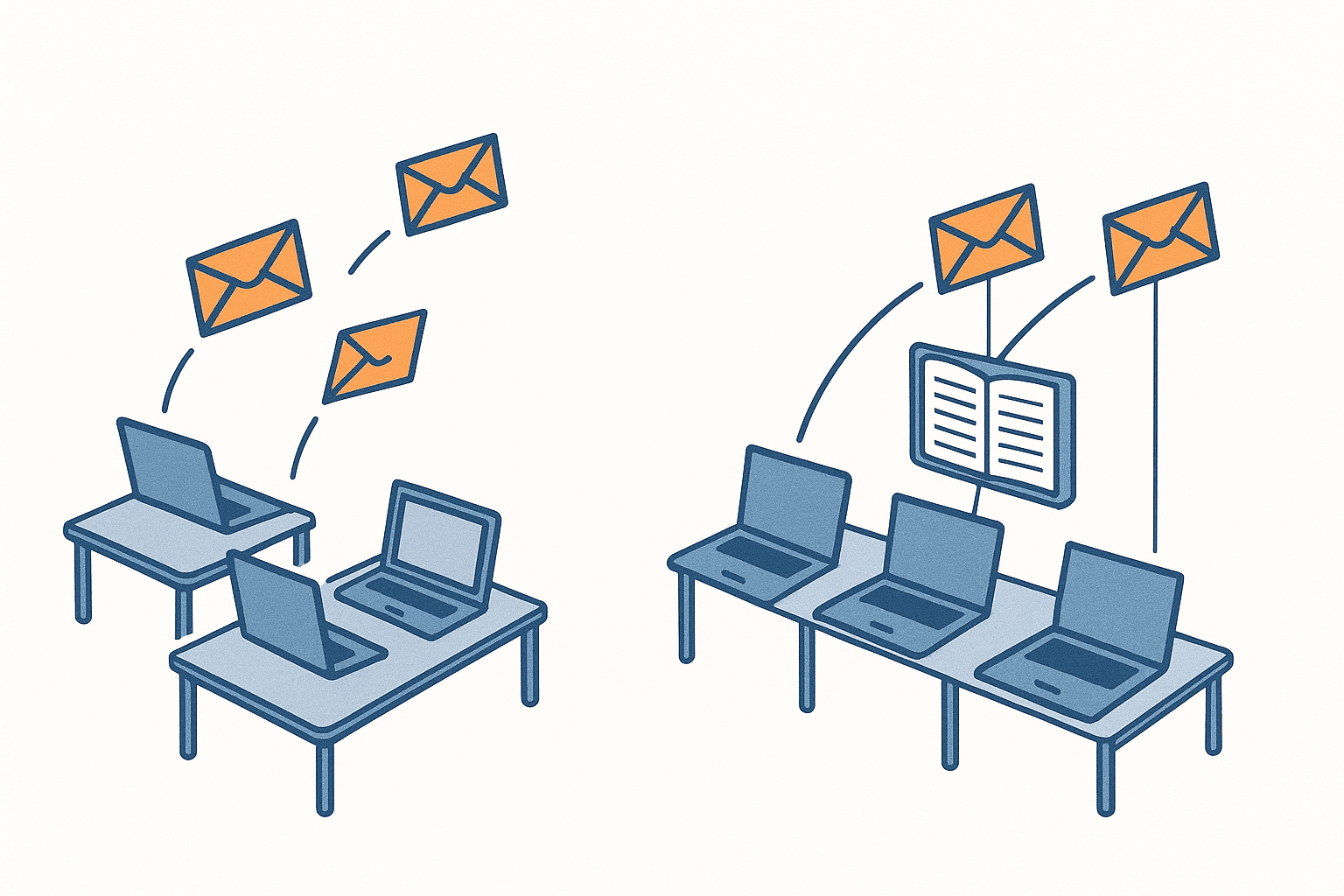
There is nothing wrong with the shop floor taking the initiative on efficiency. The problem is that email is a document that leaves the company. A message an individual asked an AI to draft, on their own judgement, lands in a customer’s inbox as it is. Three things go ungoverned when that happens.
The first is terminology. The AI does not know your product names, your process names or the abbreviations people use internally. The message person A generates and the message person B generates will refer to the same part by two different names. To the customer receiving them, that is a company that has not settled its own vocabulary.
The second is tone. The level of courtesy in messages arriving from a single company varies by whoever happened to send them. Generative AI will reproduce a tone if it is told which one to use, but with no instruction it writes in its default register. And the default register tends to run excessively formal in Japanese while coming out flat and unmodulated in Thai and Vietnamese.
The third is the politeness level itself. This is the central argument of the article. In Thai and in Vietnamese, being grammatically correct and being correct in terms of the relationship between the two people are two entirely different things. The chapters that follow deal with this in detail.
Personal Use Becomes a Fait Accompli Before Company Adoption Catches Up
The sequence is the more awkward part. While the company is writing a usage policy, evaluating tools and designing training, personal-account use has already settled into daily practice on the floor. Circulating a notice afterwards that says work email must go through the tool the company has licensed gives nobody any reason to switch away from something that already fits their hand. The company’s tool has to carry an advantage large enough to outweigh the cost of switching. That advantage is exactly the glossary and tone guide described later in this article.
For the design of the usage rules themselves, our article on the generative AI usage policy sets out the four perspectives that matter for a Thai site – jurisdiction, language, channel and accountability. This article drills into one of the applications that policy has to cover, and the one with by far the highest volume – email drafting.
What AI Email Drafting Can Do, and What It Cannot Solve on Its Own
To make the argument concrete, it helps to break down what AI email drafting actually substitutes for.
| Step | How far AI email drafting can take it | What a human still has to do |
|---|---|---|
| Building the structure of the message | High. Hand it the requirements as bullet points and a paragraph structure comes back | Judging whether that order of presentation suits this recipient |
| Filling in standard phrasing | High. Greetings, closings and request forms come out reliably | Checking that it matches your own house conventions |
| Getting grammar and spelling right | High. Grammatical errors are rare even across languages | Almost nothing |
| Stating facts | Low. Quantities, amounts and dates can only come from what was typed in | Verifying that the figures supplied are correct |
| Using your own names for things | Low. It does not know your internal terminology | Manual correction every time, unless a glossary exists |
| Choosing a politeness level that fits the recipient | Extremely low. It does not know your relationship with them | Supplying the relationship data and judging the output afterwards |
The top three rows are what people mean when they say the tool is useful. The skeleton of a message, the standard phrasing and the grammar really are faster and more accurate coming from an AI. The problem lives in the bottom three rows. The last one in particular, choosing the level of politeness, does not register as a problem at all while you are operating in Japanese. Japanese business email has its own hierarchy of honorifics, but the standard register a generative model produces sits safely enough in most situations.
Translating an Existing Document and Writing a New One Are Different Problems
It is worth drawing a clear line here against the adjacent problem. Automating the translation of internal documents and drafting an email from scratch look on the surface like the same thing – an AI producing text in several languages – but they break in different places.
With translation, a source text exists. If the Japanese source names the recipient as a department head, the translation knows the recipient is a department head. If the source is written in a courteous register, that courtesy is a signal the translator can work from. What causes trouble in practice with translation automation is a different class of problem entirely – deciding where Thai word boundaries fall, or losing Vietnamese tone marks – the things that break the correspondence between source and target. The design and the KPIs for that area are set out in our article on translation automation for companies, built around a four-way classification of internal documents and the TTE metric (Time To English, or the time it takes to reach the target language).
Drafting an email from scratch has no source text. All you hand over is the requirement – tell the customer about next week’s delivery delay and apologise. Nowhere in that requirement is it written who the recipient is, what your relationship with them is, or what degree of courtesy the situation calls for. The AI has no option but to guess, and with nothing to guess from it falls back on a default. In languages where the default is wrong, that is where it breaks.
Translation carries context along inside the source text. In original drafting, context does not exist at all unless somebody hands it over explicitly. That is what makes this a problem specific to AI email drafting, and it is why companies that have translation automation working well still come unstuck on email.
Where Thai Email Breaks | ครับ and ค่ะ Are Fixed by the Writer’s Gender
Start with the Thai politeness particle. In Thai, the courtesy of a whole sentence is carried by a particle placed at the end of it. Which particle you use is determined mechanically by the gender of the writer – men use ครับ, women use ค่ะ. Not the gender of the recipient. The gender of the person writing.
Why this is difficult for AI email drafting is easy to state. A general-purpose model does not know whether the person writing the prompt is a man or a woman. Sometimes it can be inferred from an account name, but there is no guarantee that inference is reflected anywhere in the business systems. What happens in practice is that the model either picks one as a default or avoids both.
What Happens When the Particle Is Dropped
A Thai sentence with the politeness particle removed is still grammatical. The meaning still comes across. But in a business setting, a message arriving without the particle reads as curt, or as a lapse in basic courtesy. The nearest equivalent in Japanese would be ending sentences in an external email with the blunt forms you would only use with a peer. Nothing in the content is wrong, and yet the relationship takes the damage.
And this particular error is invisible to a Japanese manager. A manager who cannot read Thai looks at the AI output, concludes that it passed a grammar check and is therefore fine, and sends it. If the Thai colleague on the receiving end feels the awkwardness, it is rare for them to raise it. The error goes undetected and gets repeated, which makes it more insidious than a translation error.
The Standard Opening and Closing
A formal Thai business email conventionally opens with สวัสดีครับ or สวัสดีค่ะ and closes with ขอแสดงความนับถือ, the set phrase corresponding to “Yours sincerely”. That much is formulaic, so an AI will reproduce it reliably once instructed. The problem is everything in between, which formula does not cover.
The Level of Politeness Changes with the Relationship
Politeness in Thai is not settled by the presence or absence of the particle alone. The choice of vocabulary and the indirectness of the phrasing shift according to relative seniority, whether the recipient is inside or outside the company, and whether this is a first contact or an established relationship. Someone senior, or an external customer, calls for higher-register vocabulary and phrasing that avoids making a request directly. With a colleague, that register is unnecessary, and laying it on too thickly reads as deliberately keeping your distance.
A general-purpose model holds none of the information that judgement requires. Hand it the requirement “ask the buyer at the customer to resubmit their quotation” and it still cannot tell whether that buyer sits above you as a customer, alongside you as a partner supplier, whether you have never met, or whether you have worked together for ten years. And moving either axis – relative seniority or the length of the relationship – changes what the appropriate level of Thai politeness is.
| Information needed to decide | Effect in a Japanese email | Effect in a Thai email |
|---|---|---|
| Gender of the writer | Almost none | Determines the sentence-final particle mechanically. Getting it wrong reads as unnatural |
| Relative seniority | Affects the choice of honorifics | Changes the register of vocabulary and the degree of indirectness |
| Internal or external recipient | Affects the level of honorifics used | Affects the level of formality used |
| Length of the relationship | Affects it somewhat | Affects how formal the message needs to be |
Where Vietnamese Email Breaks | There Is No Neutral Word for You
Vietnamese produces the same problem in a different form. Vietnamese personal pronouns are selected according to the recipient’s age and social standing relative to your own. An older man is anh, an older woman is chị, someone younger is em, someone senior or elderly is ông or bà. And there is no neutral form – nothing equivalent to the English “you” or to the impersonal Japanese formula for addressing an unknown contact at a company.
Writing an email in Vietnamese is therefore an act that declares your relationship with the recipient from the first line. Because no sentence can be constructed without choosing a term of address, the AI always picks one. If it picks the wrong one, the entire message is inappropriate.
What Happens When a Junior Term Is Used for Someone Senior
Vietnam is a society that takes seniority seriously, and the accepted practice with someone senior, or with an external business contact, is to use honorific forms, courteous vocabulary and phrasing that is not too direct. In that context, using a term meant for someone junior when writing to an older contact at a customer is not merely unnatural. It can be read as a deliberate slight.
Translated into Japanese terms, it lands somewhere close to addressing an older external contact by their bare surname with no honorific at all. And when the AI-generated message has been approved and sent by a manager who cannot read Vietnamese, none of that impact ever reaches the sending side.
Hanoi and Ho Chi Minh City Expect Different Degrees of Formality
There is a regional dimension as well. Broadly speaking, the north and Hanoi are regarded as more formal, more traditional and more attentive to hierarchy, while the south and Ho Chi Minh City tend to be more pragmatic and more relaxed. Two customers inside the same country can therefore call for different levels of formality depending on which city they sit in.
For a plant in Thailand writing to partner suppliers or affiliates in Vietnam, that difference has practical consequences. Write to a Hanoi contact in the same tone you use with a Ho Chi Minh City contact and the message may read as too casual. Write to a Ho Chi Minh City contact with Hanoi-grade formality and it can read as holding them at arm’s length. A general-purpose email drafting tool will not make that adjustment unless it is told where the recipient’s company is located.
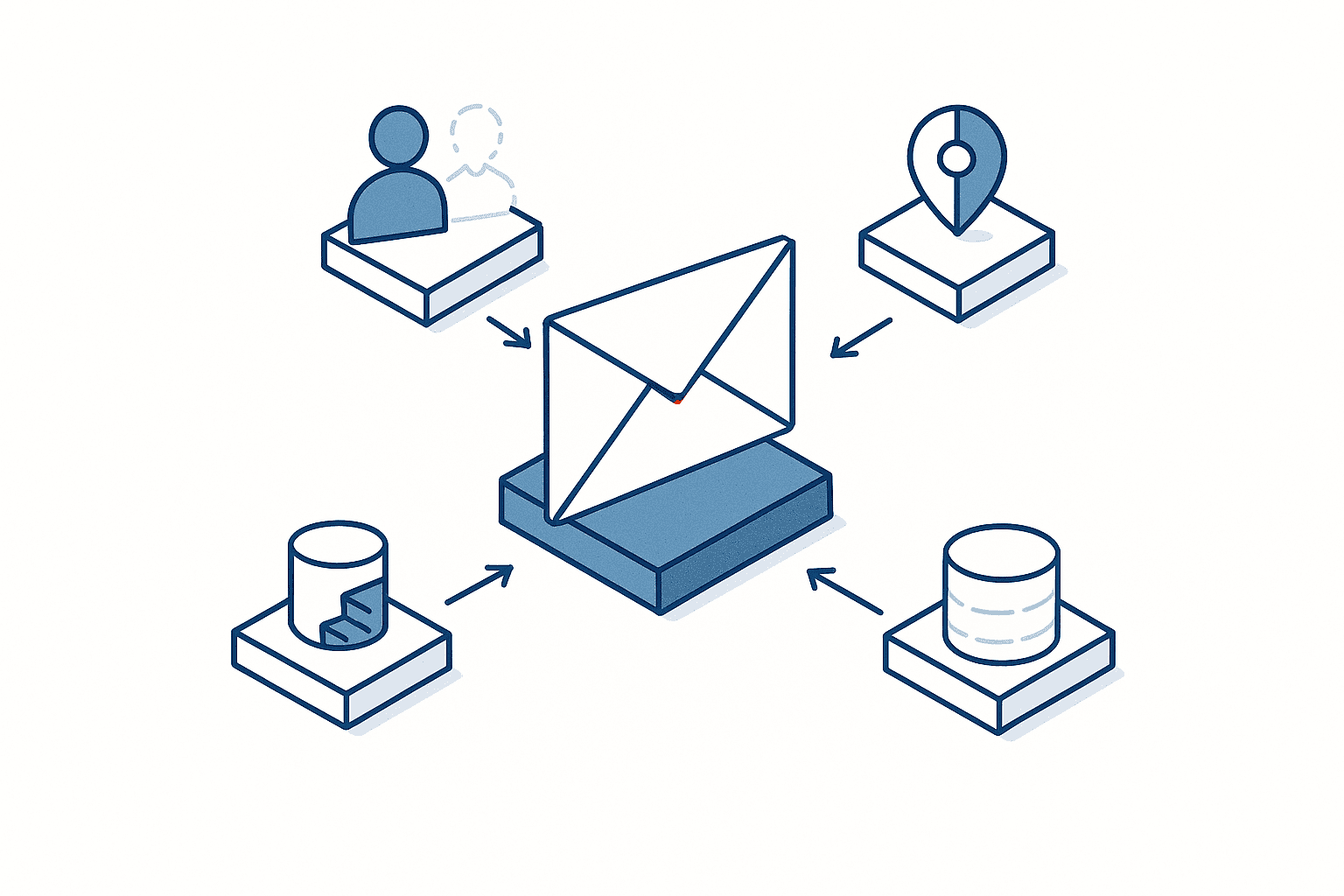
| Information needed to decide | Effect in a Vietnamese email |
|---|---|
| Estimated age of the recipient | Changes the first-person and second-person pronouns |
| Gender of the recipient | Changes the term of address even within the same age band |
| Position and social standing of the recipient | Changes whether an honorific is required and how formal the vocabulary must be |
| Location of the recipient, north or south | Changes the level of formality expected |
| Your standing relative to theirs | Changes which first-person form you use |
This Problem Will Not Be Solved by Better AI
The point worth emphasising here is that this is not a question of model capability. However clever the next model turns out to be, the writer’s gender and the recipient’s age are information that does not exist inside the model. You cannot infer your way into information you were never given.
The solution therefore does not lie in choosing a model. It lies on the supply side of the information. You build a mechanism that hands over the relationship data – who is writing to whom – before generation happens. That is the job of the form of address register and the politeness level matrix described below.
What Keeps the Politeness Level Right Is Not Writing Skill but a Register
Pulling the argument together, what determines the quality of AI email drafting is neither prompt craft nor the recency of the model. It is whether you hold the relationship data in a structured form. And that is not something an individual can produce through effort. It is something the company builds.
There are three things to build.
One | The Internal Glossary
A single list mapping your product names, process names, department names and internal abbreviations across four languages – Japanese, English, Thai and Vietnamese. Point AI email drafting at that list and the variation in what each person calls things disappears. Companies that tackled translation automation first can reuse the term base they built there directly. The glossary is one of the very few assets that translation and email drafting can genuinely share.
Two | The Form of Address Register
A list recording, for each contact at each customer, the term of address to use in Vietnamese and the level of politeness to use in Thai. The fields are the contact’s name, organisation, position, estimated age band, gender, location (north or south, for Vietnam) and the length of your relationship with them. Because it contains personal data, the storage and access design covered later is mandatory before you start filling it in.
Three | The Politeness Level Matrix
A table defining which tone to use for each combination of situation and recipient. With this in place, the person drafting only has to say “write this at level 3”, and the judgement moves out of individual instinct and into a company standard.
| Level | When to use it | Japanese | Thai | Vietnamese |
|---|---|---|---|---|
| Level 1 | Internal colleagues, day-to-day correspondence | Plain polite forms only | Particle attached but plain vocabulary | Peer-level terms of address, direct phrasing acceptable |
| Level 2 | Internal superiors, established external contacts | Honorific and humble forms together | Particle plus higher-register vocabulary | Honorific terms, requests phrased indirectly |
| Level 3 | External customers, first contact, apologies | The most formal set phrasing available | High-register vocabulary and consistent indirectness | Honorific terms, the highest courtesy forms, indirect requests |
Building this table is not work you can hand to an AI. It has to be decided by people who understand the reality of your commercial relationships. But once it is decided, every subsequent generation lands at a consistent level simply by referring to it. What actually takes time when you roll out AI email drafting is not configuring the tool. It is building these three registers.
Three Business Scenarios, and What to Watch For in Each
Assuming the registers are in place, here is what becomes possible in each real scenario and what to be careful about.
The Email That Accompanies a Quotation
The quotation itself comes out of the ERP system or out of Excel, but the covering email is written by hand every single time. It has to state the validity period, the payment terms, the assumptions behind the delivery date and how quantity changes will be handled, and it has to do so in a way that reflects the history of dealings with that customer.
Where AI email drafting earns its place is in building the skeleton of that message. Hand it the elements as bullet points and a structure comes back with nothing missing and nothing surplus. Two cautions apply.
First, figures – amounts, quantities, delivery dates – are exactly the sort of thing an AI will fill in plausibly. Check before sending that no condition you did not supply has found its way into the body. If the covering email and the quotation itself state different terms, that is the seed of a later dispute.
Second, pasting the substance of a quotation into a generative AI prompt requires care from an information management point of view. Information that includes cost or purchase prices must not be typed into a service the company has not contracted for. That is dealt with in the next chapter.
Automated Replies to Inbound Enquiries
Replies to enquiries come in volume, and they divide into a formulaic part and a part that needs individual handling. AI email drafting can produce the formulaic part quickly, but there is a design decision to make first. Having the AI draft and a person send is a completely different system from having the AI reply automatically.
The former is within the scope of AI email drafting. The latter is an automated response system, which brings with it conversation design and escalation design – covering the range of anticipated questions, deciding where a query goes when the system cannot answer it, and monitoring response quality. Our article on the cost and sequence of implementing a chatbot covers multilingual conversation design and the division of labour at first contact, and is the one to read alongside this if you intend to go as far as automated replies.
The practical dividing line is this. Among external enquiries, those with fixed answers – opening hours, location, how to request materials – go to automated replies. Those that involve specific conditions – technical specification questions, delivery date negotiations – go to the pattern where an AI drafts and a person checks.
Making Day-to-Day Supplier Correspondence More Efficient
In routine correspondence with suppliers and customers, the burden comes less from the volume than from switching languages. Japanese with the parent company in Japan, Thai or English with Thai suppliers, Vietnamese or English with partner suppliers in Vietnam. The same person moves between three languages inside a single day.
AI email drafting lowers the cost of that switching. Write the requirement in Japanese and get a draft in the language you specify. This is where the registers from the previous chapter pay off. With a form of address register, the term of address for each recipient is settled automatically. With a politeness level matrix, the level of courtesy is consistent. Without them, the person drafting makes the judgement afresh every time, and the variation in those judgements goes straight out of the company.
The same structure applies to document creation beyond email, meeting records being the obvious case. That adjacent application is covered in our article on choosing an AI tool for automated meeting minutes. Minutes are an internal document, so the politeness design carries far less weight than it does for email that leaves the company. If one licence is going to cover both, how to apportion the cost between them is dealt with in the cost model below.
Information Leakage and What Thailand’s PDPA Requires
In the Teikoku Databank survey, the obstacles cited for generative AI adoption were led by accuracy of information at 50.4%, followed by lack of skilled people and know-how at 41.3% and information leakage risk at 33.5%. In the specific application of email drafting, all three bite at once.
Know Where the Information You Type In Goes
Business data entered into a generative AI service is stored on the service side and may, depending on the terms, be used for training or quality improvement. With a free consumer service, the company has no control over how that is handled. Email drafting sits at the higher-risk end because the information you have to type in is specific and sensitive. Costs behind a quotation, supplier prices, the names and contact details of people at customers, the internal history of a decision – all of it flows naturally into a prompt written to produce an email.
Business plans provide settings that exclude input data from training, along with usage log management. The first step in governing AI email drafting as a company is stating explicitly which service may receive which kind of information.
The Form of Address Register Is a Collection of Personal Data
The register recommended in the previous chapter needs careful handling. It contains the names, genders, estimated age bands, positions and locations of contacts at your customers. That is precisely what Thailand’s PDPA (Personal Data Protection Act) treats as personal data. Even where the processing is grounded in a legitimate business need, you have to define the storage location, the access rights, the retention period and the deletion procedure.
In practice, the safe design is to keep the register in-house and reference only the single record you need at the moment of drafting, rather than feeding the whole table into a generative AI service. Uploading the entire table to an external service is the same thing as handing over your customer contact directory.
Put the Governance Design into a Written Policy
These are not decisions to leave to individual employees. Which services may be used for work, which information must never be typed in, and who is accountable for accepting the generated text – those three points have to be set out in a document. How to write a generative AI usage policy for a site in Thailand is covered in our article on the generative AI usage policy, together with why the head office version generally fails to function in a Thai subsidiary.
How to Think About Cost | A Three-Layer Model for AI Email Drafting
Now to test the argument in money terms. What follows is a model calculation for a single Japanese-owned manufacturing subsidiary in Thailand. The numbers vary by site, so you must substitute your own measured values and rerun the arithmetic. That is why every formula and every assumption is stated alongside the result.
Shared Assumptions
| Item | Value |
|---|---|
| Site | One Japanese-owned manufacturing subsidiary in Thailand |
| Employees | 120 people (100 in direct departments, 20 in indirect) |
| People who routinely write external email | 12 of the 20 in indirect departments (the external-facing roles in sales, procurement, quality assurance and general affairs) |
| Hourly cost of indirect staff | 150 baht per hour (approximately 25,000 baht per month divided by 21 days divided by 8 hours) |
| Working year | 12 months multiplied by 21 days |
| External emails written per person per day | 5 |
| Emails in scope | 12 people multiplied by 5 emails multiplied by 21 days = 1,260 per month, 15,120 per year |
| Time per email today | 12 minutes (8 minutes drafting plus 4 minutes checking and correcting Thai and Vietnamese phrasing) |
| Hours consumed per year today | 15,120 emails multiplied by 0.2 hours = 3,024 hours |
| Labour cost equivalent today | 3,024 hours multiplied by 150 baht = 453,600 baht per year |
That 453,600 baht is the baseline for everything that follows. Note that the time spent hunting down past commercial terms, which Layer 3 addresses, sits outside those 12 minutes and is incurred separately, so it is not in the baseline. When you substitute your own numbers, start by measuring the volume of emails in scope and the time each one takes. Volume comes out of the mail server’s send logs. For time, having a handful of staff keep a record for one week gives more than enough precision.
Layer 1 | Individuals Copying and Pasting into a Free AI Chat by Hand
Most sites are in this layer today. The company has deployed nothing, some staff use generative AI on personal accounts, typing in the requirement and copying the resulting text into the message body.
| Category | Basis | Amount |
|---|---|---|
| Initial cost | None | 0 baht |
| Annual cost | Free tier or paid personally, so nothing hits the company books | 0 baht |
| Emails in scope | 4 of the 12 people use it, 4 people multiplied by 5 emails multiplied by 21 days multiplied by 12 months | 5,040 per year |
| Time saved | 5,040 emails multiplied by 3 minutes = 15,120 minutes | 252 hours |
| Annual benefit | 252 hours multiplied by 150 baht | 37,800 baht |
| Annual net benefit | 37,800 minus 0 | 37,800 baht |
An annual benefit of 37,800 baht is about 8% of the 453,600 baht baseline. Because the cost is zero the return on investment looks infinite, but what is actually being captured is less than a tenth of the total. And this layer carries burdens that never appear in the table.
First, the saving is capped at 3 minutes per email, because the generated text cannot be used as it stands. The terminology does not match what your company calls things, the tone does not fit the situation, the Thai particle is missing. Every correction eats into the benefit.
Second, nothing is governed. The company has no visibility into who is typing what into which service.
Third, politeness errors go undetected. As set out earlier, these errors are invisible to a Japanese manager and are unlikely to be raised by the Thai or Vietnamese side, so they persist. They are simply not booked as a loss, which is not the same as their not existing.
Layer 1 is the entry point for generative AI in the indirect functions. The structure of the layer itself is set out in our article on AI adoption in small and mid-sized companies as a three-layer investment model covering generative AI, digitising shop-floor forms and image-based inspection. Think of this article as taking the inside of that first layer and breaking it down for the specific case of email.
Layer 2 | A Company-Deployed Tool Loaded with a Glossary and a Tone Guide
This layer issues licences to all 12 people in scope and rolls out the three registers from the previous chapter – the internal glossary, the form of address register and the politeness level matrix.
| Category | Basis | Amount |
|---|---|---|
| Initial cost (1) | Building the internal glossary (four languages, around 200 terms) | 120,000 baht |
| Initial cost (2) | Creating the form of address register and politeness level matrix, with native-speaker validation | 80,000 baht |
| Initial cost (3) | Rollout training and materials | 50,000 baht |
| Initial cost, total | (1) plus (2) plus (3) | 250,000 baht |
| Annual cost (1) | Seat licence at 1,100 baht per person per month multiplied by 12 people multiplied by 12 months | 158,400 baht |
| Annual cost (2) | Maintaining the registers and handling queries, 0.5 hours per day multiplied by 21 days multiplied by 12 months = 126 hours multiplied by 150 baht | 18,900 baht |
| Annual cost, total | (1) plus (2) | 177,300 baht |
| Time saved | 15,120 emails multiplied by 7 minutes (12 minutes down to 5) = 105,840 minutes | 1,764 hours |
| Annual benefit | 1,764 hours multiplied by 150 baht | 264,600 baht |
| Annual net benefit | 264,600 minus 177,300 | 87,300 baht |
Dividing the 250,000 baht initial cost by the 87,300 baht annual net benefit gives a payback of about 2.9 years.
The saving widens from the 3 minutes of Layer 1 to 7 minutes because the registers remove the rework. With a glossary, correcting names disappears. With a form of address register, choosing Vietnamese terms of address disappears. With a politeness level matrix, judging the tone disappears. Most of the 4 minutes of checking and correcting left over in Layer 1 is cut here.
There is a structural feature of this calculation worth noticing. Against an annual benefit of 264,600 baht, the seat licence of 158,400 baht accounts for roughly 60% of it. When the margin by which benefit exceeds cost is that thin, a small shift in the assumptions changes the conclusion.
Sensitivity Analysis | What If the Time Saved Is Only 70% of the Assumption
Test what happens if the 7-minute saving turns out to be optimistic. At the same time, test two ways of treating the seat licence. The licence is not exclusively for email drafting – it is also used for summarising meetings and producing documents. Charging the entire licence cost to email drafting is the conservative view. Apportioning it across applications is closer to reality.
| Assumption | 7 minutes saved per email (as modelled) | 4.9 minutes saved per email (70% of the model) |
|---|---|---|
| Full seat licence charged to email drafting | Annual net benefit 87,300 baht, payback about 2.9 years | Annual net benefit 7,920 baht, payback about 31.6 years |
| 50% of the seat licence apportioned to email drafting | Annual net benefit 166,500 baht, payback about 1.5 years | Annual net benefit 87,120 baht, payback about 2.9 years |
Here is the arithmetic behind those cells. At 4.9 minutes, the time saved is 15,120 emails multiplied by 4.9 minutes = 74,088 minutes = 1,234.8 hours, and the annual benefit is 1,234.8 hours multiplied by 150 baht = 185,220 baht. Subtract the annual cost of 177,300 baht with the full licence charged and the annual net benefit is only 7,920 baht, meaning the 250,000 baht initial investment would take 31.6 years to recover. Over any horizon a company actually plans against, that is not recovery at all.
With 50% of the licence apportioned, the annual cost becomes 158,400 baht multiplied by 0.5 = 79,200 baht, plus 18,900 baht of operating effort, for a total of 98,100 baht. At 7 minutes saved that gives an annual net benefit of 166,500 baht and a payback of about 1.5 years; at 4.9 minutes it gives 87,120 baht and a payback of about 2.9 years. The fact that the last cell, apportioned and 4.9 minutes, lands on the same 2.9 years as the base case is a coincidence, and the assumptions behind the two are entirely different. Benefit falls by 30%, which is 79,380 baht, while apportioning half the licence removes 79,200 baht of cost. The two movements are almost identical in size, so the net benefit happens to land in the same place.
There are two things to take away from that table. The first is that AI email drafting slides into never paying back the moment the time-saving assumption is wrong. The seat licence is a fixed cost, so a 30% fall in benefit does not remove one baht of cost. You have to keep measuring the time per email after rollout.
The second is that trying to justify the licence on email drafting alone leaves you with very little margin. The investment case is far more stable if the same licence also covers meeting summaries and internal document production, with the cost shared across several applications. Put the other way round, a plan to buy licences purely to make email drafting more efficient is one to revisit before it reaches the approval stage.
Layer 3 | Generating with Reference to Past Quotation and Order History
This layer sits on top of Layer 2 and connects your own data. Past quotation emails, order correspondence and the history of commercial terms are made searchable and referenced at generation time. This is the layer where an instruction like “draft the quotation email for company A using the same terms as last time” starts to work.
The time this layer targets is not inside the 12 minutes in the shared assumptions. It is separate time, incurred only on quotation and order-related email, spent hunting down past commercial terms. Assume it takes 5 minutes per email to go back through the ERP system or old messages to confirm the previous unit price and the conditions that applied. Up to Layer 2, the AI has no access to your transaction history, so those 5 minutes do not go away. Layer 3 is modelled as cutting them to 1 minute.
| Category | Basis | Amount |
|---|---|---|
| Initial cost | Organising past emails and quotation data, building the search platform, designing access rights | 900,000 baht |
| Annual running cost | Platform licence, maintenance, index refresh | 180,000 baht |
| Emails in scope | Quotation and order-related email (30% of the 15,120 in scope) | 4,536 per year |
| Time saved | 4,536 emails multiplied by 4 minutes (5 minutes of searching cut to 1) = 18,144 minutes | 302.4 hours |
| Annual benefit (labour saving only) | 302.4 hours multiplied by 150 baht | 45,360 baht |
| Annual net benefit (labour saving only) | 45,360 minus 180,000 | Minus 134,640 baht |
Layer 3 does not pay back on labour saving alone. That is not a failure of estimation. It is structural. The search time was only ever on the order of 5 minutes per email in the first place, and it only applies to the 4,536 quotation and order-related messages. Cutting 4 minutes off those yields 45,360 baht a year, which does not reach the 180,000 baht annual running cost.
The investment case for Layer 3 therefore has to be made on effects other than labour saving. Specifically, on avoiding the losses caused by getting past commercial terms wrong. Quoting a different unit price from last time. Carrying forward a condition whose validity has expired. A handover between account managers where the history is lost and the terms no longer match. Count the loss per incident and the frequency of these events from your own records.
If the 900,000 baht initial cost is to be recovered over five years, the annual net benefit required is 180,000 baht. Taking into account the 45,360 baht of labour saving and the 180,000 baht annual running cost, the avoided losses would need to come to 314,640 baht a year. The calculation is 180,000 plus 180,000 minus 45,360 = 314,640.
That figure of 314,640 baht is usable as a test of whether Layer 3 is worth considering. Did losses from mistaken commercial terms over the past year exceed it? If not, Layer 3 is premature. This states a necessary condition. It is not a claim that avoided losses of that size exist. Count the real figure from your own records.
Comparing the Three Layers

| Layer | Content | Initial cost | Annual cost | Annual benefit | Annual net benefit | Payback |
|---|---|---|---|---|---|---|
| Layer 1 | Individuals pasting into free AI, no governance | 0 baht | 0 baht | 37,800 baht | 37,800 baht | No initial investment |
| Layer 2 | Company deployment plus glossary and tone guide | 250,000 baht | 177,300 baht | 264,600 baht | 87,300 baht | About 2.9 years |
| Layer 3 | Own-data connection (increment on top of Layer 2) | 900,000 baht | 180,000 baht | 45,360 baht | Minus 134,640 baht | Does not pay back on labour saving alone |
What matters most in practice in that table is the difference between Layer 1 and Layer 2. Layer 1 produces 37,800 baht of annual benefit at zero cost, but because nothing is governed, Thai and Vietnamese politeness errors and inconsistent terminology keep leaving the company. Layer 2 spends 250,000 baht up front and 177,300 baht a year to raise the benefit to 264,600 baht and, at the same time, to stop those errors.
The investment case for Layer 2 should not be made on the difference in benefit alone. The politeness errors and terminological inconsistency left unattended in Layer 1 are a real cost, expressed in the state of your customer relationships rather than in money.
A 90-Day Approach
Since the registers are the substance of the work, the plan is built around the registers.
Days 0 to 30 | Find Out What Personal Use Is Already Happening
The first thing to do is not to select a tool. It is to establish what is already going on.
Four things to establish. Who is using which service. What kind of information they are typing in. How long an email takes. How much they are editing the generated text. Interviews on their own rarely surface the reality, so the reliable approach is to have a handful of staff keep a work log for one week.
At the same time, pull the volume of external email out of the mail server send logs, broken down by language and by destination country. That volume is the input to the cost model above. If it comes in below the assumption, the Layer 2 investment does not stand up in the first place.
Days 31 to 60 | Build the Glossary and the Tone Guide
Build the three registers. This is the most effort-intensive part of the programme and the part that is hardest to outsource.
For the internal glossary, extract product and process names from existing drawings, specifications and quality documents, and fix the four-language equivalents. Have the Thai and Vietnamese terms confirmed by native speakers inside the company. The dictionary-correct translation and the word people actually use on the floor are frequently not the same word.
For the form of address register, start with the main contacts at your largest customers. There is no need to fill in every record at once. Covering the top twenty or so companies by email volume will already cover the large majority of messages in scope. Because it contains personal data, settle the storage location and access rights before you start building it.
For the politeness level matrix, take the three-level framework above as the base and adjust it to the situations you actually encounter. Sales and quality assurance often need different levels, so reflect input from each department.
Days 61 to 90 | Select the Tool and Roll It Out
Only once the registers are in place do you decide on the tool. At a site running Microsoft 365, Copilot is the default option, but there are points to verify.
| Verification item | What to look at |
|---|---|
| How the registers are referenced | In what format can the glossary and form of address register be supplied? Pasted each time, or configured as a reference? |
| Handling of input data | Whether it is used for training, how long it is retained, what log management is available |
| Quality in each language | Test Thai and Vietnamese generation quality on your own real messages |
| Seat licence unit | Everyone or only those in scope? How will apportionment across applications be explained? |
| Control over default features | Can the default-on setting in classic Outlook be adjusted in line with your governance policy? |
At rollout, train the 12 people in scope on how to use the registers and where their acceptance responsibility begins and ends. The point that must be made explicitly is that accountability for the content of the generated message rests with the sender. “The AI wrote it” is not an explanation that works outside the company.
After rollout, measure the time per email monthly. As the sensitivity analysis showed, a saving that falls to 70% of the assumption is enough to make the investment unrecoverable. The mechanism for confirming that the saving is landing as modelled has to go in at the same time as the rollout.
Common Failure Patterns
Sites where this goes wrong tend to go wrong in the same ways.
Deciding on the tool first. Issuing licences with no registers in place simply produces Layer 1 quality text at company expense. The saving stalls at 3 minutes and the entire seat licence becomes a loss.
Judging it on the Japanese output alone. A Japanese manager reads the Japanese output, concludes it is well written, and assumes the Thai and Vietnamese are at the same standard. The quality of the Japanese and the correctness of the Thai particle or the Vietnamese term of address are separate matters. Before the adoption decision, have native speakers in the company evaluate the Thai and Vietnamese output on your own real messages.
Trying to solve it with clever prompting instead of building the register. If each person writes “the recipient is an older man” into the prompt, that particular message comes out correct. But this hands the judgement back to the individual. The moment that person changes role, the information is gone and the level starts to vary again.
Not measuring the time saved. The pattern where the saving assumed at adoption is never once verified afterwards. As the sensitivity analysis showed, the seat licence is a fixed cost, so a 30% fall in benefit makes the investment unrecoverable. The licence, meanwhile, keeps being debited automatically.
Uploading the whole form of address register to an external service. Uploading a list containing customer contacts’ names, positions and age bands to an ungoverned service creates a PDPA problem. Keep the registers in-house and design the system to reference only the single record required.
Starting at Layer 3. The impulse to make use of your archive of past email is a natural one, but connecting your own data with no registers in place will not make the politeness level of the generated text consistent. Layer 3 is an increment on top of Layer 2, not a substitute for it.
Frequently Asked Questions
What is AI email drafting?
It is the general term for any arrangement where you state the requirement and a generative AI produces the draft body of the email. It comes both as dedicated tools you contract for and as a feature of the mail client you already have, as with Microsoft 365 Copilot. In Copilot’s case, the new Outlook, Outlook on the web and the mobile apps support generating a message from a prompt, rewriting a draft, adjusting the tone and expanding short text, and the feature is scheduled to be on by default in classic Outlook in the second half of 2026. For a company already running Microsoft 365, therefore, the issue is not whether to adopt it but how to govern something that has landed on you.
How much does AI email drafting cost?
Seat licences run in the 1,000-baht range per person per month, but the real cost is not settled by the licence alone. The model in this article assumes a Japanese-owned plant in Thailand with 120 employees and 12 people writing external email, and adds an initial cost of 250,000 baht for building the internal glossary, the form of address register and the politeness level matrix on top of 158,400 baht a year in seat licences and 18,900 baht a year in operating effort. Against an annual benefit of 264,600 baht, the annual net benefit is 87,300 baht and the payback is about 2.9 years. If the time saved comes in at only 70% of the assumption, the annual net benefit falls to 7,920 baht and the investment becomes effectively unrecoverable. If the licence cost can be apportioned across other applications such as meeting minutes, the payback shortens to about 1.5 years.
Can AI write the emails that go with a quotation?
For building the skeleton of the message, yes. Hand it the validity period, the payment terms, the assumptions behind the delivery date and how quantity changes are handled, and a structure comes back with nothing missing. Two cautions apply. The first is that amounts, quantities and delivery dates are exactly what an AI will fill in plausibly, so you must reconcile the conditions in the body against the quotation itself before sending. The second is that information including cost or purchase prices must not be typed into a service the company has not contracted for. If you want generation that takes past commercial terms into account, you need the own-data connection that this article calls Layer 3 – but that layer does not pay back on labour saving alone, so count the losses from mistaken terms first.
Is there a risk of information leakage?
The concern is real. In the Teikoku Databank survey, 33.5% of companies cited information leakage risk as an obstacle to generative AI adoption. Business data you type in is stored on the service side and may be used for training or quality improvement, and with free consumer services the company has no control over how that is handled. There are three countermeasures. First, designate as a company which services may be used for work. Second, state explicitly what must never be typed in, including costs, purchase prices and personal data about people at customers. Third, enable the training opt-out and log management available in business plans. Note also that the form of address register, containing customer contacts’ names and positions, falls within the personal data covered by Thailand’s PDPA, so keep it managed in-house rather than uploading it wholesale to an external service.
Does it work for Thai and Vietnamese emails?
For producing grammatically correct sentences, yes. The problem is the level of courtesy the relationship calls for. In Thai, the sentence-final politeness particle is distinguished by the gender of the writer – male speakers use ครับ, female speakers use ค่ะ – and a general-purpose AI does not know the writer’s gender. Omitting the particle makes the message read as curt. In Vietnamese, personal pronouns such as anh, chị, em, ông and bà have to be selected according to the recipient’s age and social standing relative to your own, and there is no neutral form equivalent to the English “you”. There is also a regional dimension, with the north including Hanoi tending to be more formal than the south including Ho Chi Minh City. None of this is a matter of model capability – it is a matter of missing information – so you need a mechanism that supplies the relationship data through a form of address register and a politeness level matrix.
How far can automated replies to enquiries go?
Design “the AI drafts and a person sends” and “the AI replies automatically” as two different systems. The former is within the scope of AI email drafting and can be done with the features already in your mail client. The latter brings conversation design with it – covering anticipated questions, deciding where an unanswerable query is handed off, monitoring response quality – and has a completely different cost structure. The dividing line is whether the answer is fixed. Route the fixed answers to automated replies and the ones involving specific conditions to the pattern where the AI drafts and a person checks. Multilingual conversation design and the division of labour at first contact are covered in our article on the cost and sequence of implementing a chatbot.
Summary
Here is where the argument lands.
AI email drafting has stopped being something you decide whether to adopt. Copilot’s email drafting is scheduled to be on by default in classic Outlook in the second half of 2026, and it will reach employees’ desks with or without an approval process. In the Shoko Chukin survey, drafting and summarising emails, reports and minutes is the top generative AI application at 74.0%, while the gap between company-led adoption and encouragement of personal accounts is only +4.4pt. Those two numbers together say that this application moves ahead on the shop floor whether or not the company leads. The contrast with the +14.5pt on desk work automation is the measure of that asymmetry.
And what is happening on the shop floor that has moved ahead is politeness-level error in Thai and Vietnamese. The Thai sentence-final particle is fixed mechanically by the writer’s gender, and Vietnamese personal pronouns are selected by the recipient’s age and social standing relative to your own. A general-purpose AI holds neither piece of information, so it falls back on a default. When the default is wrong, nobody notices, because the sentence is grammatically correct. This rarely happens in the translation of existing documents. It is specific to writing something from scratch.
The solution lies not in choosing a model but on the supply side of the information. The company has to build three registers – the internal glossary, the form of address register and the politeness level matrix – and hand over the relationship data before generation happens. What really consumes effort in rolling out AI email drafting is not configuring the tool. It is building those registers.
On cost, the model for a Japanese-owned plant in Thailand gives a payback of about 2.9 years for Layer 2 (company deployment plus registers), effective non-recovery if the time saved comes in at 70% of the assumption, and about 1.5 years if the licence cost can be apportioned across other applications. Because the seat licence is a fixed cost, continuing to measure the time saved is a precondition of the investment. Layer 3 (own-data connection) does not pay back on labour saving alone, and the deciding factor is whether the losses avoided from mistaken commercial terms exceed 314,640 baht a year.
There are three numbers worth measuring before you begin. The volume of external email broken down by language and destination country. The time each email takes today. The number of people already using generative AI on personal accounts. All three can be measured starting today. With those three in hand, substituting your own figures into the model in this article is enough to tell you whether to proceed to Layer 2.
Talking It Through While You Are Still Deciding
Whether the Layer 2 investment stands up for your company is not something you settle by comparing product catalogues and price lists. It takes working through your real external email volume, the time each message takes, and what personal use is already happening on the floor. TOMAS TECH supports Japanese-affiliated companies in Thailand with production management systems and business DX implementation, and we are happy to talk at the stage where no tool has been chosen, or even at the stage of setting the assumptions for the model. If all you want is help getting a clear picture of how much time your email work consumes, that is a perfectly good place to start – contact us here.
References
- Survey data on how SMEs use generative AI and on the gap between company-led adoption and the encouragement of personal accounts, in Japanese, Shoko Chukin Bank, Survey on the Use of Generative AI by Small and Medium-sized Enterprises, published 31 March 2026
- Aggregated figures on adoption, areas of use and obstacles, based on 10,312 valid corporate responses nationwide, in Japanese, Teikoku Databank, Survey on Corporate Trends Regarding Generative AI, published 14 May 2026
- Scope and prerequisites of the Copilot email drafting feature in Outlook, in English, Microsoft Support, confirmed as of August 2026
- Commentary on when Copilot email drafting turns on by default in classic Outlook, in English, Windows Forum, confirmed as of August 2026
- Supporting material for the number of Japanese-affiliated companies operating in Thailand, in Japanese, JETRO, Survey on the Business Expansion of Japanese Companies in Thailand FY2024, published February 2025
- Overview of information leakage risk when using generative AI and of the countermeasures available to companies, in Japanese, Ricoh, commentary on ChatGPT security risks, confirmed as of August 2026
- Explanation of Thai politeness particles and the etiquette of respectful expression, in English, Talkpal, Etiquette of Thai Language, confirmed as of August 2026
- Explanation of hierarchy in Vietnamese business culture and of the regional differences between north and south, in English, The Sentry, Vietnam Business Culture, confirmed as of August 2026


