


Implementing an equipment capacity calendar in a manufacturing production scheduler means more than entering the factory’s working days. On a day with normal shifts, breaks, a holiday exception and planned maintenance, the system must calculate usable finite capacity and explain why a job did or did not fit. This guide focuses on equipment and resource group calendars for a factory in Thailand: the data model, exception priority, effective dates and acceptance tests. It addresses the time input to a scheduler, rather than comparing entire APS products.
Why a poor equipment calendar makes finite capacity unreliable
A production scheduler assigns operations to machines, people, tools and time. Finite capacity cannot rescue a plan if the calendar says a machine is open on a factory holiday, counts a break as staffed time, or omits a maintenance window. The output may be mathematically valid against its input and still impossible to execute. Investigate the definition of available time before blaming the optimization algorithm.
Microsoft’s Operations resources documentation explains calendars, effective dates, resource groups and finite capacity for Dynamics 365. Oracle’s production calendar guidance distinguishes plant, work center and resource availability, including shift exceptions. Those are product specific behaviors, not a universal hierarchy across APS products. Ask each shortlisted vendor to demonstrate the priority and result with your own data.
For a wider selection framework, see our production scheduler comparison. For concurrent constraints such as people, materials and tools, see the finite capacity implementation guide. A time calendar should not become a catch-all for material shortages, skills and sequence-dependent changeovers.
Decide what capacity means before configuring calendars
Separate the resource group from each machine
Suppose cutting machines A and B belong to one cutting resource group. The group’s ordinary window may be 08:00–17:00, but A alone is under maintenance from 14:00 to 16:00. A simple formula of two machines multiplied by eight net hours does not describe the actual available intervals. Conversely, rough operations planning may need only a group-level opening window. Write down which decisions use group capacity and which require a machine ID and a precise interval.
Microsoft describes operations scheduling as reserving capacity against a resource group; job scheduling handles the more detailed allocation of jobs to resources. Define planning granularity, time unit and minimum slot size before writing acceptance tests. A daily group total and minute-level machine dispatch are different tests.
Keep open time, processing rate and required time separate
Working time asks when a resource is open. Efficiency or rate asks how much it can process while open. A job’s run and setup durations ask how much time it requires. If a machine is stopped, close the affected interval. If it runs more slowly, model the processing change through the feature your selected product provides. Using a lower efficiency factor to hide an actual maintenance stop makes the reason for lost capacity invisible.
Microsoft’s job scheduling documentation gives a product-specific reservation-time formula: scheduling time equals run plus setup time, multiplied by 100 and divided by efficiency percentage. Other systems may apply different rules and rounding. Specify which fields represent run time, setup, yield, parallel machine count and shared tooling. Keep those outside the calendar unless the product explicitly requires otherwise.
Model shifts, breaks and holidays as real intervals
Start with a standard week, then add justified exceptions
Define ordinary start and end times by weekday, shift, break and overnight shift. Shared templates simplify maintenance when machines truly follow the same pattern. Verify that assumption against the equipment register and supervisors. A continuous furnace, a weekday-only inspection machine and a shared forklift may need different schedules. Do not force all resources into one template merely to reduce the number of records.
Microsoft’s scheduling engine performance guidance notes that many near-identical per-resource calendars and very numerous slots can increase processing cost in Dynamics 365. This does not mean omitting a break that changes the feasible schedule. It means testing the smallest level of detail that still changes an operational decision, and reusing templates where their content is genuinely identical.
Apply holidays to the right plant and shift
A holiday import is incomplete unless it says which plant, machines and shifts it affects. Multi-site factories in Thailand may approve different substitute working days. Store the local date, affected scope, reason, approval, effective period and calendar version. For an overnight shift, decide whether a holiday takes effect at local midnight or at shift start. A date label without a time convention will produce disputes about the boundary.
Oracle states that manufacturing shift exceptions are interpreted in the plant time zone. In any cross-border deployment, store and test the relationship between server UTC, headquarters display time and the plant’s local time. Show the same event on screen, through the API and in exported data during FAT/SAT. A maintenance interval must not move merely because a user views it from another country.
A break may close a person while a machine keeps running
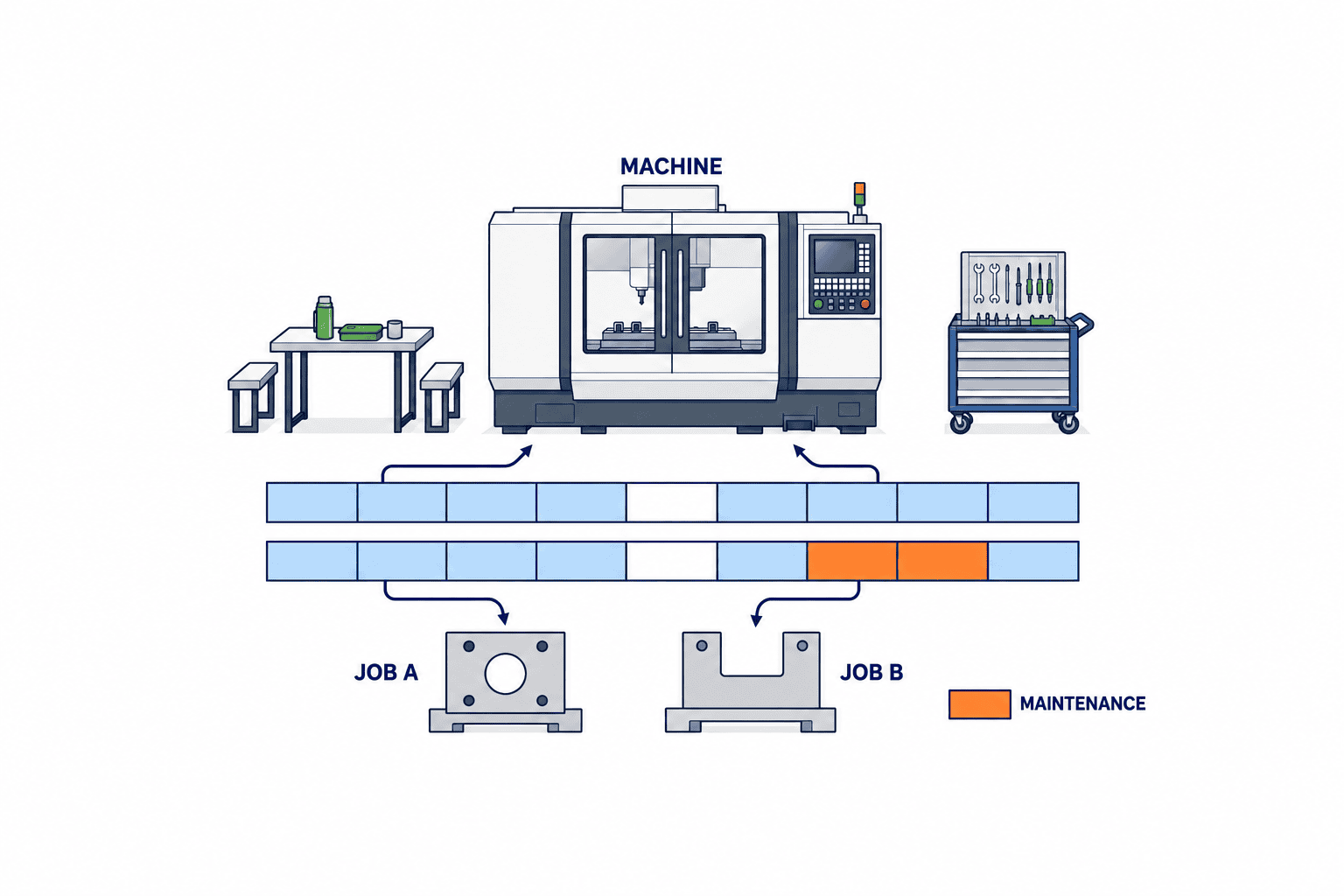
Some machines continue unattended through lunch, while loading, changeover or inspection requires an operator. Closing the machine calendar for lunch would stop work that could continue. Leaving both calendars open could schedule staffed operations when nobody is present. Model the machine and operator as distinct resources, or use a product rule specific to the operation. State whether a job can run, start, stop or resume during each break. For an overnight shift such as 23:00–07:00, record the actual local start and end timestamps, not just an ambiguous workday label.
Design maintenance and exceptional working time
A blank gap in a calendar loses its cause. Distinguish planned maintenance, a breakdown, a plant holiday, special overtime and other closures. Each event should identify the machine, interval, source, approver and revision history. Yet not every issue belongs in a machine calendar. A quality hold affecting only one product does not make the entire machine unavailable; represent it as a product or order constraint where supported.
Oracle documents shift exception operations for adding, changing, removing and splitting shifts. These are Oracle features, not a required vocabulary for every product. In an RFP, describe the required outcome: machine A works on Sunday, B remains closed; maintenance closes only the middle of A’s regular shift. Ask the vendor whether this is standard configuration or customization, and how conflicting events are resolved.
Agree one exception priority table
An illustrative rule order is safety or breakdown closure, approved planned maintenance, explicitly approved special working time, plant holiday and ordinary shift. Special working time may override a holiday only for the named machines and period; it cannot override safety or maintenance closures. This is an example to be agreed by the factory, not a claim about any product default. If an approved overtime event can reopen a holiday, define who can approve it and when it expires. If maintenance always wins over overtime, test that outcome even when another user enters the overtime event later.
| Concurrent inputs | Required decision | Evidence to retain |
|---|---|---|
| Standard shift and holiday | Close all affected machines or open named exceptions | Plant, scope, holiday version |
| Holiday and approved overtime | Open only named machines | Request, approver, expiry |
| Shift and planned maintenance | Close only the maintenance window | Work order and revision |
| Overtime and breakdown | Keep the broken machine closed | Event and recovery check |
| Open group and closed machine | Allocate only to eligible alternatives | Machine ID and substitution rule |
Add tests for duplicate events, an end before a start, an expired calendar and an unapproved request. Decide whether each input is rejected, warned about or excluded from scheduling. It may be sensible to handle unapproved closures differently from unapproved openings; an uncertain safety stop should not silently disappear, while an unapproved extra shift should not become bookable time.
Give calendars effective dates and traceable versions
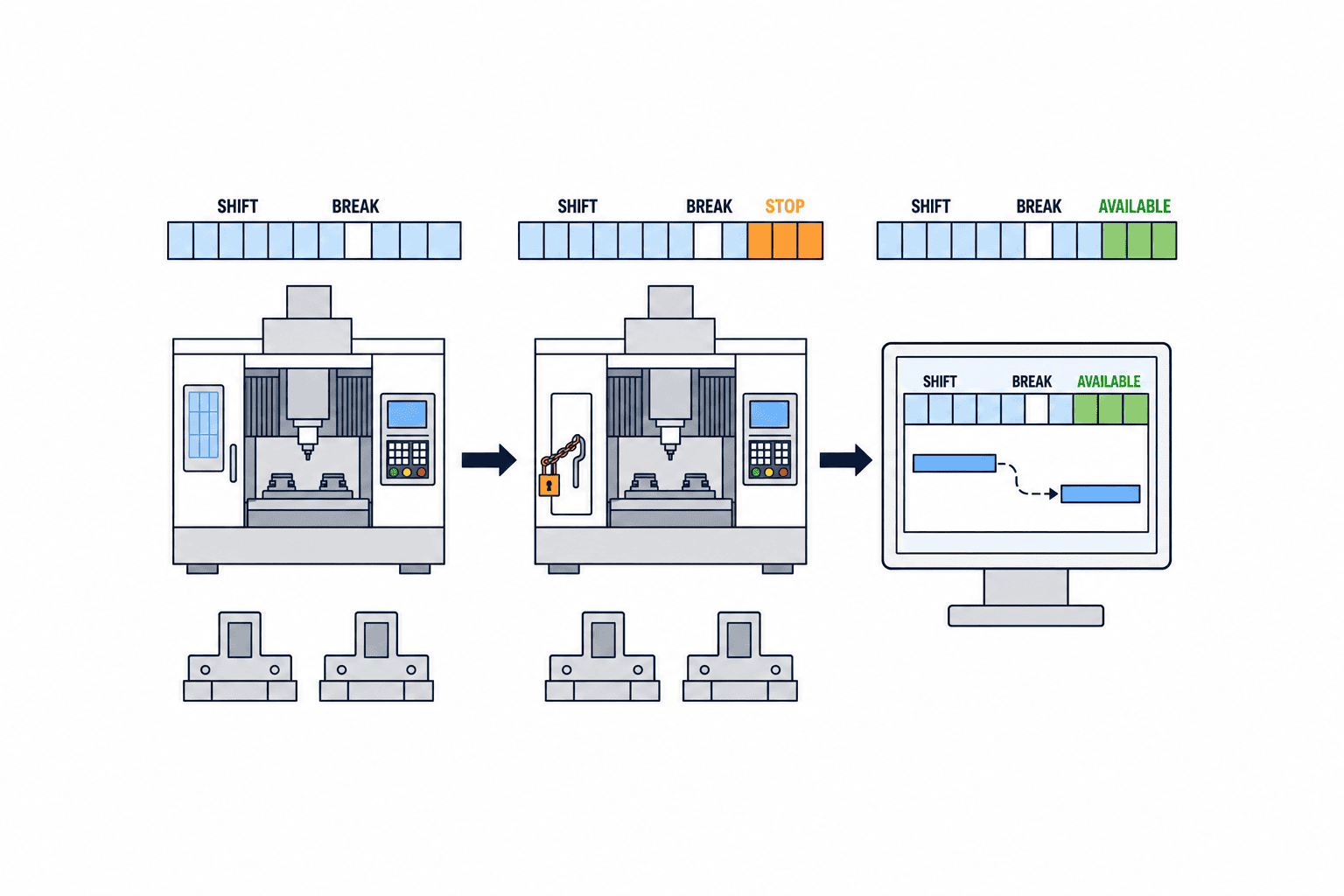
Next month’s second shift, a machine retirement and seasonal Saturday work are future changes. Assign a start and end date to calendars and avoid overlapping effective versions for the same machine and interval. Microsoft’s operations-resource documentation describes calendar effective dates and non-overlap within its own model. Check the specific versioning mechanism in the product you select.
If an administrator simply overwrites a setting, it becomes difficult to explain which calendar produced last week’s released plan. Retain a calendar version or equivalent immutable reference with each plan, plus applied exceptions, plant time zone and calculation settings. Decide which planned orders must be recalculated after an approved change and which released work lies inside a frozen period. A calendar update can change a promised date; it is a business change, not only a master-data edit.
Assign ownership across production planning, maintenance, the shop floor and IT. For example, moving a maintenance start one hour earlier may affect an already prepared job. Record who proposes the change, who approves it, who evaluates affected orders and who releases a new plan. For an emergency stop, record event time separately from later approval time.
Check finite capacity with a transparent numerical example
The following numbers are an illustrative TOMAS TECH test case, not factory performance data or a guarantee about any scheduler. Machine M1 is open Monday 08:00–17:00 with lunch 12:00–13:00, so usable time is eight hours. Tuesday has the same shift but planned maintenance closes 14:00–16:00; usable time is six hours. Wednesday is a plant holiday and has zero hours. Total usable time over the three days is 8 + 6 + 0 = 14 hours.
Job A requires six hours and job B five hours on M1. Assume no setup or material delay and that a job may pause during nonworking time. A uses Monday 08:00–12:00 for four hours and 13:00–15:00 for two hours. B uses Monday 15:00–17:00 for two hours and Tuesday 08:00–11:00 for three hours, finishing Tuesday at 11:00. The load is 6 + 5 = 11 hours, within the 14-hour usable total, and neither job enters the Tuesday maintenance window.
If B instead requires five uninterrupted hours after starting, no interval in this three-day horizon fits it: Monday has only two hours after A, Tuesday has 08:00–12:00 (four hours), 13:00–14:00 (one hour) and 16:00–17:00 (one hour), and Wednesday is closed. Aggregate capacity of 14 hours exceeds the two jobs’ combined nominal requirement of 11 hours by three hours, yet B is infeasible under that continuity rule. This is why a daily capacity total alone cannot prove a schedule is workable. Define how breaks and interruptions affect each operation in the selected product, and compare start, pause, resume and finish times in acceptance testing.
If a product uses an 80% efficiency factor in the manner described by Microsoft’s job scheduling formula, five standard hours reserve 5 × 100 ÷ 80 = 6.25 hours. Do not apply this arithmetic to every APS without checking its formula, sequence of calculations and rounding. Ask the vendor to show how run time, setup, efficiency, breaks and maintenance combine.
Put outcome-based calendar requirements in the RFP
A checkbox labeled “calendar supported” does not resolve implementation risk. Give every bidder the same shift and machine data, expected outcome and event priority table. Ask which items are standard configuration and which require custom code.
| Requirement | Shared test input | Evidence of support |
|---|---|---|
| Resource hierarchy | Plant, line, group, machine | Opening and override relationship visible |
| Normal shifts | Two shifts, lunch, overnight work | Exact intervals on a time axis |
| Holidays | Plant-specific holiday and substitute workday | Other plants remain unaffected |
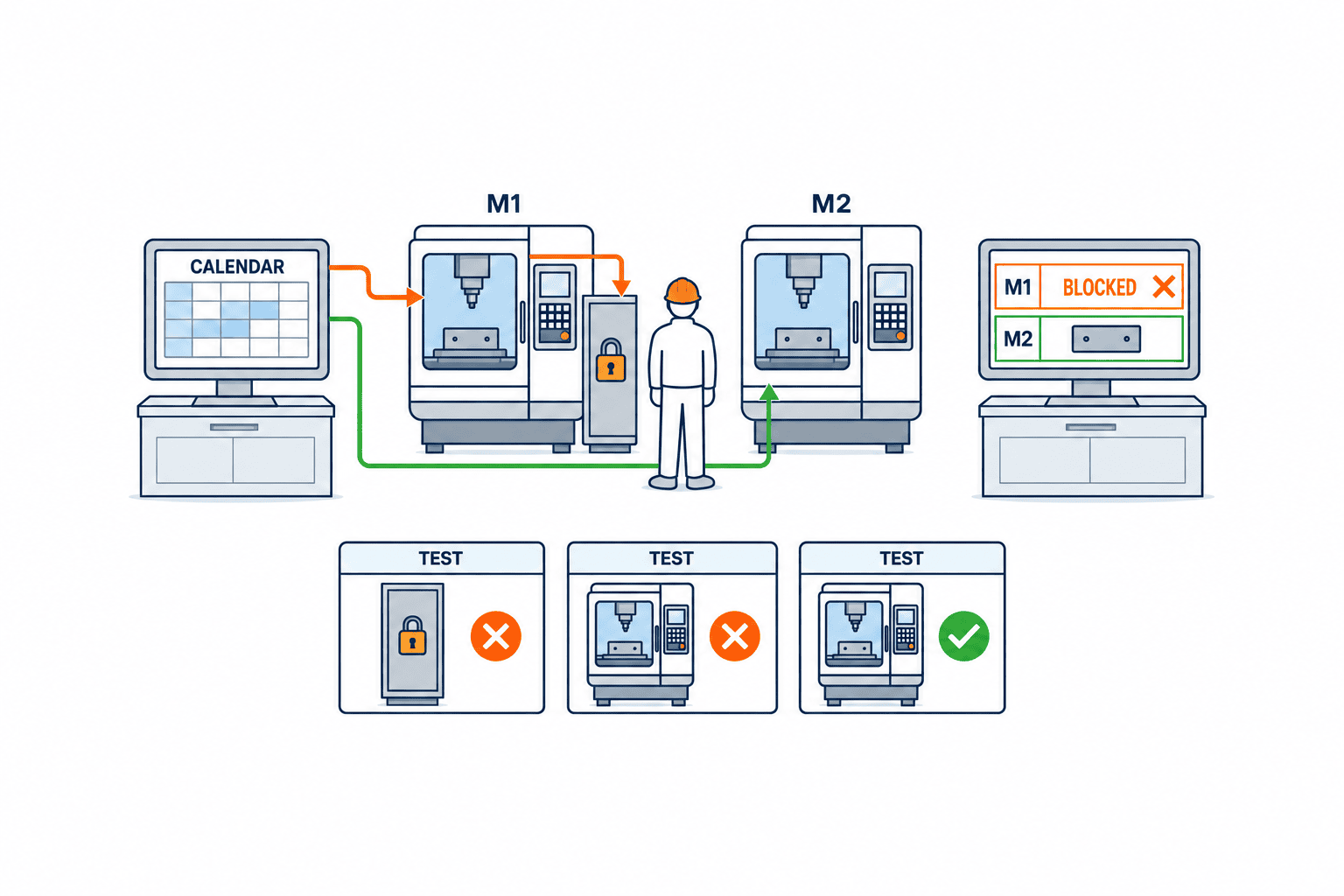
| Maintenance | M1 partly closed, M2 open | No booking on M1; eligible M2 considered |
| Conflicts | Holiday, overtime and breakdown | Agreed priority applied |
| Effective date | Shift changes next month | Correct version selected on each date |
| Finite capacity | Existing booking plus maintenance | No overbooking; explanation available |
| Interfaces | ERP order, maintenance event, MES actual | Delay, retry and duplicate handling shown |
| Audit | Approver, change, plan version | Prior plan reproducible |
| Performance | Realistic machines, weeks and exceptions | Measured solve time and correct result |
Estimate the expected number of calendar templates, future weeks and exceptions as well as machine count. A site that changes downtime daily has a different maintenance workload from one that imports holidays annually. Separate license, master-data ownership, CMMS integration, training and performance testing in the cost estimate. Use the broader scheduler selection guide for material and sequence constraints beyond the calendar.
FAT and SAT tests that expose calendar errors
In FAT, run fixed data through a configured environment and compare against expected intervals calculated in advance. In SAT, let real users enter shift and downtime changes, approve them, reschedule and release work at the plant. “The calendar displayed” is not a pass condition. The acceptance decision depends on where the jobs landed and why a machine was unavailable.
| Test | Condition | Pass criterion |
|---|---|---|
| C01 | Shift and lunch | Staffed work avoids lunch; unattended work follows agreed rule |
| C02 | Overnight shift and next-day holiday | Boundary remains correct in plant local time |
| C03 | M1 maintenance; M2 open | Work moves only to an eligible alternative |
| C04 | Holiday and approved special work | Only approved scope opens, then expires |
| C05 | Overtime entered during maintenance | Priority table prevents unapproved reopening |
| C06 | Existing bookings fill capacity | No double booking; reason and next slot visible |
| C07 | Calendar assignment expires | Missing availability is detected, not silently replaced |
| C08 | Stop moved earlier after plan release | Affected orders and plan-version difference shown |
| C09 | Same maintenance event resent | No duplicate stop; update history retained |
| C10 | Many shifts, holidays and stops | Correct result within agreed calculation time |
Microsoft’s official not enough capacity troubleshooting checks applicable resources, associated calendars, settings and free capacity. This is a useful diagnostic sequence, although each product exposes different explanations. Preserve input files, screen captures, calculation logs, plan versions, assessor and retest outcome. Prepare expected results before the vendor demonstrates the product; otherwise the test can become a confirmation of the demo.
Connect source systems and assign daily ownership
Choose the source of truth for each event. HR or timekeeping may own shifts, CMMS/EAM planned maintenance, ERP orders and MES actual output. Define exactly which fields flow to the scheduler and at what interval. A current MES stoppage should not automatically become an indefinite future closure. Separate the breakdown time, estimated recovery, approved planning stop and actual return to service.
An event interface needs an event ID, machine ID, local timestamps with time zone, type, revision, cancellation and retry behavior. Show the last successful synchronization and unresolved events to planners so they do not release a plan based on stale time data. If two departments register the same stop, define a merge rule and test it.
After go-live, maintenance submits stop windows, production planning reviews affected orders, supervisors approve shift exceptions and IT watches interface failures. For the first weeks, review orders not recalculated after a calendar change and differences between released plans and actual work. Select a few baseline metrics, such as on-time completion, late changes, manual planning time and exception entry lead time. Do not insert another company’s improvement percentage into your plant’s ROI.
FAQ: equipment calendars in production schedulers
Is an equipment capacity calendar the same as a production planning calendar?
No single naming convention applies. A planning calendar may express plant-level business days, whereas an equipment calendar expresses usable intervals for a machine or resource group. They may share holidays but differ in machine-specific maintenance and night shifts. Verify the hierarchy in the chosen product and its actual allocation result.
What wins when a holiday and maintenance stop overlap?
Both may close capacity initially, but the reason matters when someone later approves holiday overtime. Decide whether maintenance still blocks the machine, and retain the two events separately with approvals and history. Test the priority rather than assuming a default.
Does finite capacity automatically pick up a changed shift?
Not necessarily. An interface update, calendar generation, recalculation and handling of released work may all be required. Microsoft’s finite capacity guidance also identifies product-specific caveats when capacity varies with shifts. Confirm the behavior in current product documentation and with a test, rather than assuming an “on” switch is enough.
How should APS equipment calendars be checked in RFP, FAT and SAT?
Put shifts, breaks, holidays, equipment stops, priority, effective dates, time zone and audit into outcome-based RFP cases. In FAT, compare fixed input to independently calculated timestamps. In SAT, perform the actual plant workflow from entry and approval to replanning and release, and inspect the treatment of existing reservations.
Conclusion
An equipment capacity calendar is a rule set for usable time, not a holiday list. Establish the relationship between resource groups and machines, model shifts and exceptions, define effective dates and conflict priority, then verify finite-capacity output at timestamp level. Outcome-based RFP cases and FAT/SAT evidence are the most reliable way to expose settings that would otherwise become manual corrections after launch.
If your Thailand plant is mapping real shift and maintenance data into a production scheduler, contact TOMAS TECH to discuss a small equipment-group pilot, calendar requirements or acceptance test cases. An early discussion before product selection is welcome.
Official references
- Microsoft Learn: Operations resources
- Microsoft Learn: Improve scheduling engine performance
- Microsoft Learn: Operations scheduling
- Microsoft Learn: Job scheduling
- Microsoft Learn: Finite capacity planning and scheduling
- Microsoft Learn: Not enough capacity troubleshooting
- Oracle: How You Manage Production Calendars
- Oracle: Create a Shift Exception
The numerical case, priority table and acceptance criteria are illustrative design examples. Confirm feasibility and calculation order in the version and configuration you select.


