


When planning an export document AI OCR implementation, the first question is not how many pages a tool can read. It is which values must be compared, which source is authoritative, and who approves a result before it enters an ERP or shipping workflow. A commercial invoice and a packing list describe the same shipment from different viewpoints. Turning both into text saves little time if staff still have to reconcile items, quantities and packages manually. This guide addresses manufacturers exporting from Thailand and elsewhere. It covers extraction, cross-document checks, human approval, ERP integration, RFP requirements, and FAT and SAT. Customs declarations and origin determinations remain separate specialist workflows.
Separate extraction from business validation
AI OCR reads text from an image or PDF and produces structured fields. An invoice parser can identify a document number, date, parties, currency, item lines, quantities and amounts. AWS Textract’s expense analysis returns summary fields and line-item groups, with source positions and confidence information. Microsoft’s Document Intelligence provides an invoice model that extracts key fields and line items. These documented capabilities do not mean that a generic invoice model will also handle a company’s export invoice or a bespoke packing list without testing or customization. Evaluate it with actual documents. AWS documentation and Microsoft documentation.
Validation comes next. Compare line totals with document totals, link the invoice with the packing list, and compare both with the approved ERP shipment and order. High OCR confidence does not prove the source document is correct. Low confidence can occur even when the extracted value is right. Confidence helps prioritize human review; it cannot replace a business rule. Google’s Document AI evaluation guidance explains the trade-off between precision and recall when a confidence threshold changes. Google documentation.
Define three layers in the project scope: document intake and extraction; normalization, matching and exception detection; then approval and transfer to operational systems. A demonstration limited to extraction gives no evidence that the second and third layers will work. An RFP should specify inputs, outputs, owners and recovery procedures for all three. For the broader document automation context, see our back-office AI OCR guide. Here the focus is export document reconciliation.
What should be captured from invoices and packing lists?
The invoice presents the commercial view, while the packing list describes physical packing. UN/CEFACT publishes separate Cross Industry Invoice and Cross Industry Packing List standards. The WCO Data Model provides harmonized definitions for cross-border data. These are useful references for an internal field dictionary, though the fields that matter in a particular shipment depend on the parties and process. Do not turn every standards field into a mandatory OCR field. UN/CEFACT standards and WCO Data Model.
Create a dictionary with four columns: original text, normalized value, comparison source and responsible team. Invoice candidates include number and revision, issue date, seller, buyer, ship-to party, order reference, currency, product code, description, quantity, unit, unit price, line value and total. Packing-list candidates include document and related invoice references, product code, package ID, cartons, quantities in each carton, total quantity, net and gross weight, and dimensions. Start with fields whose mistakes affect downstream work or demand the most retyping.
| Field group | First values to inspect | Comparison source | Exception action |
|---|---|---|---|
| Document relationship | Invoice, order and shipment references | Packing list and ERP shipment | Confirm same shipment |
| Product | Internal and customer item codes | Both documents and item master | Resolve approved aliases |
| Quantity | Line, package and aggregate quantities | Both documents and shipping record | Normalize units and show difference |
| Value | Price, currency, line and document total | Invoice and approved commercial data | Check rounding and agreed terms |
| Packing | Package IDs, count, weight and dimensions | Packing record | Check definition and measurement stage |
Do not force a one-to-one match between invoice lines and packing-list rows. One invoice item may occupy several cartons; one carton may contain several items. Aggregate package contents by an agreed combination of shipment ID, item code, lot and package hierarchy before comparing totals. Similar product names alone are weak matching keys. Leave unresolved rows as exceptions instead of silently guessing.
Define the authoritative source field by field
The correct source can differ across fields. ERP may be authoritative for an approved item code and sales condition, while a packing execution record is authoritative for actual cartons. A revised document may reflect a legitimate change, but “latest file” is not a sufficient authority rule. Record the precedence and editing rights for every important field.
Version control is part of that decision. Old and revised invoices can remain in the same mailbox or folder. Keep document number, revision, intake time, approval state and a file fingerprint alongside the extraction. If revision information is absent, ask a person to confirm which files belong together. An AI guess about the “final” copy must not update a shipment automatically.
A workable invoice and packing-list OCR flow
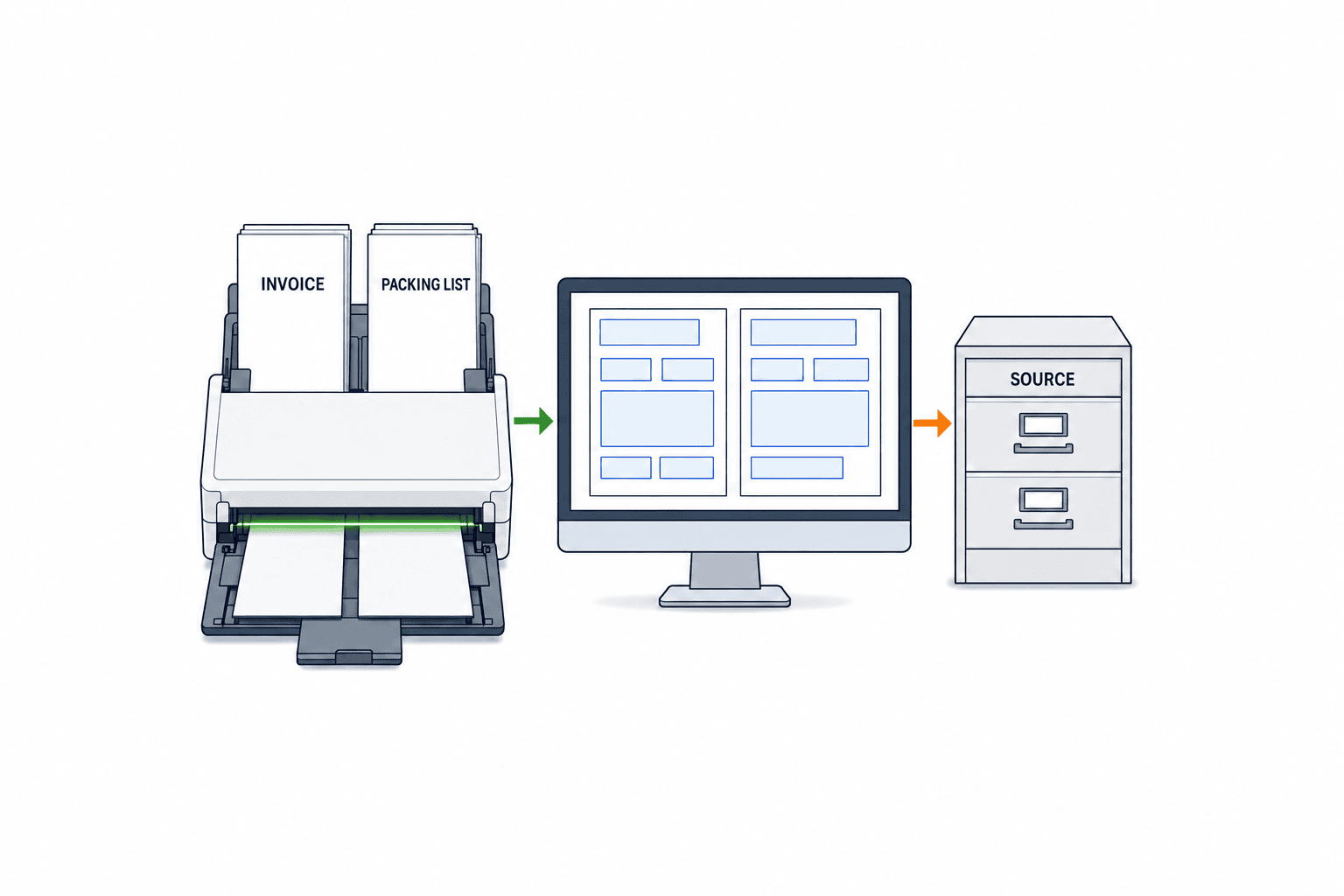
The operational chain is receipt, classification, preprocessing, extraction, normalization, matching, exception review, approval, integration and audit logging. For each step, document what enters, what leaves, and how a failed job is retried.
1. Receive and classify
List all entry channels: email, customer portal, shared drive, scanner and manual upload. Include combined PDFs, reversed page order, photographs, password-protected files and missing pages as explicit cases. Use categories such as invoice, packing list, other and unknown. Do not treat an unknown file as an invoice by default. Store the original with its source, intake timestamp, file name and processing ID so a reviewer can return from any extracted field to the evidence.
2. Prepare and extract
Skew, low resolution, shadows, annotations, mixed languages and tables spanning pages can impair extraction. Distinguish digital PDFs with a text layer from scanned images. Evaluate supplier layouts, multi-page tables, currency notation, footnotes and revisions on real samples. Compare a pretrained invoice model with a custom extraction approach, including maintenance effort rather than just demo accuracy.
Preserve the raw string, page number, bounding region and confidence with each value. In the review screen, selecting a field should highlight its location in the original. If “1,000” is normalized to numeric 1000, keep both representations. Store the extraction model, prompts and ruleset version with the processing ID so later corrections can be explained.
3. Normalize and consult master data
Normalize dates, thousands separators, decimal symbols, currency codes, quantity and weight units, item-code case, and customer-specific abbreviations before ERP posting. “PCS”, “pieces” and local-language terms can map to one unit, but set-to-piece conversion requires an approved conversion factor. A bare “$” does not settle the currency. A similar description does not establish an item code.
For item matching, use exact match first, then approved aliases, then candidate suggestions for a person to resolve. Register new aliases with an owner and effective date. Sometimes improving a document template or item master removes more exceptions than retraining a model.
4. Match documents and ERP data
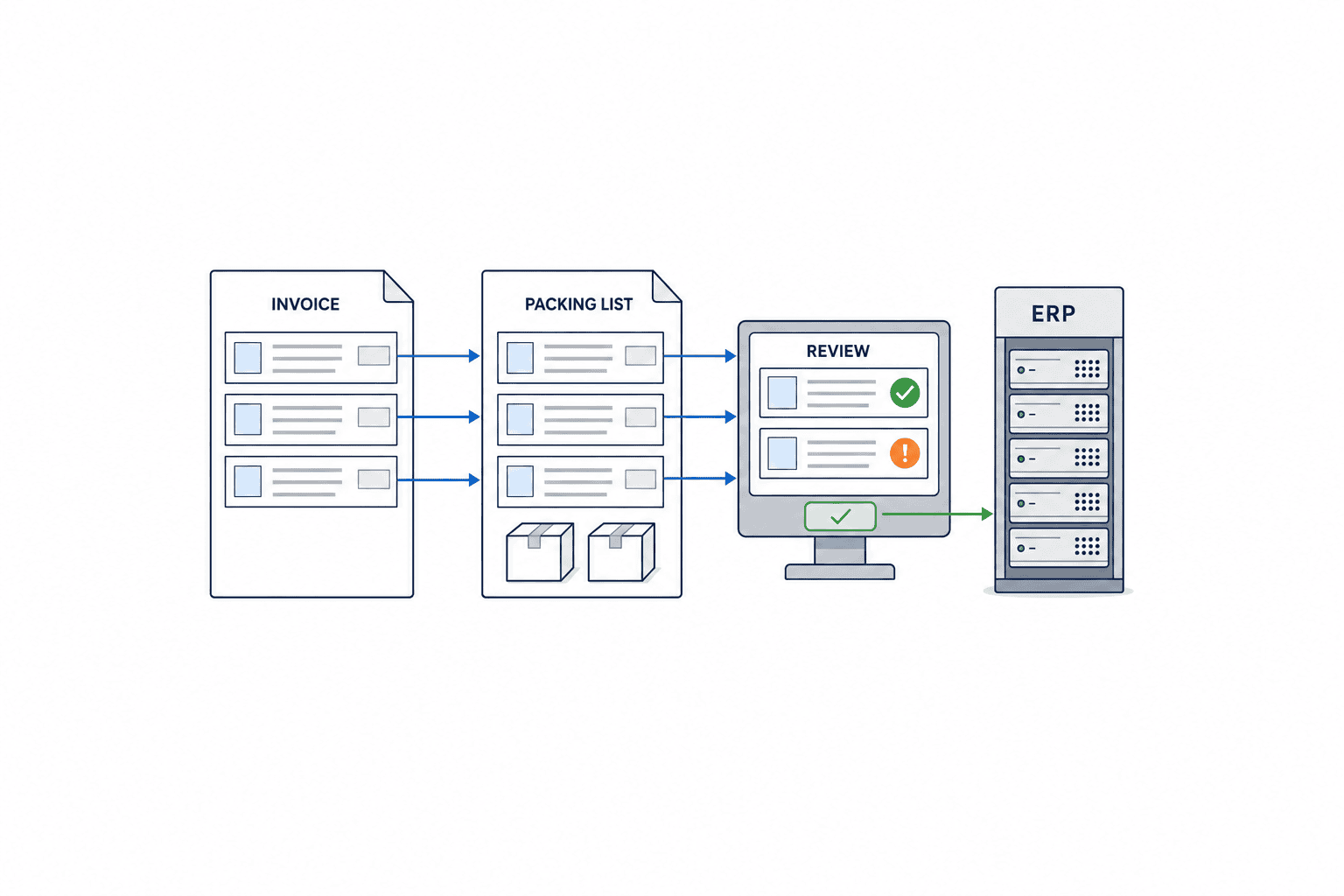
Confirm that documents relate to the same shipment before comparing rows. If shared identifiers are missing, shipment date, counterparty and product can suggest candidates, but a person must confirm. Sum package rows at the right item and unit level. Compare invoice line totals and grand totals separately from ERP commercial conditions. A packing list may have no monetary fields, so absence is not automatically a discrepancy.
Classify the result as matched, within an approved tolerance, review required or not comparable. Define tolerances only for suitable fields. A currency mismatch should not be treated like a measurement variation in weight. The business owner should approve each tolerance based on products, measurement methods and contractual needs; a universal percentage is inappropriate.
5. Review exceptions and approve
Show the source image, extracted value, normalized value, comparison source, difference and next action in one screen. Record the old and corrected values, reason, reviewer and time. Decide whether correction and approval require separate people according to the company’s controls.
Define automatic approval conservatively: required fields are present, the shipment link is strong, critical comparisons pass, and the document revision is approved. A low confidence score is one exception type, alongside missing values, conflicting revisions, duplicate document numbers, failed item mapping and inconsistent quantities. Microsoft’s guidance discusses confidence and human review, but thresholds must be derived from testing on the company’s own documents. Microsoft guidance.
6. Connect to ERP and shipping systems
Send confirmed data to ERP only after approval. A staging area can retain source document IDs and processing IDs while checking conflicts with existing shipments. Use an idempotency key so retrying after an outage does not create duplicate entries. If an invoice is revised, keep the old version and an explicit replacement relation rather than deleting the history.
If the company generates a PDF from ERP, define why it needs to OCR that PDF. Checking externally edited copies, customer or forwarder documents, or post-print changes may be useful. Comparing two outputs from the same incorrect ERP value can merely repeat the same error. Ask which facts can still change after ERP generation, then design the reconciliation around that point.
Which mismatches belong in scope?
For quantity differences, match item codes and units first. Aggregate cartons before comparing invoice and packing totals. Special items, samples or spare parts may need distinct rules. A matching grand total can hide a wrong item mix, so test both row and aggregate levels.
For package count, weight and dimensions, confirm the concepts being compared. Net versus gross weight, carton versus pallet measurements, and planned versus measured weight are different data. Document the units and measurement stage before defining an alert.
For product descriptions, prefer an exact code or approved alias. Customer and internal codes may coexist; a translation of the description should be supporting evidence, not the primary identity. For document numbers and dates, different numbering systems may be legitimate. What matters is proving that the correct revisions belong to the same shipment.
Price, currency and commercial terms can be extracted and shown, but their approval should follow the contract and internal authority. Origin decisions, tariff classification and declaration decisions are outside this OCR approval scope. Our separate FTA origin determination guide discusses that distinct process.
Measure both missed errors and false alarms
Counting detected discrepancies alone can reward a system that overwhelms staff with alerts. Measuring only a low exception rate can reward a system that checks too little. Track critical discrepancies found, critical discrepancies missed, false alarms and the time needed to resolve them. Repeated false alarms may make important warnings easier to overlook.
Build a test set containing normal documents and deliberate exceptions: source-document quantity errors, wrong revisions, mismatched package rows and unknown item codes, not merely OCR misreads. An alert should point to the correct field and row and allow a reviewer to act. Re-run the fixed test set after any model or rule update to detect regressions.
Consider improving the document itself
Where counterparties can cooperate, clearer document numbers and revisions, item codes on package rows, consistent units and text PDFs can reduce both OCR and matching errors. Where templates cannot be changed, distinguish those suppliers in the RFP. This gives vendors a fair basis to price custom extraction, business rules and human review.
Export document OCR RFP: what to specify
An RFP should enable vendors to estimate the same work and design a comparable pilot. Specify the document mix, field dictionary, comparison rules, approval process, interfaces and acceptance methods.
| RFP area | Provide | Request from vendor |
|---|---|---|
| Documents | Layouts, languages, file types, page-count distribution | In-scope and excluded cases |
| Fields | Header, item and package fields with source examples | Mapping and output schema |
| Matching | Invoice, packing list and ERP rules | Rule table and difference view |
| Approval | Roles, edits, returns and audit trail | Workflow and permissions |
| Integration | API or CSV, retry, revisions and conflict handling | Interface design |
| Evaluation | Representative and difficult samples | Pilot results and FAT/SAT plan |
| Operation | Template changes, model updates and access | Maintenance and support plan |
Samples should cover suppliers, plants, products, languages, multi-page tables, mixed cartons, discounts, corrections and poor scans. Business staff should establish the reference values from originals. Separate extraction ground truth from the expected business outcome. Keep evaluation samples apart from material used to tune the model. This is how to estimate real operating performance rather than to obtain a flattering demo.
Evaluate individual fields, missing or wrongly joined rows, shipment linking, important discrepancy detection, false alarms, review time and integration failure. A simple “document read” score hides the errors that matter. Google Document AI explains why confidence thresholds and precision and recall should be examined together. Google evaluation guide.
Compare costs on a like-for-like basis: license or page charges, sample preparation, rules, ERP integration, review UI, model maintenance, template changes and recurring human exception work. Include peak volume and reprocessing in usage estimates. Use the company’s actual baseline and vendor quotes rather than a generic labor-saving percentage.
Set rollout phases. Start with stable layouts and products that have reliable codes, then add variable suppliers and complex packaging. Expand automatic approval only when measured results support it. Define phase gates using field quality, shipment matching, false alarms, review time and transfer failures. Assign owners for the model, rules, trade decisions, ERP master data and information access. Version model and rule changes, test them against fixed documents, and retain a rollback procedure.
Operating rules to settle before go-live
A successful pilot does not guarantee that staff can process every case confidently each day. Define exception priorities and response times. Documents near a shipment cutoff, with a quantity mismatch or with missing originals may need attention before a document that merely has a lower OCR confidence score. Make the priority reason visible and assign a backup when the usual reviewer is absent. If an exception waits beyond its deadline, escalate it to an owner instead of automatically approving it.
Give failed cases explicit states such as received, unknown type, extraction failed, awaiting matching document, review required, approved, integration failed and complete. Specify the next available action for each state. When a file is reclassified, decide whether its old extraction is discarded. A case awaiting its packing list will not be fixed by rerunning the OCR model. Showing the cause prevents wasted retries.
For daily operations, monitor intake by channel, unknown documents, extraction failures, comparison exceptions, review backlog and ERP transfer failures. These reveal whether a supplier changed its layout or whether missing item master entries cause the queue. Every measure should link back to a processing ID and original document; a number without case evidence is hard to improve.
In review meetings, classify root causes as source quality, supplier layout, item master, unit conversion, matching rule, approval rights or integration outage. Collect new samples for a layout change and repair the master for item-code problems. Test the fixed document set before and after a change to ensure one supplier’s improvement has not degraded another supplier’s results.
Finally, specify a manual fallback. During a network or OCR outage, define who reads originals, where values are recorded and how they are imported after recovery. Reconcile manually entered and automatically processed records by shipment ID to prevent duplicate ERP entries. Preserve the reason and approver for manual cases in the audit trail. This is part of running a dependable business process, not a special AI feature.
FAT and SAT: prove that the workflow can operate
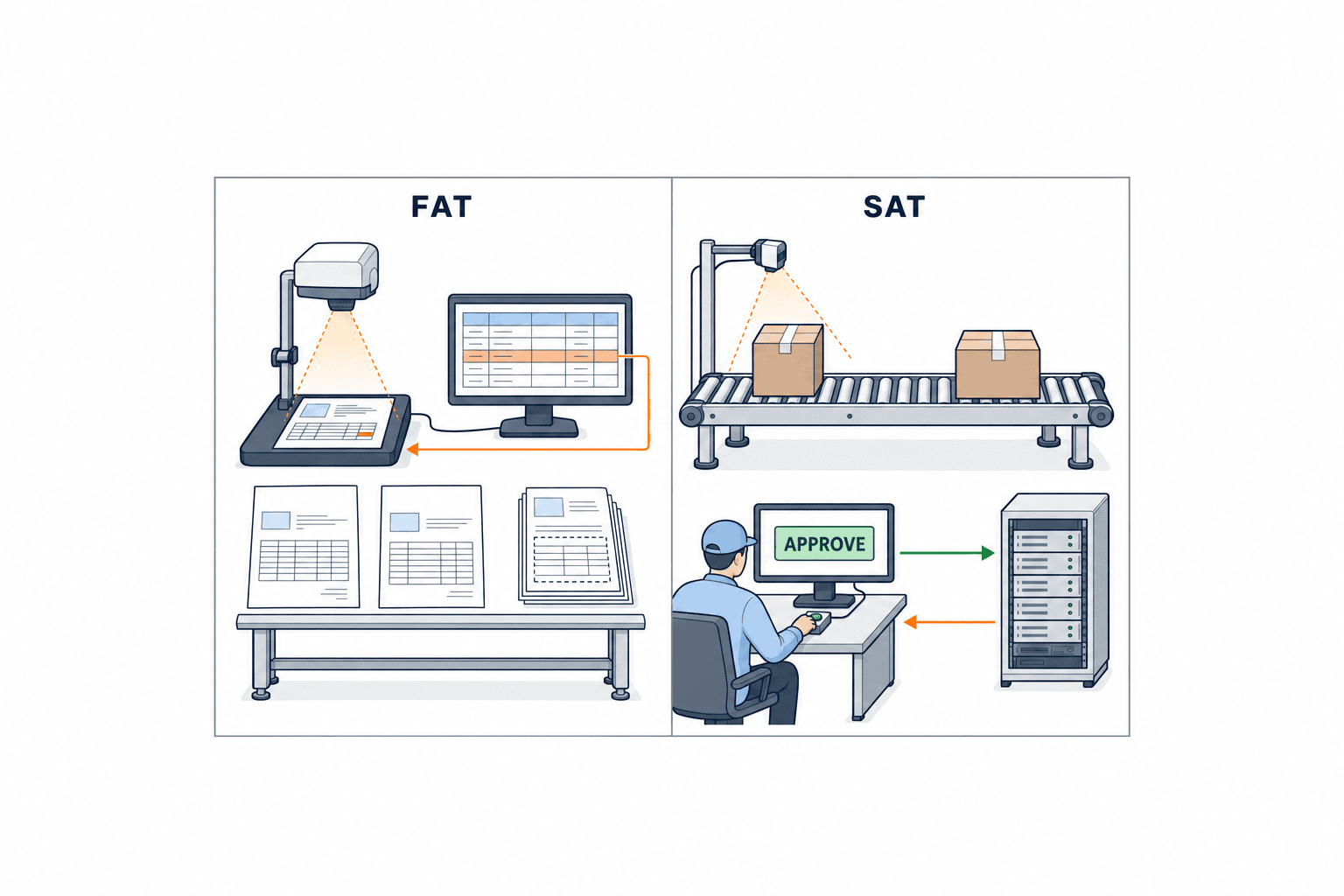
FAT verifies the agreed design in a vendor or test environment; SAT verifies it with actual systems and site conditions. Their contractual definitions should be agreed for each project. Both must test reconciliation, approval, integration and recovery, not just an OCR demo.
FAT cases should include a correct pair of documents; wrong quantity or item; one item split across cartons; mixed cartons; duplicate names; a document from another shipment; a revised invoice; a poor scan; an unknown item; and a missing page. Agree in advance whether the expected outcome is automatic approval, human review or rejection. Check that the reviewer can reach the evidence region in the original.
SAT should use real inbox or folder intake, local file names, ERP master data, permissions, network conditions and daily cutoffs. Stop the integration endpoint and verify retry without duplication. Re-submit a document and verify version handling. Confirm corrections are logged, unapproved data cannot become final, and a reviewer absence has an escalation route.
An acceptance statement such as “99% OCR accuracy” lacks meaning without its sample, fields, calculation, exclusions and severity rules. Define whether item codes require exact characters, how matched lines are scored, and how critical missed differences are counted. Keep critical misses separate from averages so a good score on easy fields cannot conceal a business failure.
Frequently asked questions
Can one OCR model read both the invoice and packing list?
Possibly one platform can support both, but document classification, target fields and tests should be separate. An invoice pretrained model does not automatically guarantee packing-list extraction. Test both on your own layouts and assess whether custom extraction is required.
Can extracted export data be posted straight to ERP?
An API connection is possible, but business approval criteria should come first. Unknown item codes, incompatible units and old document revisions must not silently become final data. A staging and review step is usually easier to control initially.
How far can shipping-document reconciliation be automated?
This article focuses on invoices and packing lists. A bill of lading or another document may have a different issue time and purpose. Add it only after defining matching keys, data authority and an owner. Let the system present differences and evidence; route ambiguous decisions to a person.
What should accompany an export document OCR RFP?
Provide a document inventory, anonymized samples of every important layout, a field dictionary, real exceptions, ERP target fields, approval roles, and average and peak volumes. Include both easy and difficult samples, and reserve some for independent evaluation.
Does AI OCR make customs or origin decisions?
It can help capture and compare text, but those decisions are outside the workflow described here. If a company wants to add them, it must define separate responsibilities, specialist checks and approval criteria.
Conclusion: fix the evidence, rules and approval path first
Export document AI OCR begins with reading invoices and packing lists. Its operational value depends on comparing the correct revisions of the same shipment, matching product and package hierarchies, showing explainable differences, and transferring only approved values. Put the source trail, field dictionary, exceptions, ERP handoff and FAT/SAT cases into the RFP before choosing a system.
TOMAS TECH can help manufacturers in Thailand scope a small pilot around their actual documents and existing systems. If you are still defining fields, matching rules or approval roles, describe the documents and reconciliation work in an initial inquiry.
References
- UN/CEFACT standards: Cross Industry Invoice and Packing List
- WCO Data Model
- WCO discussion of commercial-document data alignment
- AWS Textract: invoices and receipts
- Microsoft Document Intelligence invoice model
- Microsoft confidence and human review
- Google Document AI evaluation
- Thai Customs export-procedure information


