



What Is AI OCR? A Practical Guide to Adoption, Cost, and Accuracy in Thailand
What is AI OCR? It is a document-processing approach that combines optical character recognition with machine learning and document understanding so that useful fields can be extracted even when layouts vary. It does not eliminate data entry simply by being switched on. For a Thai manufacturing operation, success depends on designing document intake, acceptance accuracy, human review, PDPA controls, ERP integration, and operating cost as one process. This guide explains how to evaluate OCR, AI OCR, and IDP, run a meaningful proof of concept, estimate TCO, and write an implementation-ready RFP.
What is AI OCR, and how is it different from OCR and IDP?
The same request—“read these documents”—can require very different systems. The right choice depends on how much the documents vary and what must happen after reading.
| Category | Primary role | Best fit | Main caution |
|---|---|---|---|
| OCR | Converts characters in images or PDFs into machine-readable text | Fixed forms, clear printed text, searchable PDFs | Does not automatically know which text is the purchase order number |
| AI OCR | Adds learned models and document understanding to recognize fields and structures | Multiple layouts, invoices, purchase orders, multilingual documents | The label “AI” does not define supported functions or accuracy |
| IDP | Orchestrates classification, extraction, validation, workflow, and integration | Continuous processing of many document types into ERP or workflow | Requires process design, exception handling, monitoring, and ownership |
A useful shorthand is: OCR reads, AI OCR interprets and extracts, and intelligent document processing (IDP) operates the end-to-end document flow. Product terminology is not standardized. Compare what a service actually provides across classification, OCR, layout, field extraction, validation, human review, and downstream integration.
For example, conventional OCR may be sufficient if one inspection form has a fixed layout and the requirement is only to create searchable text. AI OCR becomes more relevant when invoices from many suppliers must yield invoice number, date, tax, total amount, and PO number. If the system must also identify the document type, split combined PDFs, reconcile totals, obtain approval, post into ERP, and retain an audit trail, the scope is closer to IDP.
Why document OCR is challenging in Thai manufacturing
Factories and regional headquarters in Thailand deal with more than paper volume. Languages, supplier formats, commercial processes, and IT environments overlap. Typical documents include purchase orders, delivery notes, invoices, tax documents, import-export papers, certificates of analysis, work orders, daily production reports, maintenance sheets, and checklists with handwritten notes.
Even within one document category, suppliers may place fields in different positions, use different table columns, units, currencies, and date formats. English, Thai, and Japanese can appear on the same page. Scans may be tilted, compressed, shadowed, stamped, folded, photographed by phone, or copied several times. After extraction, ERP validation still depends on information the OCR engine cannot see, such as vendor codes, item masters, tax categories, plant codes, units of measure, and approved bank details.
Google Cloud’s current official documentation states that Enterprise Document OCR supports more than 200 languages, including Japanese, Thai, and Vietnamese (official information retrieved on 2026-08-28). This is language support, not an accuracy guarantee for an individual project. Results vary with image quality, fonts, character size, table complexity, handwriting, mixed languages, and field definitions. A representative test on the company’s own documents remains essential.

Design the AI OCR pipeline in five stages
An implementation is not complete when a PDF can be sent to an API. A reliable production process separates five stages and gives each stage measurable controls.
1. Document classification
First decide whether the file is an invoice, purchase order, delivery note, inspection report, or another document. A single email attachment may contain several documents, so page splitting may also be required. A classification error sends the document to the wrong extractor and applies the wrong mandatory-field rules.
Classification can use wording, page structure, logos, and other document-level features. Do not rely on a logo alone, because supplier branding and templates change. Provide an “unknown” route so a low-confidence document is not forced into a known category. Track new suppliers and unknown layouts as operational events.
2. Text and layout recognition
The next stage recognizes characters, words, lines, paragraphs, tables, and selection marks. Retaining coordinates, page numbers, and cell relationships matters. A system needs layout to distinguish the number beside “Total” from a subtotal embedded in the line-item table.
Input quality is part of the process. Check orientation, skew, missing margins, contrast, glare, excessive compression, and duplicate images at intake. Rejecting or recapturing an unreadable image early is safer than accepting confident-looking output from missing visual information.
3. Field extraction
The system then transforms OCR output into fields such as PO number, invoice date, currency, subtotal, tax, total, item, quantity, and unit price. The useful output is not a flat string. It is structured data containing field name, value, page, position, and confidence or related evidence.
Normalization is necessary because one concept may appear as “Invoice No.,” “Inv No,” or “Tax Invoice Number.” Dates may use Buddhist Era or Gregorian years, and numeric separators may vary. Preserve both the original value and the normalized value so auditors and support teams can reconstruct what happened.
4. Validation
Do not post AI OCR output directly into ERP without controls. Combine model confidence with business rules: does the total equal the line-item calculation, does the PO exist, is the vendor-currency combination expected, and has the invoice number already been registered?
A confidence score is useful but is not a universal probability of correctness. Its meaning and calibration differ across products. Compare the score with actual errors from representative data, then determine which thresholds qualify for straight-through processing. High-risk fields such as totals and bank accounts may require master-data or dual controls even when OCR confidence is high.
5. Core-system integration
Validated data moves to ERP, accounting, MES, document management, or approval workflows. CSV import and RPA can help when legacy systems lack APIs, but retry behavior, duplicate prevention, encoding, concurrency, and partial failures must be designed.
Link the original document ID, processing timestamp, processor version, extracted value, corrected value, reviewer, and ERP transaction number. This traceability supports month-end closing, audits, supplier inquiries, incident analysis, and future model improvement.
How to measure AI OCR accuracy
AI OCR accuracy should not be reduced to one headline percentage. Character recognition can look excellent while the wrong PO number or total makes the business result unusable. Conversely, minor errors in a free-text note may not matter if all mandatory fields are correct.
Our detailed guide to evaluating AI OCR accuracy for Thai operations expands on test design. At minimum, assess several layers separately.
| Evaluation layer | Example metric | Business question |
|---|---|---|
| Text recognition | Character or word errors | Can the source text be recovered? |
| Field extraction | Correct, false, and missing extraction by field | Are mandatory values reliable? |
| Classification | Correct and incorrect class by document type | Is the document routed correctly? |
| Table structure | Row, column, and cell correspondence | Can line items be imported without shifting? |
| Business outcome | Straight-through rate, review rate, corrections, processing time | Does the process actually reduce work and lead time? |
Use a representative PoC sample
A proof of concept should include more than clean standard forms. Stratify samples by supplier, document type, language, capture channel, image quality, page count, table length, stamp, and handwritten annotation. Business users should help define the ground truth so that “correct” reflects the actual downstream requirement.
Do not use exactly the same documents for model tuning and final acceptance. Separate tuning and holdout acceptance sets, and keep the acceptance set unchanged until evaluation. Record the processor, version, configuration, and test date because service models and settings can change.
Define PoC acceptance criteria from risk
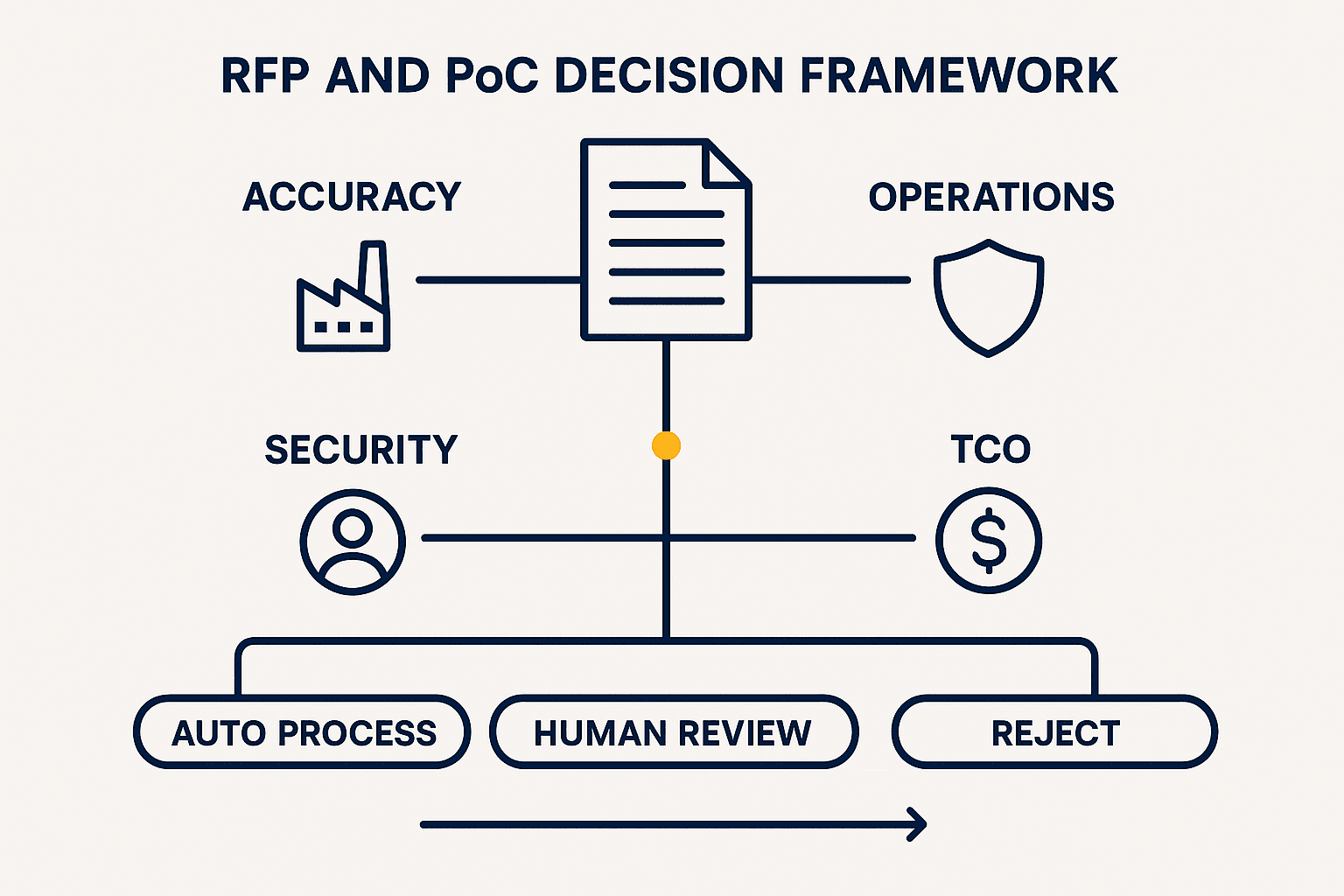
Do not copy a vendor’s average accuracy into the acceptance criteria. Define required accuracy by mandatory field, maximum missed critical fields, conditions for automatic posting, conditions for review, latency, peak throughput, and recovery expectations.
A practical design uses three paths:
- High confidence and business rules passed: proceed to automatic posting.
- Some uncertainty: send only the relevant fields to human review.
- Unreadable or materially inconsistent: reject, request a new source, or investigate.
The goal is not to pretend uncertainty has disappeared. It is to prevent uncertain data from silently moving downstream.
Human-in-the-loop is a control, not a failure
Human-in-the-loop means a person confirms or corrects fields that the automated process cannot safely resolve. It is an intentional control. The target is to move from rereading every page to reviewing only ambiguous values and rule violations.
The review interface should show the source image and extracted value together, highlight the relevant region, and allow efficient keyboard correction. Store the previous and corrected values plus the reason for the correction. Those records support rule improvement, supplier feedback, and, where appropriate, model tuning.
Measure more than the percentage of documents sent to review. Track review time per case, number of fields reviewed, disagreement between reviewers, queue buildup at peak periods, and reprocessing. A high automation rate can still leave significant workload if a small number of difficult documents consume most reviewer time.
A seven-step AI OCR adoption plan
Step 1: Narrow the business objective
Replace “remove all paper” with a bounded outcome such as invoice entry, sales-order transcription, or searchable inspection reports. Record current volume, peak periods, entry time, double checking, rework, and the consequence of error. Choose a measurable operational target.
Step 2: Create a document inventory
List document type, issuer, language, page count, capture channel, layout variations, handwriting, table use, required fields, and retention requirements. Separate high-volume layouts from rare but high-risk exceptions.
Step 3: Design the future process and ownership
Define who submits files, reviews exceptions, resolves master-data mismatches, and handles system incidents. Document the boundary between the cloud provider, implementation partner, internal IT, business owner, and data-protection function.
Step 4: Compare services across technology, operations, and contract
Google Cloud Document AI, Azure AI Document Intelligence, and Amazon Textract differ in available OCR, layout, table, query, and prebuilt processing capabilities, pricing units, and regional availability. Compare the functions needed for your documents, not brand names. Our practical AI OCR comparison provides a companion framework.
Step 5: Test acceptance in a PoC
Use the same evaluation set and ground truth across candidates. Include difficult company documents, not only vendor demo files. Evaluate configuration effort, review UI, API behavior, observability, reprocessing, and operator training in addition to extraction quality.
Step 6: Stabilize a limited production scope
Start with selected suppliers, a document family, or one site. Run parallel checks while thresholds and rules are refined. Establish support contacts, manual fallback, retention, permissions, and log review before expanding.
Step 7: Operate change management
New templates, supplier changes, policies, model updates, and ERP master changes are normal. Review accuracy by field, review reasons, automation rate, exceptions, processing time, and cost at a defined cadence. Keep regression tests for critical document groups.

AI OCR pricing and TCO
AI OCR pricing cannot be compared by a single page rate. Cloud APIs may charge differently by processor, feature, page volume, mode, and region, with storage and networking billed separately. SaaS offers may combine monthly fees, document allowances, users, workflows, and support. Prices change, so validate official pages and a current quotation before approval.
The Google Cloud Document AI pricing page lists Enterprise Document OCR at US$1.50 per 1,000 pages in the 1,000-to-5,000,000 count tier (official information retrieved on 2026-08-28). This is a published rate for a specific function and volume band, not the total project cost. It excludes other processors, surrounding cloud services, taxes, exchange-rate effects, and individual contract terms. Amazon Textract pricing depends on feature and region; any example on its pricing page must be checked against the intended API and deployment region. Azure and other supplier prices can also vary by geography and contract.
See our separate guide to AI OCR pricing and cost planning when building a business case.
Include the full cost base
| Cost category | Typical items | Frequently missed |
|---|---|---|
| Initial | Discovery, inventory, PoC, configuration, integration, testing, training | Ground-truth preparation and exception-screen design |
| Usage | OCR and extraction APIs, licenses, storage, network | Reprocessing, multiple processor calls, minimum commitment |
| Operations | Human review, monitoring, support, master maintenance, rule improvement | New layouts and peak-period reviewers |
| Governance | Security review, contracts, audits, log retention, PDPA work | Data-subject requests, deletion, cross-border assessment |
| Change | ERP change, API change, model update, site rollout | Regression testing and fallback operation |
Measure the current process at the same level of detail. Include data entry, double checking, rework, month-end overtime, payment or shipment delay, archive search, and management coordination. Model benefits under realistic review rates rather than assuming 100% automation.
Standardize the comparison formula
A common comparison formula is:
Monthly TCO = base fee + usage fee + adjacent cloud cost + human review cost + operational support + allocated change cost
Match volume to the supplier’s billing unit. A multi-page PDF can create several billable pages, and a design that invokes OCR plus additional extraction functions may have multiple pricing components. Include retries, testing, and non-production environments.
PDPA, data location, and security
When documents contain personal data in Thailand, PDPA compliance is not achieved by buying a product with security certifications. Identify the data, purpose, legal basis, parties, retention, processors, cross-border transfer, data-subject handling, and incident response. Review the design with legal counsel, the DPO, and information-security teams. This article is not legal advice.
Draw the complete data flow
Map the input source, upload device, network, OCR processing region, temporary storage, logs, review interface, ERP, backups, and support access. “Data location” can involve processing, backup, diagnostics, telemetry, and subprocessors, not only the primary storage bucket. Verify each point in service and contract documentation.
Minimize fields and retention where documents contain names, addresses, phone numbers, IDs, bank details, signatures, or other personal information. Do not copy production documents into test environments without controls. Consider masking, separate access, retention limits, and automatic deletion.
Verify contract and operational controls
- Whether input and output data may be used for service improvement or training
- Available processing regions and storage locations
- Encryption, key management, access control, and administrator logs
- Retention, deletion, and backup-deletion approach
- Subprocessors, transfer mechanisms, and data-processing terms
- Incident notification and support access to content
- Export and verified deletion at contract termination
Thailand’s GPPC/PDPC Government Platform for PDPA Compliance is an official entry point for information about PDPA compliance. The appropriate notice content, legal basis, and cross-border approach still require case-specific professional review.
What an AI OCR RFP should require
Avoid vague statements such as “supports AI OCR” or “high accuracy.” Ask for measurable acceptance conditions and evidence.
| RFP area | Question | Evidence to request |
|---|---|---|
| Document scope | Which languages, layouts, handwriting, tables, and multipage cases are covered? | PoC results on company samples |
| Accuracy | What is measured by field, and under what conditions? | Ground-truth comparison and error examples |
| Exceptions | How are low confidence, unknown layouts, and integration failures handled? | UI demonstration, replay procedure, operating flow |
| Integration | What APIs, batch methods, webhooks, ERP interfaces, and duplicate controls exist? | API specification, error codes, architecture diagram |
| Security | Where is data processed, retained, encrypted, accessed, and deleted? | Contract clauses, assurance reports, data-flow diagram |
| Operations | How are monitoring, SLA, incidents, model updates, and changes managed? | SLA, support model, regression-test plan |
| Price | What are setup, usage, minimum, retry, and extra-environment costs? | Rate card, assumptions, three-year TCO |
| Exit | Can documents, labels, and configuration be migrated? | Export format and deletion procedure |
Make vendor evaluation comparable
Give every candidate the same evaluation set, ground-truth definition, time limit, and permitted configuration effort. Report results by required field, document group, language, and image quality—not only as an average.
During demonstrations, request failure cases: low confidence, misclassification, broken tables, API interruption, and ERP rejection. Production quality depends as much on safe stopping and recovery as on successful extraction.
Choosing between API, SaaS, and custom implementation
Cloud API-centered approach
A development team combines OCR or document-understanding APIs with classification, validation, reviewer UI, and ERP integration. It provides flexibility, but the customer or partner owns the operational application. Strong API output does not automatically create a complete business process.
Document SaaS approach
A SaaS product provides intake, reviewer screens, workflow, and export. It may shorten time to start, but verify Thai documents, local tax forms, existing ERP interfaces, and approval rules. Understand whether pricing depends on pages, users, document templates, integrations, or support tiers.
Custom model and application
Custom development can serve unusual symbols, specialized tables, or site-specific workflows. It also creates responsibilities for labeled data, deployment, maintenance, and regression testing. Test how far prebuilt processors and business rules can go before customizing only the parts with a clear business return.
Common implementation failures
Selecting on a “99% accuracy” claim
Results are not comparable without the same documents, metrics, and ground truth. Re-evaluate mandatory fields and business outcomes on your data.
Starting with every document
The scope fills with exceptions and the PoC never closes. Start with a high-volume, relatively stable process whose outcome can be measured.
Installing OCR but leaving all upstream and downstream work
If staff copy output into spreadsheets and then retype it into ERP, savings remain limited. Measure the whole process from receipt to validated posting.
Automatically posting all low-confidence output
Use thresholds, reconciliation, and approval for high-impact fields. Combine confidence with vendor master data and arithmetic checks.
Stopping measurement after go-live
Templates and capture quality change. Continue monitoring field accuracy, review reasons, unknown formats, processing time, and cost.
FAQ about AI OCR adoption, price, and accuracy
What is AI OCR compared with conventional OCR?
Conventional OCR primarily converts an image to text. AI OCR uses learned document understanding to extract fields, tables, and relationships across variable layouts. Because naming differs by supplier, verify the exact scope of classification, extraction, validation, review, and integration.
Does AI OCR support Thai, Japanese, and Vietnamese?
Some services do. Google Cloud’s current Enterprise Document OCR documentation describes support for more than 200 languages, including Japanese, Thai, and Vietnamese (retrieved 2026-08-28). Language support is not a project-specific accuracy guarantee; test representative documents field by field.
How much does AI OCR cost?
Cost depends on feature, volume, region, contract, reviewer functions, and integration. Google Cloud’s official pricing page lists Enterprise Document OCR at US$1.50 per 1,000 pages for the 1,000-to-5,000,000 page count tier as of 2026-08-28. Treat this as one applicable rate, not total TCO, and verify the current official terms.
What accuracy is sufficient for production document OCR?
There is no universal threshold. Base it on field risk, reconciliation, review, and the consequence of error. Define criteria separately for PO numbers, totals, dates, and other mandatory fields, then route results to automation, human review, or rejection.
Can AI OCR read handwriting?
Some services can recognize certain handwriting, but performance varies with script, writer, field constraints, and image quality. Test actual samples and use field constraints, master data, or human review for important values.
Should AI OCR run on premises?
Decide based on confidentiality, network constraints, data location, operating capability, update cadence, and TCO. Cloud versus on premises does not by itself determine security. Compare the complete data flow, permissions, encryption, logs, patching, backups, and vendor support access.
What should be prepared for a PoC?
Prepare a bounded use case, document inventory, representative holdout set, ground truth, mandatory fields, acceptance metrics, integration target, security conditions, and named process owners. Keep tuning and final acceptance documents separate.
Conclusion: choose AI OCR as an operating process
AI OCR is a valuable way to turn varied documents into structured data, but the model alone does not determine the outcome. Design classification, text and layout recognition, field extraction, validation, and core-system integration as one controlled flow. Use human-in-the-loop to manage uncertainty. In Thai manufacturing, include multilingual layouts, PDPA, data location, and ERP master checks in both the PoC and RFP. Compare current official pricing and calculate TCO with human review and change management, not just an API page rate.
You can discuss the feasibility of your documents, PoC acceptance metrics, and RFP structure before committing to a product. If you would like to map an approach around a Thai factory and its existing systems, contact TOMAS TECH.
Official references (retrieved 2026-08-28)
- Google Cloud, Document AI processor and language list: https://docs.cloud.google.com/document-ai/docs/processors-list
- Google Cloud, Document AI overview: https://docs.cloud.google.com/document-ai/docs/overview
- Google Cloud, Extraction overview: https://docs.cloud.google.com/document-ai/docs/extracting-overview
- Microsoft Learn, Azure AI Document Intelligence Read model: https://learn.microsoft.com/en-us/azure/ai-services/document-intelligence/prebuilt/read?view=doc-intel-4.0.0
- AWS Documentation, Amazon Textract tables: https://docs.aws.amazon.com/textract/latest/dg/how-it-works-tables.html
- Google Cloud, Document AI pricing: https://cloud.google.com/products/document-ai/pricing
- AWS, Amazon Textract pricing: https://aws.amazon.com/textract/pricing/
- Thailand GPPC/PDPC, Government Platform for PDPA Compliance: https://gppc.pdpc.or.th/
Prices, features, and language support in this article reflect official information available on the retrieval date. Actual terms vary by region, volume, tax, exchange rate, and contract; verify current supplier documentation and quotations before purchase.


