



Excel AI Automation|90-Day Plan for Thai Manufacturers
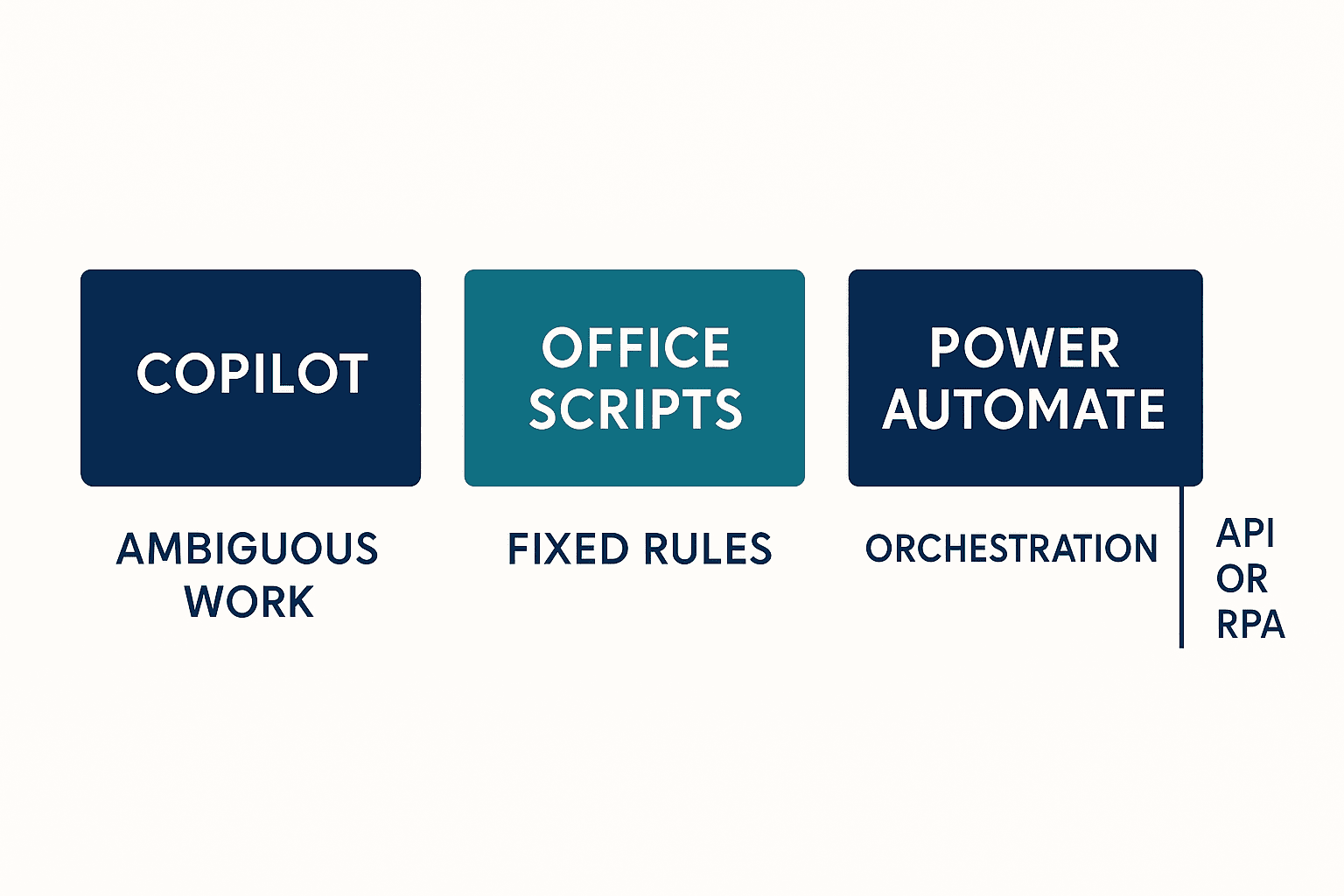
When a manufacturer in Thailand wants to improve recurring consolidation, copying, reconciliation and reporting, Excel AI automation should not mean “buy Copilot and automate everything.” Generative AI is useful for ambiguous, conversational work; Office Scripts for deterministic repetition; Power Automate for triggers, approvals and orchestration; and APIs or RPA for work outside the Excel boundary. This guide turns those boundaries into a practical 90-day PoC, RFP, acceptance, access, audit and multilingual-quality plan.
Start Excel AI automation with three boundaries
Excel is not automatically a problem. It lets local teams adapt calculations and checks faster than a formal system change. Risk appears when nobody can explain which rule ran, which data it used, who accepted the result, or when the workbook should give way to a governed system.
This is common in Japanese manufacturers in Thailand. A Japanese management workbook, Thai shop-floor notes, English customer files and CSV exports from ERP or MES may meet in one file. Users add columns, copy formulas and circulate attachments until the workbook becomes operationally critical. Before adding AI, define:
- Decision boundary: Does the task require interpretation and dialogue, or should a fixed rule always run the same way?
- System boundary: Does the process remain in Microsoft 365, or cross into ERP, MES, file servers or browser applications?
- Accountability boundary: Who approves inputs, changes automation, accepts outputs and has authority to stop the process?
Once these are clear, product selection becomes an implementation consequence rather than a feature contest.
Separate Copilot, Office Scripts, Power Automate and RPA by work type
| Nature of work | Default layer | Manufacturing example | Essential control |
|---|---|---|---|
| Ambiguous and interactive | Copilot in Excel edit mode or another approved generative-AI experience | Explore abnormal trends, draft an explanation, ask follow-up questions, rephrase across languages | Human review, source boundary, prompt/output evidence, language testing |
| Deterministic and repetitive | Office Scripts | Normalize columns, validate required fields, format tables, calculate fixed checks | Repository, code review, test workbook, release owner, rollback |
| Trigger, sequence and approval | Power Automate | Start on file arrival, request approval, notify exceptions, retain run history | Connection owner, retry, idempotency, run log, separation of duties |
| Outside Excel | API, integration platform or RPA where necessary | Post approved data to ERP, query MES, operate a legacy interface | Bot/API identity, secret vault, reconciliation, recovery, monitoring |
Put generative AI where ambiguity is real
“Explain the change in quality loss by product family and propose checks” is suitable for a conversational assistant because the analyst refines the question and evaluates hypotheses. “If column A is empty, raise an error; if column B is approved, stamp the processing date” should normally be coded and tested as a deterministic rule.
The workbook-editing experience corresponding to the former Agent Mode is described in Microsoft’s current guidance as Copilot in Excel’s edit mode. This does not establish “Edit with Copilot” as a guaranteed formal successor product name. Specify the outcome—an approved Copilot experience that can edit a workbook under defined controls—and verify its current name, availability, licensing and regional conditions before purchase.
Product transitions also matter. Microsoft’s official Excel Blog transition announcement says the former App Skills advanced-analysis experience was retired at the end of February 2026. The announcement describes an evolution of the experience; it does not guarantee a like-for-like successor to the former advanced analysis. Separately, the current FAQ describes current options including Copilot in Excel or the Analyst agent, but neither should be assumed to be equivalent to the retired experience. An RFP should ask what analysis is available, where computation occurs, what code and outputs can be retained, and how a reviewer can reproduce the result instead of demanding a retired name or a like-for-like replacement.
The COPILOT() function is also unsuitable as a core production dependency. Microsoft describes it as a Frontier/Insider capability and says that, starting 14 September 2026, it will no longer be available. If a team experiments with it, require an exit to standard formulas, scripts or a supported service. These statements reflect official information available on 27 August 2026; cloud capabilities can change, so recheck the linked official pages at each procurement and release gate.
Use Office Scripts for repeatable rules
Office Scripts can record, edit and replay Excel actions. They fit column normalization, whitespace cleanup, type conversion, master-data checks, fixed calculations and exception flags. But a script completing without error does not prove the business result is correct.
Test schema changes, numbers stored as text, Buddhist and Gregorian dates, mixed kilograms and grams, missing leading zeros and empty tables. Each script needs an input contract, preconditions, error behavior, owner, change history and rollback. Keep production code in a governed repository or managed location. Business owners approve the rule; IT reviews implementation, access and operational quality.
Use Power Automate for orchestration, approval and exceptions
Power Automate can start on a schedule or file event, call an Office Script, wait for approval, notify a team or move a failed item to an exception queue. This separates deterministic workbook work from workflow responsibility.
The Excel Online Business connector works with Excel files in OneDrive for Business, SharePoint Sites and Office 365 Groups. Its official page currently lists important constraints: a 25 MB maximum file size; Run script throttling of three calls per 10 seconds and 1,600 calls per day; changes that may take up to 30 seconds to appear; file locks that may remain for up to six minutes; and a recommendation against concurrent writes. These are product limits, not a promised throughput or SLA, and should be verified again during design and load testing.
Design consequences are concrete. Prefer a single writer, queue requests, attach an idempotency key, set bounded retries, move persistent failures to an exception process and reconcile the final workbook state. Do not treat a green flow run as proof that every row was written. Also avoid reading immediately and declaring failure without considering documented propagation delay.
Let APIs and RPA own the external boundary
Where ERP or MES exposes a stable API, prefer the API over clicking screens. Use RPA when no suitable interface exists or as a controlled transition. Give the bot its own least-privileged identity, store credentials in a vault, detect screen changes, set timeouts and reconcile before and after execution.
An Excel row can be an instruction, but only if its approval status is protected. Define who may mark a row “approved,” retain the change history, pass a unique processing ID to the target system and define cancellation. A screen click is not the success criterion; matched records in the source and target are.
Inventory five kinds of Excel work in a Thai factory
1. Collection and copying
Files arrive by email, shared folder, machine export or ERP download. Stable names, columns, encodings, dates and units suit scripts and flows. If they are unstable, establish an input contract first. Using generative AI to guess every schema change hides errors instead of fixing the source.
2. Formatting and validation
Whitespace removal, type conversion, master checks, required fields and duplicate detection are mainly deterministic. AI may draft a friendly explanation of an error, but should not be the only basis for pass/fail.
3. Analysis and exploration
This is where generative AI for data analysis can add value. It can propose slices, trends and hypotheses, provided users record the period, rows, exclusions, missing-data treatment, units and outlier rules. For quality or safety, both statistical reasoning and process expertise must review the conclusion.
4. Decision and approval
Pricing, shipment release, quality disposition and supplier evaluation affect customers, finance and compliance. AI may organize evidence or draft a recommendation. The process still requires a named decision maker, approval evidence, escalation and stop conditions. “Human in the loop” is not enough unless the human’s evidence and authority are defined.
5. Posting and notification
After approval, Power Automate, an API or RPA can post the record, notify stakeholders and retain evidence. Pass only approved data with a processing ID, then bring reconciliation status back to the case.
Inventory work by process step, not workbook name. “Automate the monthly inventory file” is too broad. Split it into ERP extraction, item-master validation, variance exploration, adjustment approval and ERP posting. That decomposition converts a broad AI business automation idea into implementable controls.
Make the 90-day PoC a decision, not a demo
The PoC should collect enough evidence to choose Scale, Revise or Stop. Fix decision dates first so the project does not remain permanently “in pilot.”
Days 0–30: lock scope, baseline and evidence
Define the process start and end, users, inputs, outputs, exceptions and prohibited uses. Capture attainable baseline measures such as transaction volume, active work time, waiting, corrections, critical errors, rework and missed cut-offs.
Confirm data ownership, permission, storage, retention, cross-border movement and external sharing. If the Japanese headquarters and Thai entity use different tenants, map whose identity reaches which source. Build an evaluation set with representative Japanese, Thai, English and, where needed, Vietnamese samples.
Approve acceptance criteria before seeing results. The following are example proposed criteria, not universal benchmarks.
| Dimension | Example proposed acceptance | Evidence |
|---|---|---|
| Completeness | Required fields are preserved; missing fields stop processing | Input/output diff, stop log |
| Critical error | No predefined critical error affecting customer, quality or finance | Error taxonomy, review record |
| Repeatability | Same input and same deterministic version produce the same result | Version data, test result |
| Multilingual quality | Each language is assessed against an approved glossary and sample set | Language scorecard, error examples |
| Auditability | Actor, time, input, process version, output and approval are traceable | Run ID, audit record |
| Recovery | Lock, connection or interruption can recover without duplicate posting | Failure test, reconciliation |
Name decision owners: business for operational quality, IT for integration and service, quality for product impact, security for access and information, and management for funding and residual risk.
Days 31–60: collect correct results and failures
Limit users, files, product families and period while running alongside the current process. Record error type, detector, detection time, correction, retries, locks, delays and manual fallback. For generative AI, preserve the most dangerous error and the hardest ambiguous response, not just impressive outputs.
Multilingual review must go beyond readability. Test product and equipment names, defect classes, negation, obligation, quantities, units and dates. When Thai shop-floor text becomes a Japanese headquarters report, retain the original and use an approved glossary. Evaluate each translation direction because passing through English may weaken meaning.
For scripts and flows, deliberately test missing columns, empty tables, duplicates, formula errors, near-limit file sizes, file locks, expired connections, duplicate requests and approval withdrawal. Use published limits as design inputs, then test with the actual tenant and data.
Days 61–90: prove operations, handover and economics
The service must run without the PoC builder standing beside it. Exercise access requests, joiner/mover/leaver processes, incident triage, changes, releases, rollback and monthly review. Remove personal ownership of production flows and confirm connection and licensing owners.
Economics should include review, exceptions, licenses, development, support, audit and training. If saved time is counted as benefit, identify where capacity is actually redeployed. Compare with changing the source system and decide whether Excel automation is permanent or transitional. For a fuller cost structure, see Generative AI implementation cost in Thailand.
At day 90 choose:
- Scale: criteria, ownership, support, budget and audit are ready; expand in controlled stages.
- Revise: value exists but a bounded issue remains; allow one time-boxed correction with an owner, budget and retest rule.
- Stop: critical risk, weak reproducibility, absent ownership or unfavorable economics remain; close access and connections and retain lessons.

Build an auditable evidence chain
Auditability is not the volume of logs. It is the ability to reconstruct why one case ran, which version ran, who accepted it and whether the target system matched.
| Evidence | Required fields | Owner |
|---|---|---|
| Business requirement | Scope, purpose, exclusions, critical error, approver | Business owner |
| Input record | File ID, version, capture time, creator, classification | Data owner |
| Process record | Script/flow/bot version, Run ID, connection, start/end, result | IT/automation owner |
| AI record | Capability, prompt, source boundary, output, available model/function ID | AI service owner |
| Human decision | Items reviewed, edits, approve/reject, time and rationale | Business approver |
| External reconciliation | ERP/MES record ID, count/value, difference, reprocessing | System owner |
| Change record | Reason, test, approval, release and rollback | Change manager |
Microsoft states that prompts, responses and data accessed through Microsoft Graph in Microsoft 365 Copilot are not used to train foundation models. That is important, but it does not eliminate customer governance. Review tenant sharing, retention, audit, sensitivity labels, DLP, external sharing, add-ins, connections and administrative settings.
Separate permissions for users, service connections, RPA bots, workbooks, sites and target systems. Avoid production flows owned only by a personal account. Developers should not solely approve their own releases, and business approvers should not directly alter production code.
Define revalidation triggers. Changes to columns, master data, calculations, Copilot functionality, script, flow, ERP API, permissions or language scope can require partial or full retesting. Cloud names and availability change; approval is not permanent.
Supported languages do not replace multilingual acceptance
Microsoft’s current Microsoft 365 Copilot language list includes Thai and Vietnamese. Support does not guarantee that a company’s equipment names, defect codes, abbreviations, customer wording or Japanese–Thai levels of obligation meet manufacturing requirements.
Include negation, units, Buddhist/Gregorian dates, date-order differences, decimal separators, internal codes, abbreviations and terms such as must/should/may in the evaluation set. Use reviewers who understand the process, not only fluent speakers. Test Japanese-to-Thai and Thai-to-Japanese separately and feed human corrections back into glossaries, prompts and preprocessing.
Separate proposal from execution in RPA and generative-AI integration
In RPA and generative AI integration, generative AI proposes, deterministic logic validates, a human approves where required, and an API or RPA executes. If AI extracts a proposed disposition from an email or quality comment, do not post it directly to ERP.
- Preserve the original document as an immutable reference.
- Generate a classification, summary or candidate value.
- Validate required fields, types, master data and ranges with rules.
- Let an approver see original text, proposal and warnings together.
- Send only approved data with a unique processing ID.
- Reconcile the target-system response to that ID.
- Route differences to an exception queue with a recorded restart point.
This combines AI flexibility with transaction reproducibility. Measure critical errors, rework, review effort, waiting and unreconciled cases—not automation rate alone.

What an Excel AI automation RFP should require
Business and scope
- Process boundaries, volume, peaks, sites and languages.
- Current workbooks, macros, email, file shares and ERP/MES touchpoints.
- Decisions that remain human and defined critical errors.
- Permanent solution or transition until a core-system change.
Technical and operational
- Rationale for Copilot, Office Scripts, Power Automate, API and RPA choices.
- Treatment of the official file, throttle, delay, lock and concurrency constraints.
- Idempotency, queue, retry, timeout, reconciliation, backup and recovery.
- Development/test/production separation, versioning, testing, monitoring and support.
Security, audit and multilingual acceptance
- User, connection and bot identities with least privilege.
- Location, retention, deletion, sharing, sensitivity and audit evidence.
- Retention of prompt/output, input and process versions and approvals.
- Japanese, Thai, English and required Vietnamese testing with approved terminology.
- Normal, boundary, failure, load, permission and recovery cases.
Compare proposals by retained capability, not day rate alone. Required handover should include process maps, requirements, source, flow definitions, bot configuration, tests, operating procedures, access matrix, audit fields, training and known constraints. See AI in-house development support in Thailand and manufacturing system development outsourcing for sourcing decisions.
Frequent failures and corrections
- Deploy Copilot and expect standardization: define approved use, input pattern, checks, prohibited use and escalation by process.
- Put everything in one workbook: separate source, work-in-progress, approved and output data; use a single writer and processing IDs.
- Let AI absorb poor inputs: stabilize columns, units, codes and dates; reserve AI for genuine ambiguity.
- Set PoC criteria after results: approve critical errors, sample, evaluator and Scale/Revise/Stop rules first.
- Leave flows on a personal account: test ownership transfer, production connections, licensing and emergency contact.
- Allow RPA duplicate posting: use an idempotency key, pre-check, post-check, restart point and reversal procedure.
FAQ: practical Excel, generative AI and automation
Can Excel AI automation be done with Copilot alone?
Copilot can support interactive analysis and drafting. Fixed repetition, approval and external posting normally need Office Scripts, Power Automate, APIs or RPA, separated by responsibility.
Can generative-AI data analysis go directly into management reports?
Treat it as a hypothesis and draft. Verify period, rows, exclusions, missing data, units and source. A business owner should approve conclusions affecting quality, finance or customers.
What should an AI business-automation PoC measure?
Measure critical errors, corrections, review effort, waiting, failures, retries, unreconciled cases, language differences and operating cost—not processing time alone.
Which comes first in RPA and generative-AI integration?
Process decomposition comes first: define ambiguity, deterministic validation, human approval and external execution, then select components.
Are the Excel Online Business connector limits still the same?
This article cites the official limits current at publication: 25 MB; three Run script calls per 10 seconds and 1,600 per day; up to 30 seconds for changes to appear; locks up to six minutes; and no recommended concurrent writes. Recheck the official page before RFP, design, load test and go-live.
If Thai and Vietnamese are supported, can translation testing be skipped?
No. Language support is availability, not acceptance of manufacturing terminology, negation, units, dates or customer wording. Test by language direction with process-qualified reviewers.
Does Microsoft train foundation models on our Microsoft 365 Copilot data?
Microsoft says prompts, responses and Graph-accessed data are not used to train foundation models. Your organization must still govern permissions, sharing, retention, audit, DLP and external connections.
When should a factory move from Excel to a formal system?
Reassess when concurrency, volume, granular access, transactional consistency, availability, audit or master-data needs exceed a governed workbook design. Define migration triggers at PoC start.
Conclusion: separate judgment, rules and execution
Successful Excel AI automation is not maximum use of the newest feature. It places ambiguous dialogue in an approved generative-AI experience, deterministic repetition in Office Scripts, workflow responsibility in Power Automate and external transactions in APIs or RPA. The 90-day plan then proves value, quality, access, audit, multilingual acceptance and recovery. Product names and limits may change; this accountability model remains useful.
TOMAS TECH can help manufacturers in Thailand inventory Excel work, define Copilot–script–flow–RPA boundaries, build a 90-day PoC and RFP, and prepare Japanese, Thai, English and Vietnamese acceptance tests. Even at the scoping stage, you can discuss the first process through our contact page.
References
- Microsoft Support: Get started with Copilot in Excel
- Microsoft Learn: Office Scripts in Excel
- Microsoft Learn: Excel Online Business connector
- Microsoft Learn: Data, Privacy, and Security for Microsoft 365 Copilot
- Microsoft Support: Supported languages for Microsoft 365 Copilot
- Microsoft Excel Blog: App Skills is evolving with Copilot in Excel
- Microsoft Support: Frequently asked questions about Copilot in Excel
- Microsoft Support: COPILOT function
- Microsoft Learn: Run Office Scripts with Power Automate


