


Somebody raises it in a management meeting: “Shouldn’t we be doing something with generative AI?” It is in the news every single day. And yet, if you had to stand up and explain what generative AI actually is, and how it differs from the AI your plant has been using for years, would you be confident? A lot of people at Japanese manufacturing subsidiaries in Thailand are stuck at exactly this point. This article is written for readers who are still checking what the words mean. We will work through the definition, what generative AI can do, how companies are actually using it, what is happening in Thailand, and how to make a start.
What Generative AI Is — an AI That Creates Something New From What It Has Learned
Let us begin with the definition. Once this is clear, everything that follows connects to it.
Generative AI is AI that produces new content
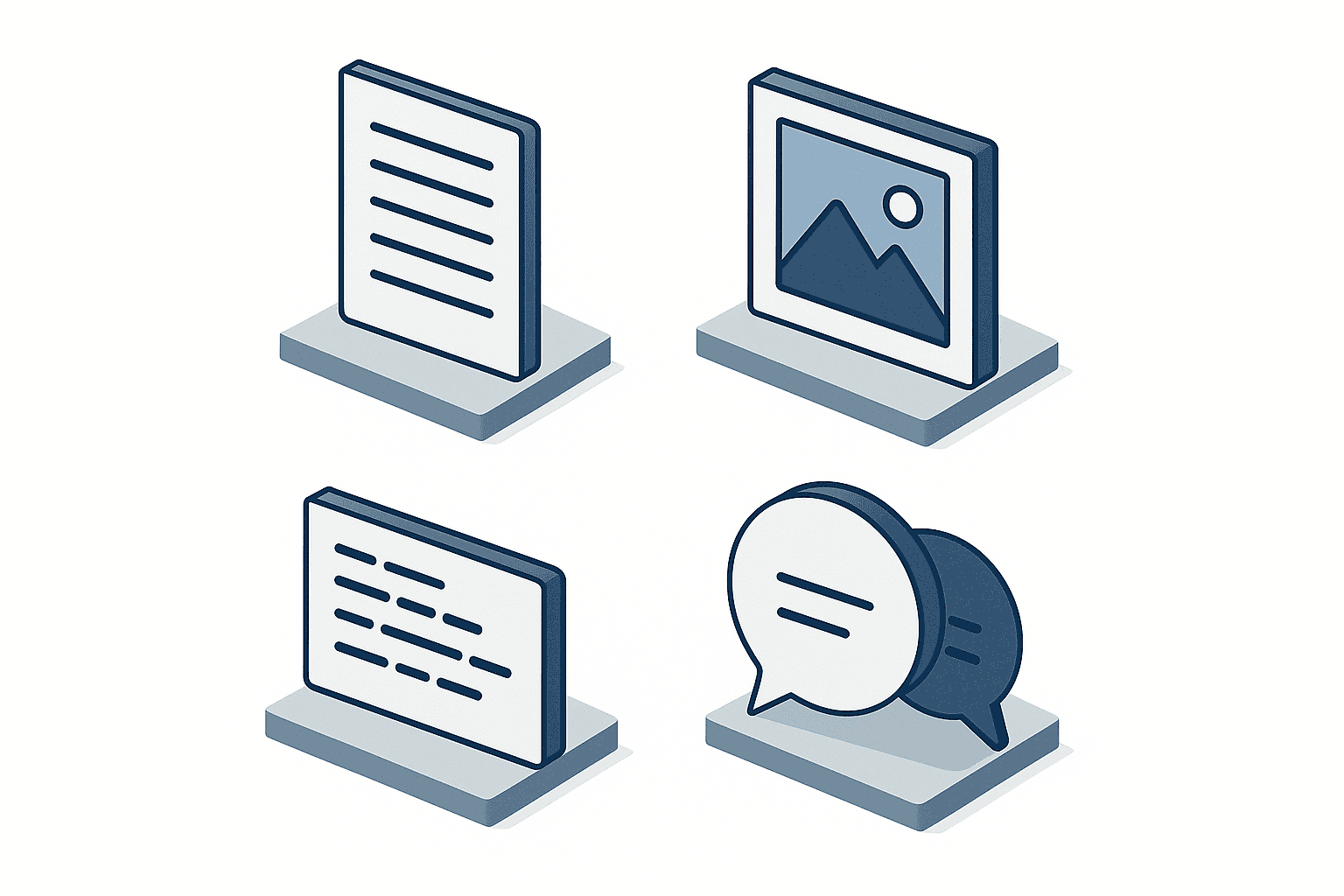
Generative AI is the umbrella term for AI that learns from large volumes of data and then, using the patterns it has extracted, produces new content: text, images, audio, or program code.
The important word is “produces”. What generative AI gives you is not a passage it looked up and retrieved verbatim from its training data. During training it absorbed patterns such as “in this kind of context, these words tend to follow” and “an instruction phrased this way tends to produce this kind of composition”. It combines those patterns and assembles something new on the spot. That is why the same instruction will not always return exactly the same answer, and equally why it can produce a sentence that exists nowhere in its training data.
This same property is the root cause of hallucination, which we will come back to later: output that sounds entirely plausible but is simply wrong. It helps to think of generative AI not as a machine that finds the correct answer, but as a machine that assembles a plausible continuation. Hold that image and both the good use cases and the cautions become much easier to see.
Conventional AI was built to judge and to classify
Factories were using AI long before generative AI became a topic of conversation. Sorting good parts from defective ones in visual inspection. Detecting early signs of trouble in equipment vibration data. Forecasting next month’s demand from past order history. The AI used for this kind of work is generally called discriminative AI, or predictive AI.
The job of discriminative AI is to return a label or a number for a given input. Feed it an image and you get back “good” or “defective”. Feed it sensor data and you get back an anomaly score. The range of possible outputs is designed in advance, and nothing outside that range ever comes out.
Generative AI is fundamentally different here. What comes back is neither a label nor a number, but content with substance in it: prose, an image. The shape of the output is not fixed in advance. Depending on how you phrase the instruction, the same tool produces meeting minutes, a draft email, or a work instruction sheet.
Put another way, discriminative AI answers a question you have already defined, while with generative AI the way you frame the question changes even the shape of the answer. Even a company that already has discriminative AI running on the shop floor should evaluate generative AI as an entirely separate tool.
RPA repeats a fixed procedure, and is not AI
The other technology that gets confused with generative AI is RPA, or robotic process automation. RPA takes the routine PC work a person does today, for example downloading the order list from the core system, copying it into Excel, and emailing it to a fixed distribution list, and repeats that sequence automatically, exactly as it was recorded.
The strength of RPA is that it repeats a defined procedure without deviation, without fatigue, and at speed. The flip side is that it can do absolutely nothing that is not in the procedure. Change the screen layout of the source system and it stops. Ask it to notice that “this order looks wrong, somebody should check it” and it cannot. RPA has no concept of learning, and strictly speaking it is not AI at all.
What generative AI is good at is precisely the territory RPA struggles with. Work where the content is different every time, where you cannot reduce it to a written procedure, and where a human doing it burns a lot of hours. Summarizing meeting notes, drafting replies to customer inquiries, producing a first cut of a specification document: these are the classic examples.
Being able to give instructions in plain language was the tipping point
Generative AI has been a research topic for years, but what made corporate adoption take off was something simpler: you can now instruct it in everyday language, whether that is English, Japanese, or Thai.
Putting discriminative AI into a business process meant collecting training data, labeling it, building a model, and integrating it into a system. Naturally that required specialist people and a meaningful stretch of time. Today’s generative AI, by contrast, runs the moment you type “summarize these meeting minutes, and list the decisions separately from the open action items” into a box in a browser. No programming knowledge, no model-building phase.
That “anyone can touch it” quality is what created a new situation: people on the floor start using it without going through the IT department at all. Usage spreads before the company has a position on it, and that structural fact connects directly to the internal-rules discussion later in this article.

What Generative AI Can Do — Five Families of Use
You could list what generative AI can do forever. But from the point of view of corporate work, it sorts into five families.
Family 1 — writing, summarizing, and proofreading
This is by far the most used area. Turning transcribed audio into properly structured meeting minutes. Boiling a long report down to its key points. Producing a first draft of a reply to a customer. Having it point out typos and repeated phrasing in something you wrote.
At Japanese companies in Thailand, where documents routinely mix Japanese, English, and Thai, this is increasingly paired with translation. The normal practice, though, is not to send the machine output straight to an external party. It is used as a working translation so people can understand the content, with a human doing the final check.
Family 2 — generating images and diagrams
Creating an image from a written instruction, replacing part of an existing image, producing a rough first version of an explanatory diagram. In manufacturing, this shows up in illustrations for internal materials, explanatory diagrams for training, and imagery for product introduction pages.
It is not, however, a substitute for real product photography or engineering drawings. What generative AI produces is something that looks right. Dimensional and specification accuracy is not guaranteed.
Family 3 — generating program code
Describing a requirement in words and getting a draft of the code, having existing code explained back to you, asking it to guess at the cause of an error. This is an area with obvious payoff for IT departments, and for the production control staff who write their own Excel macros.
That said, generated code should never go straight into a production system. It can look like it works while quietly omitting exception handling, or fall short on security considerations. Treat it as a tool that assumes human review.
Family 4 — conversation, for chatbots and internal help desks
You load internal regulations and work procedures into the system and let it answer employee questions. It suits questions where the answer is written down somewhere but finding it is tedious: “what is the deadline for filing leave?”, “what is the start-of-shift check procedure for this machine?”
At multilingual sites there is a useful side effect. You can build it so that a question asked in Thai comes back answered in Thai, which makes internal rules written in Japanese far more accessible to Thai staff.
Family 5 — support for data analysis
Loading tabular data and having the trends explained, asking for suggestions on how to cut the data, having it write the commentary that accompanies a chart. This is less about handing over the analysis wholesale and more about speeding up the work of the person doing the analysis.
Where numerical accuracy matters, the safe division of labor is not to let generative AI do the arithmetic. Run the calculation in your existing system or in Excel, and have generative AI write the explanation of the result.
Real-world use is concentrated in the top three applications
Five families, but actual usage is heavily skewed toward a few of them. According to the survey on corporate trends in generative AI published by Teikoku Databank on 14 May 2026, covering March 2026, Japanese companies that use generative AI apply it as follows.
| Application | Share of respondents |
|---|---|
| Drafting, summarizing, and proofreading documents | 45% |
| Gathering information | 22% |
| Generating ideas during planning | 11% |
The survey covered companies in Japan and drew 10,312 valid responses. The distribution speaks for itself. Drafting, summarizing, and proofreading documents stands out at 45%, more than double the 22% recorded by information gathering in second place. Among large enterprises the document-work share climbs higher still, to between 46.5% and 47.8%.
In other words, the results companies are actually getting come not from the spectacular use cases but from the mundane one of making daily document work lighter. If you are unsure where to place your first step, this distribution is a strong hint.
Why Corporate Adoption of Generative AI Became Real in 2026
The term generative AI has been circulating for several years, but in terms of genuine corporate use, 2026 was a turning point. Let us look at the numbers.
The adoption rate among companies in Japan is 34.5%
The Teikoku Databank survey cited above ran from 17 to 31 March 2026, targeted roughly 23,349 companies, drew 10,312 valid responses, and achieved a response rate of 44.2%. In it, 34.5% of companies said they were using generative AI. That breaks down into 4.4% who use it heavily and 30.2% who use it somewhat.
How you read 34.5% matters. You can read it as “only one company in three is using it”, and you can read it as “one company in three is already using it”. For anyone whose job is to build the internal case, the second reading is the one that carries weight. If one in three of your peers is already using it in some form, the decision to wait and see is itself a relative loss of ground.
Of the companies using it, 87% report a tangible benefit
In the same survey, 87% of the companies using generative AI reported feeling some form of benefit. The Japanese business press picked this up under headlines to the effect that nine in ten companies see results from generative AI.
The question is how to interpret a number that high. The thing to be careful about is that it does not mean “adopt generative AI and you have a nine-in-ten chance of a benefit”. The population here is companies that use it. Companies that rolled it out and saw it go unused, and companies that gave up while still evaluating, are not in this figure. The fair reading is that companies which keep using it feel the benefit.
There is still a real signal in that. If you can get to a state where the tool keeps being used, the odds of feeling a benefit are high. Which is to say the decisive work is less about the technology itself and more about getting to that state.
The question has moved from whether to adopt to how to use it well
An adoption rate of 34.5% combined with 87% of adopters reporting benefit tells you where corporate attention sat in 2026. A few years ago the central question was technical: can generative AI really be used for real work? Now that is taken as settled, and the question has moved to operations. Which processes, handled by whom, under what rules.
As noted in the previous section, at large enterprises the share using it for drafting, summarizing, and proofreading runs at 46.5% to 47.8%, above the overall figure. The bigger the organization, the more the pattern of use has settled around the concrete application of document work.
For a company only starting to evaluate now, this shift is good news rather than bad. Information about where the early movers stumbled is already circulating, which makes the same mistakes easier to avoid.
How Far Along Are Thailand and ASEAN
Everything so far has been Japanese domestic data. If you work at a site in Thailand, local conditions are the more pressing question.
More than 70% of Thai organizations have adopted generative AI or plan to
According to the Southeast Asia regional report published by the Japan-China Investment Promotion Organization on 2 April 2026, more than 70% of organizations in Thailand have either adopted generative AI or are planning to, with the aim of improving efficiency or lifting revenue.
One point about handling these numbers. The 34.5% quoted in the previous section comes from a survey of companies in Japan. The 70%-plus figure comes from a report covering Thai organizations generally. Different researchers, different populations, different definitions, so a comparison along the lines of “Thailand is twice as far ahead as Japan” is not available to you. If you quote either figure in an internal document, always state which survey and which population it came from.
What you should take from the Thai figure is not a multiple but a direction: in Thailand too, adopting generative AI is no longer an exceptional move.
Case 1 — marketing
One of the concrete examples in that report is a live-commerce campaign run by AnyMind Group for the beverage brand Evian. By putting an AI avatar into the broadcasts, the campaign is reported to have cut broadcasting costs by 90% while lifting sales to more than 3.5 times the previous level.
The notable thing here is that cost reduction and revenue growth happened at the same time. Replacing human-operated broadcasts with an AI avatar removed the constraints on how often and at what hours the brand could go live, and the number of touchpoints itself grew. This is a case where the effect of generative AI showed up not only as doing the same work more cheaply, but as making possible a volume of activity that was previously out of reach.
Case 2 — financial services
SCB is reported to have cut the time required for its Money Thunjai loan screening process to under 10 minutes.
Screening is a stack of judgment-bearing steps: checking what was submitted, verifying the required documents, cross-referencing against historical information. If the information a reviewer needs to absorb can be presented already organized, the reviewer’s time goes into the judgment itself. Because the inputs come in inconsistent formats and inconsistent content, this is a textbook example of work that RPA cannot handle.
Case 3 — back office
Thailand’s Office of the Council of State (OCS) is reported to have completed in six months a translation workload originally estimated to take seven to ten years.
For an administrative department in a manufacturing company, this may be the easiest case to picture. Translating legal texts means enormous volume and a hard requirement for terminology consistency, while the difficulty of any single item is not especially high. It was work that was jammed purely by sheer quantity, and that is exactly why the compression was an order-of-magnitude one.
If your site is carrying a backlog of Japanese documents that need to be rolled out in Thai or English, such as internal regulations, work standards, and quality manuals, the same structure may well apply.
Take the local obstacles on board as well
The same report identifies three main challenges for generative AI use in Thailand: complying with the PDPA, Thailand’s personal data protection law, cultural sensitivity, and preventing AI hallucination.
PDPA compliance in particular is unavoidable for any company with operations in Thailand. How far is it acceptable to feed data containing employee or customer information into an external service? This is not a technology question. It is a question of internal policy and contract terms.
The report also sets out three steps to success: a small pilot on a specific problem, then system integration and localization, then company-wide rollout with continuous improvement. The point that you do not begin with company-wide rollout connects directly to the discussion of where to start, below.

The Differences Between Generative AI, Conventional AI, and RPA in One Table
Here are the three technologies discussed so far, lined up on the same axes. This is written so you can use it as-is when explaining the topic internally.
| Dimension | RPA | Conventional AI (discriminative and predictive) | Generative AI |
|---|---|---|---|
| Core role | Repeats a fixed procedure | Judges, classifies, predicts | Creates new content |
| Learning | Does not learn | Builds a model from training data | Already trained on large volumes of data |
| Input | A definition of the operating steps | Images, sensor values, historical records | Instructions in plain language |
| Output | The result of the routine task | Labels, scores, predicted values | Text, images, code, answers |
| Best suited to | Work that follows the same steps every time | Detecting signals in large data sets | Knowledge work whose content differs each time |
| Poorly suited to | Exceptions and layout changes | Patterns nobody anticipated | Exact calculation and guarantees of fact |
| Main adoption burden | Mapping and maintaining the procedures | Collecting data and building the model | Internal rules and getting usage to stick |
These three are not competitors. They simply address work of different natures. On a real site they coexist: discriminative AI handles inspection, RPA handles transferring the results, and generative AI drafts the corrective action report.
With that in mind, the next table maps familiar tasks to the approach that fits them.
| Example task | Best-fit approach | Why |
|---|---|---|
| Transferring the order list out of the core system | RPA | The steps are fixed and no judgment is required |
| Sorting good from defective parts in visual inspection | Conventional AI | Classifying signals across a large volume of images |
| Detecting early signs of equipment trouble | Conventional AI | Working with trends in sensor data |
| Writing and summarizing meeting minutes | Generative AI | Different content each time, impossible to reduce to steps |
| Drafting an internal notice in Thai | Generative AI | Composing new prose |
| Answering questions about internal regulations | Generative AI | Reading documents and answering from them |
| Compiling monthly performance figures | Existing systems and Excel | Numerical accuracy is the top priority |
That last row is there for a reason. Generative AI is not good at arithmetic. Processing where the answer is uniquely determined and errors are unacceptable, such as aggregation or cost calculation, belongs in your conventional systems.
Where Should You Start With Generative AI
For readers now wondering what their own company should do, here is the general shape of the path.
The sequence is start small, widen the group who can use it, then run it yourself
Most companies pass through three stages.
The first stage is trying it small. You narrow it to one specific process in one specific department and use an existing service as it comes. A small trial of this kind, run before full adoption to confirm the benefits and surface the obstacles, is generally called a PoC, or proof of concept. It corresponds to the first of the three steps in the Japan-China Investment Promotion Organization report, the small pilot on a specific problem. The goal at this stage is not to produce a benefit. It is to learn what gets in the way once the tool meets your actual work. Handling of confidential information, connections to existing systems, acceptance on the floor. Obstacles you cannot discover any other way will always appear.
The second stage is widening the group who can use it. Even if the trial went well, nothing changes about your operations if the only people who can use the tool are a handful of staff in IT. This is where training and internal rollout become necessary. Turn the Teikoku Databank figure around, the one where 87% of adopters report a benefit, and it is a statement about companies that managed to reach a state of continued use.
The third stage is running it yourself. Rather than going back to an outside party for every change, you aim for a state where you can adjust the configuration and the operating practice in step with changes in the work.
The concrete steps and the costs are covered in a separate article
The above is only the outline. Once you get to the concrete questions of which process to start with, how much time and budget to put into a PoC, and what criteria should govern the decision to go into production, see our guide to running a generative AI rollout and what it costs, which works through the phases and how to think about the budget. This article is aimed at the stage before that, where you are still confirming what generative AI is, so we do not go into cost detail here.
What Are Your Options for Getting Help
If doing it alone feels unrealistic, bringing in outside help is an option. We will note only that the options exist.
The types available include consulting-led partners who help you frame the problem in the first place, development firms that build once the requirements are settled, the support desk of the cloud platform you already use, and enablement-focused partners whose aim is to build your own people’s capability. None of these is inherently better than the others. The right counterpart changes depending on which stage you are at. Approaching a development firm while your requirements are still unformed is a classic way for a conversation to go nowhere.
Once you have narrowed the field, what to check in the contract terms and the quotation when choosing an AI development partner covers the pressure points. Read it when you are one step short of placing an order.
The other option is training. Rather than having something built for you, the aim is to make your own people capable of using the tool, which pairs well with the second stage above. Training is not, however, something that sticks simply because you ran it. The four reasons generative AI training fails to take root sets out why usage fades after the sessions end, and reading it before you commit to a training program will save you some waste.
This article stops at showing that the options exist and does not go into how to choose between them. Start by checking whether your own problem has been put into words yet.
The Next Wave — From Generative AI to AI Agents
With a firm grip on generative AI, it is worth touching briefly on what comes next.
The generative AI described so far is fundamentally a tool that receives an instruction and returns a response on the spot. Ask for a summary and you get a summary; ask for a draft and you get a draft. Instruction and response map one to one.
What drew attention in 2026 is the AI agent. An AI agent is given an objective, then breaks the necessary work into pieces itself, decides the order, operates multiple systems, and drives the business process forward. Instead of “summarize this text”, the instruction becomes “check this week’s outstanding cases, organize the ones with approaching deadlines by owner, and draft the follow-up messages”, spanning several steps.
If generative AI is a tool that assists with tasks, the AI agent is moving toward being something that carries part of a business process. But the wider the scope you hand over, the greater the impact of a wrong decision, which makes the design question central: how far do you let it run automatically, and at which point does a human check the work.
Our review of where AI agents stand in 2026 covers the current state and what is realistically applicable in manufacturing. Here we simply place the trend as an extension of generative AI.
Three Things to Know Before You Start
We have listed what you can expect. Now the points you should understand before beginning.
Caution 1 — handling confidential and personal information
The most basic point. What happens to information you type into an external service depends on the service and the contract plan. Some offer a setting that keeps your input out of training. Some do not.
At a site in Thailand you also need to work through PDPA compliance, as noted above. Documents containing employee personal data, documents setting out commercial terms with customers, technical information such as drawings and process conditions. Decide how far you are willing to go on each of these before people start using the tool.
A workable starting point is a simple rule that highly classified information does not go in, then widening the scope once the business need becomes clear and you have verified the contract terms.
Caution 2 — the risk of hallucination
As noted at the top, generative AI is a mechanism for assembling a plausible continuation. So it will cite standard numbers that do not exist, quote clauses that were never written, and mix up figures. Worse, it presents all of this confidently, in well-formed prose.
The basic countermeasure is an operating rule: treat generative AI output as a first draft, and have a human verify anything factual against a primary source. Documents that leave the company, statements about laws and standards, and anything containing numbers must be checked.
Conversely, in situations such as summarizing or drafting, where a human already holds the source material, this risk is comparatively small. That is one of the reasons document drafting and summarization tend to be chosen as the first application.
Caution 3 — internal rules tend to arrive late
Because anyone can use generative AI, people start using it on the floor before the company has decided its position. There is no bad intent in this. It is simply that the tool is useful.
Starting from a ban is counterproductive here. Usage just goes underground and becomes harder to manage. It is far more effective to write down three things at minimum, the scope of work where use is permitted, the categories of information that must never be entered, and the verification step required before output is used in real work, and then tell people they may use it.
The rules do not have to be perfect from day one. Updating them in response to the actual questions that come up during the trial phase will produce something that matches how the work really runs.
Checklist — Are You in the Learning Stage or the Trial Stage
Finally, here are the items to check in order to place your own company.
| Check item | What it means if true |
|---|---|
| Someone internally can explain the difference between generative AI, conventional AI, and RPA | The learning stage is behind you |
| At least one person in the department has actually used generative AI | Someone in-house can speak from experience |
| You can name, as a specific process, the work you want to make easier | You are in a position to choose a target |
| The line between information that may and may not be entered has been drawn | The prerequisites for a trial are in place |
| An owner and a deadline for evaluating the trial have been set | The evaluation is unlikely to stall |
If the first two do not apply, you are still in the learning stage. What to do at this stage is neither to call in an outside party nor to secure a budget, but to get a few people actually using the tool. Even within what is available free of charge, you can get a feel for how it maps onto your own work.
Once the third item and beyond start to apply, you are in the trial stage. At that point you are ready to move on to concrete planning and budgeting.
Frequently Asked Questions
What is generative AI?
It is the umbrella term for AI that learns from large volumes of data and, using the patterns in that data, produces new content such as text, images, audio, and code. Unlike conventional AI, which returns a label or a number as in anomaly detection or pass/fail sorting, what comes out is content with substance in it. It also works quite differently from RPA, which repeats a fixed procedure.
What can generative AI do in a business setting?
It sorts into five families: writing, summarizing, and proofreading text; generating images and diagrams; generating program code; conversational internal help desks; and support for data analysis. Actual use is concentrated in document work. In the Teikoku Databank survey, 45% of adopting companies in Japan named drafting, summarizing, and proofreading documents, followed by information gathering at 22% and idea generation during planning at 11%.
How far has business use of generative AI progressed?
According to the survey Teikoku Databank published on 14 May 2026, the adoption rate among companies in Japan is 34.5%, made up of 4.4% who use it heavily and 30.2% who use it somewhat. Of the companies using it, 87% reported feeling some form of benefit. For Thailand, the Japan-China Investment Promotion Organization report states that more than 70% of organizations have adopted generative AI or plan to, but because the population is different, that figure cannot be compared directly with the Japanese one.
How should I decide between generative AI and RPA?
Work that repeats the same steps every time suits RPA; knowledge work whose content changes each time and cannot be reduced to a written procedure suits generative AI. As a rule of thumb, routine data transfers out of the core system go to RPA, while summarizing meeting minutes and drafting notices go to generative AI. Processing where numerical accuracy is paramount, such as aggregation or cost calculation, belongs to neither and is safest left to your existing systems and Excel.
Where should a company begin with generative AI?
By trying it small, narrowed to one specific process in one specific department. The Japan-China Investment Promotion Organization report likewise sets out three steps: a small pilot on a specific problem, then system integration and localization, then company-wide rollout with continuous improvement. Aiming for a company-wide rollout from the outset tends to stall, because obstacles such as handling confidential information and acceptance on the floor all surface at once.
Summary
Here are the key points of this article.
Generative AI is AI that creates new content from the patterns in the data it has learned. The nature of the work it does differs both from conventional AI, which judges and classifies, and from RPA, which repeats a fixed procedure. What it can do sorts into five families, covering text, images, code, conversation, and analytical support, but actual corporate use leans heavily toward drafting, summarizing, and proofreading documents.
As of 2026, the Teikoku Databank survey puts the adoption rate among companies in Japan at 34.5%, with 87% of adopters reporting a benefit. In Thailand, the Japan-China Investment Promotion Organization report states that more than 70% of organizations have adopted it or plan to, with concrete results reported in marketing, financial services, and back-office work. The question has moved from whether to adopt to how to use it well.
The sequence for getting started has three stages: try it small, widen the group who can use it, then run it yourself. Settling three points before you begin, namely the handling of confidential information, your defenses against hallucination, and your internal rules, will spare you a good deal of backtracking.
If you have concluded that you are still in the learning stage, the next thing to do is not a large investment decision but getting a few people to actually use the tool.
It is perfectly fine to be at the stage where you have only just started reading about generative AI and cannot yet picture what it would mean for your own operations in Thailand. TOMAS TECH works from the realities of Japanese manufacturing sites in Thailand, and we are happy to start the conversation with the simple question of which processes are realistic candidates. If you would like to talk it through, get in touch through our contact page.
References
- Teikoku Databank, Survey on Corporate Trends in Generative AI (March 2026), published 14 May 2026
- Nikkei, coverage of the Teikoku Databank survey under the headline “Nine in ten companies using generative AI report tangible results”
- Japan-China Investment Promotion Organization, Southeast Asia Regional Report, Generative AI in Thai Business, published 2 April 2026


