


Most factories that start looking at manufacturing daily report digitization explain the project internally as “getting rid of paper” or “going paperless”. But paper is not what separates the plants where digitization sticks from the plants that buy a system, get pushback from the shop floor and quietly go back to clipboards a year later. The dividing line is whether you managed to structurally eliminate transcription — the step where someone re-types a handwritten daily report into Excel the next morning. This article takes a Japanese-owned plastic moulding plant in Rayong Province, Thailand as a model case, counts what the transcription step actually costs using our own estimate, and then lines that up against the cost of digitizing so you can see an honest picture of the return. The conclusion up front: cutting transcription cost alone will not pay back the first-year investment. We will also work through why the project is still worth doing anyway.
The first thing manufacturing daily report digitization fixes is not paper
When someone pitches daily report digitization internally, the first word out is almost always “paperless”. Less spend on forms, less shelf space for binders, less time hunting for last month’s sheet — it writes well in an approval request and nobody argues with it. The weakness of that framing is that it caps the size of the benefit at the cost of paper and storage. The forms themselves are a rounding error against a factory’s total fixed cost. Put that at the centre of your case and you cannot survive the obvious objection: “we are buying a whole new system just for that?”
The core argument of this article sits somewhere else. The first thing manufacturing daily report digitization fixes is not paper — it is the double-entry step called transcription. In most plants, the line leader or shift leader on each shift writes the daily report by hand, and the next morning an office staff member sits down with that stack of paper and keys it into Excel. The same information is entered twice: once on the floor, once in the office. That second entry is pure lost time and money.
Switch to a system where the floor enters directly from a tablet or a smartphone, and the second entry disappears. The moment the line leader submits, the data is already on the server, and nobody has to re-key it in the morning. Less paper is a by-product, not the point. A proposal that has the order backwards — one that puts “reduce paper” at the top — tends to end in the worst possible operating pattern: the floor still scribbles on paper first, then re-enters it into the tablet afterwards. That does not remove the double entry, it just relocates it from the office to the shop floor, and the total cost goes up rather than down.
So the first question to ask when evaluating daily report digitization is not “which forms can we eliminate?” It is “right now, who is entering which information for the second time, and when?” Once you can answer that with actual names and actual times of day, the line between what digitization can remove and what it cannot becomes visible, and the investment decision gets a shape.
What you are actually digitizing — how daily reports differ from checksheets and work instructions
“Daily report digitization” is a broad phrase, and that breadth is a common reason internal discussions talk past each other. The paper forms circulating in a factory are not one category — they are several very different things mixed together. Separating them first narrows the scope of what you are evaluating.
Looked at by the direction information flows, factory forms fall into roughly three groups. The first records whether equipment or product is in a normal state — pre-start inspection sheets, inspection certificates, daily check sheets. The second flows from management down to the floor — work instruction sheets, standard operating procedures, change notification sheets. The third is the daily report this article is about: a report flowing from the floor up to management, describing what happened that day. Output quantity, running hours, downtime reasons and defect counts are the substance of it.
| Type of form | Direction of information | What it records | Main readers |
|---|---|---|---|
| Inspection sheets and certificates | Closed on the floor, or up to quality | Normal or abnormal, in-spec or out-of-spec | Quality assurance, maintenance |
| Work instructions and SOPs | Management down to the floor | What to make, in what order, how much | Line operators |
| Manufacturing and production daily reports | Floor up to management | Daily output, running hours, downtime reasons, defect counts | Production control, plant manager, head office |
These three pay off in different places when you digitize them. Making inspection sheets and certificates paperless mainly buys you traceability of the record, searchability, and a lighter audit burden. The practical approach for that area is covered in our article on electronic forms and going paperless in the factory, so start there if check sheets and certificates are your main pain. Digitizing the instruction side solves a different problem — instructions not reaching the operator, and version control of the current revision — and we have set that out in introducing a work instruction system.
This article deals only with the third group. The reason is that the daily report almost always carries the structure “the floor writes it, the office re-types it”. Inspection sheets are usually completed and filed on the floor, and work instructions are created by management and distributed downward, so neither generates much double entry. Only the daily report involves moving information that originated on the floor into management’s aggregation format. That is the step whose cost we are going to count.
Why daily reports are still on paper in so many factories
Digitizing daily reports has not been a novel idea for several years now, and yet walk around Japanese-owned plants in Thailand and you will still find plenty where the daily report, and only the daily report, is handwritten. That is not because anyone is being lazy. Paper survives for reasons.
First, the daily report is the one form that has always been optimised for ease of writing on the floor. A clipboard and a ballpoint pen at the end of the line work with gloves on, with oily hands, and during a power cut. Changing the layout means running off a new template on the photocopier. That convenience is easy to dismiss when you are the one proposing a system, and decisive when you are the one filling in the form.
Second, daily report layouts differ from line to line. Formats that grew up independently per line or per product do not share column ordering or terminology. Try to put them all on one company-wide system and a separate project — standardising the format — has to be launched first, and the discussion stalls there.
Third, the pain of transcription lands on the office, not on the floor, so the person who feels it and the person who authorises a system are two different people. The line leader writing by hand is not suffering. The office staff member typing it up the next morning is, but that burden is buried inside daily work and has never been expressed as a number. Nothing that appears to hurt nobody attracts investment.
Meanwhile, the environment around manufacturing in Thailand keeps changing. In JETRO’s Manufacturing DX Company Catalog 2026 Vol.3, Thai manufacturing is described as facing a shrinking workforce due to ageing, rising wages and difficulty in passing on skills, with DX positioned as a management strategy for “turning what happens on the floor into data and converting individual experience into organisational knowledge”. The catalogue lists solutions from 25 Japanese-affiliated companies, which gives a sense of how many providers are now working in this space. JETRO’s December 2025 announcement of a manufacturing DX and AI seminar and business matching event in Bangkok drew 22 Japanese-affiliated DX service companies presenting IoT, data utilisation and labour-saving solutions. Both are evidence that the demand from Japanese-owned plants is real.
The same is true in Japan’s domestic market, where digitizing shop-floor forms has become one of the significant areas of IT spending. A press release from Fuji Chimera Research Institute on IT investment trends by industry, 2026 edition gives a domestic vendor share of 46.5% for fiscal 2024 in the shop-floor form paperless solution market. Note carefully that this is a figure describing the structure of the Japanese domestic market. It has no direct bearing on price levels in Thailand and no connection to the model case in this article. Treat it only as context showing that shop-floor form digitization has become an established market on the vendor side.
The three costs created by the transcription step
The cost that transcription generates breaks into three parts. Separating them matters, because it is what later lets us draw a clean line between what can be expressed in money and what cannot.
The first is the labour cost of transcription itself. The hours an office staff member spends keying numbers into Excel from a stack of daily reports are paid as wages. That time can be measured, so it can be converted into money.
The second is the cost of reworking transcription errors. A digit is misread, a shift is skipped, yesterday’s row is overwritten. Mistakes like these surface later as anomalies in the aggregated figures, and someone has to dig out the original paper and re-verify it. That also takes measurable time, so it too can be converted into money.
The third is the delay in noticing abnormalities, caused by the daily report only becoming visible the next morning. A handwritten report reaches the office Excel file the following morning, so management learns about a spike in downtime reasons or a jump in defect counts a day after it happened, at the earliest. A problem that occurred on night shift reaches the plant manager only once the morning roll-up is done.
| Type of cost | Where it occurs | Measurable? | How this article treats it |
|---|---|---|---|
| Transcription labour | The office, next-morning keying | Yes | Expressed in money |
| Rework for transcription errors | Cross-checking between office and floor | Yes | Expressed in money |
| Delayed detection of abnormalities | Delay in management decision-making | Too assumption-heavy to measure | Not expressed in money |
This article puts a price on the first two only. The third we deliberately leave unpriced, even though we believe it is where the real value of digitization lives. The reason is that pricing it requires assuming both the probability that an abnormality occurs and the size of the loss avoided by catching it early. Numbers built on stacked assumptions look persuasive in an approval request and cannot actually be verified afterwards. Our approach here is to count only what is measurable, show the honest return that produces, and say plainly that the rest is not measurable.
Model case — counting transcription cost at a plastic moulding plant in Rayong
From here we get concrete. The model case below is our own estimate, built on an operating structure commonly seen in Japanese-owned plants in Thailand. It is not the figures of any real company. Read it as a template to substitute your own situation into.
Picture a Japanese-owned plastic moulding plant in Rayong Province, Thailand, producing automotive interior parts, with 180 employees. There are 3 production lines running on a 3-shift pattern. The line leader on each shift writes that shift’s output quantity, running hours, downtime reasons and defect counts onto a paper daily report by hand. The next morning, 1 office staff member collects the reports for every line and every shift and transcribes them into an Excel summary sheet.
| Item | Detail |
|---|---|
| Location and industry | Rayong Province, Thailand, Japanese-owned plastic moulding plant, automotive interior parts |
| Employees | 180 |
| Production lines | 3 |
| Shift pattern | 3 shifts |
| Who writes the daily report | The line leader on each shift, by hand |
| What is recorded | Output quantity, running hours, downtime reasons, defect counts |
| Who transcribes | 1 office staff member, into Excel the next morning |
Start by counting the time transcription takes. Every morning, daily reports covering 3 lines across 3 shifts land in the office together. There are not many fields on any single sheet, but the sequence adds up — turn the page, read the number, find the right cell, key it in, check the digits. Here we set transcription time at 48 minutes per day.
With operating days set at 25 days per month, monthly transcription time works out as follows. Divide 48 minutes by 60 to convert to hours, multiply by 25 days, and you get 20 hours per month. That is how much of a month goes into nothing but re-typing daily reports.
Next, convert that to money. As a reference level for office staff at a factory in Thailand, we set an hourly rate of 100 THB per hour. This is also our own estimate — actual wage levels vary by region, years of experience and company size. On that basis, monthly transcription labour cost is 20 hours × 100 THB = 2,000 THB per month, and annually 2,000 × 12 = 24,000 THB per year.
| Calculation item | Formula | Result |
|---|---|---|
| Transcription time per day | Assumption | 48 minutes |
| Operating days per month | Assumption | 25 days per month |
| Transcription time per month | 48 minutes ÷ 60 × 25 days | 20 hours per month |
| Office staff hourly rate | Assumption | 100 THB per hour |
| Monthly transcription labour cost | 20 hours × 100 THB | 2,000 THB per month |
| Annual transcription labour cost | 2,000 THB × 12 | 24,000 THB per year |
Most readers will look at 24,000 THB per year and think “that is smaller than I expected”. That reaction is correct, and it is important. If you build the case for digitization on transcription labour alone, this is the order of magnitude you get. Acknowledging that head-on before the discussion goes further is what stops someone telling you a year after approval that the project “did not deliver”.
Why transcription errors happen several times a month
The other pillar of transcription cost is reworking mistakes. First, why the mistakes happen at all.
Transcription is work that depends on sustained attention. Read the handwritten number, select the correct cell, key it in. Miss any one of those three and the aggregated figure is wrong. Handwriting carries the writer’s habits, and similarly shaped digits invite misreading. On top of that, with 3 lines × 3 shifts, if you lose track of which line and which shift you are currently entering while working through a stack of sheets, you enter an entire row one position off. And if a night-shift line leader forgot to hand in their report, that field stays blank while you move on to the next line, and the gap is only noticed later.
Here we set the number of transcription errors at an average of 3 per month — misread digits, a missing shift, a row offset and similar. The rework time per error is set at 30 minutes. Those 30 minutes cover everything from noticing the anomaly in the aggregated figures, to finding the original daily report for the relevant day, checking with the floor, correcting the Excel file, and issuing a correction notice if a summary has already been circulated. Re-keying a single number takes seconds; the bulk of the time goes into identifying where the error is.
Monthly rework time is 3 errors × 30 minutes = 1.5 hours per month. Converted at 100 THB per hour, monthly rework cost is 1.5 hours × 100 THB = 150 THB per month, and annually 150 × 12 = 1,800 THB per year.
| Calculation item | Formula | Result |
|---|---|---|
| Transcription errors per month | Assumption | 3 |
| Rework time per error | Assumption | 30 minutes |
| Rework time per month | 3 errors × 30 minutes | 1.5 hours per month |
| Rework cost per month | 1.5 hours × 100 THB | 150 THB per month |
| Annual rework cost | 150 THB × 12 | 1,800 THB per year |
Against 24,000 THB of transcription labour, rework at 1,800 THB is about 7% of total transcription cost. As a sum of money it is minor — but the money is not what this figure is really telling you. Three errors a month means the summary table management is looking at was displaying wrong values on some number of days that month. How many errors were never found at all is not counted in this estimate. Only errors that were discovered are counted as one of the three, and that is worth keeping in mind when you read the number.
Our own estimate — adding up transcription labour and rework cost
Now we add the two costs we were able to price. Annual transcription labour of 24,000 THB plus annual rework cost of 1,800 THB gives 25,800 THB per year. That is the full picture of the measurable cost the transcription step generates every year in this model case.
| Cost item | Annual amount | Position in the total |
|---|---|---|
| Transcription labour | 24,000 THB per year | The bulk of transcription cost |
| Rework for transcription errors | 1,800 THB per year | About 7% of the total |
| Total | 25,800 THB per year | Total measurable cost |
The table makes clear that almost all of transcription cost is labour, and that error rework is incidental. It follows that the ceiling on what digitization can save is set by the value of the hours office staff spend keying in daily reports. Trying to inflate the calculation beyond that means importing unverifiable elements — for example “the opportunity cost of work of higher value that this person could have been doing instead”. We are not going to do that here.
One more point about the character of that 25,800 THB per year. It is not cash that appears in the bank. The office staff member’s employment contract does not change, so payroll stays the same after transcription disappears. What is freed up is 20 hours of labour time per month, and it only becomes value once it is redirected to something else. It is tempting to write “annual cost reduction of 25,800 THB” in the approval request, but what is actually happening is “20 hours of clerical effort and 3 rework incidents per month become available for other purposes”. Blur that distinction in the proposal and, after go-live, finance will point out that labour cost has not fallen — and the credibility of the whole project goes with it.
Listing the cost of digitization — upfront and monthly
With the savings side counted, we now line up the investment side. This is also our own estimate.
For upfront cost we assume 3 tablets placed on the floor, design of the daily report entry form, and training at rollout. One tablet per line across the 3 lines, an entry screen built to match the existing daily report format, and instruction for the line leaders and office staff — all of it together we set at 95,000 THB.
The monthly cost is the subscription for a cloud-based forms service, set at 4,500 THB per month. Annually that is 4,500 × 12 = 54,000 THB. Since the first year incurs both the upfront cost and a full year of service fees, the total is 95,000 + 54,000 = 149,000 THB.
| Cost item | Breakdown | Amount |
|---|---|---|
| Upfront cost | 3 tablets, entry form design, rollout training | 95,000 THB |
| Monthly cost | Cloud forms service subscription | 4,500 THB per month |
| Annual service cost | 4,500 THB × 12 | 54,000 THB |
| First-year total cost | 95,000 THB + 54,000 THB | 149,000 THB |
The notable thing about this cost structure is that the 95,000 THB of upfront cost is about 64% of the 149,000 THB first-year total. In other words, the weight of the investment in year one sits on standing the system up, and from year two onward the 54,000 THB of annual service cost becomes the main item. A shape like that always looks unfavourable if you judge payback on a single year. Put the other way round, any discussion of the economics of digitization has to span multiple years rather than isolating year one.
Note also that these figures are a model case. The actual amounts move with the tablet model chosen, the complexity of the forms, and whether integration with existing systems is required. In particular, connecting daily report data to an existing production control or process management system adds separate design cost for the integration layer. If you want to review the whole picture from the angle of how progress and actuals are managed across processes, see our article on process management system cost and selection as well.
Comparing the return — why labour savings alone do not pay it back
We now have both sides. Here they are together.
| Category | Amount |
|---|---|
| Annual transcription cost saved | 25,800 THB |
| First-year total cost of digitization | 149,000 THB |
| Savings ÷ first-year cost | About 17.3% |
Work out 25,800 ÷ 149,000 and you get about 17.3%. In other words, if transcription cost reduction is the only benefit you count, you recover about 17.3% of what you spent in year one. This is the number this article wants to put on the table honestly.
In a lot of product literature and case studies, other benefits get stacked on top at this point. Read the substance of that stack closely, though, and you often find items like “defect rate improved” or “productivity increased” being added in without separating what came from digitizing the daily report and what came from other improvement activity that the project happened to trigger. We do not do that here, because a number that sums things you cannot separate is a number you cannot verify after go-live. Win approval on the strength of an unverifiable benefit and, a year later, you will be asked where the promised effect went and have no answer.
So how should about 17.3% be read? There are three ways.
The first is to conclude exactly what it says: if reducing transcription cost is the only goal, this investment should be shelved. That is a rational decision. If lightening the load on office staff is the main motivation, there may still be room to improve with far smaller investments — standardising the daily report format, or adding entry assistance with Excel macros.
The second is to look across multiple years. Upfront cost is about 64% of year one, and from year two the cost falls to 54,000 THB a year. Even so, that still exceeds the 25,800 THB of savings, so as long as transcription cost is your only justification, the money does not balance no matter how many years you run it. We are stating that plainly rather than leaving it vague.
The third is the reading this article proposes. Reducing transcription cost is not the purpose of digitization — it is a side effect. The real benefit is the subject of the next section, how fast you notice a problem, and the decision changes depending on whether you can make that your evaluation criterion. About 17.3% is not evidence against digitizing. It is evidence that the evaluation criterion has to move from labour cost to the freshness of information.
The other benefit we leave unpriced — how fast you notice a problem
With a paper daily report, what happened on the floor reaches management’s eyes the following morning. Moulding defects can be spiking on night shift, downtime can be several times its usual level, and the plant manager will find out around the time of the next morning’s meeting. In the meantime, the following shift keeps producing under the same conditions.
Switch to direct entry from a tablet and that lag disappears. The instant a line leader enters a downtime reason, the data is on the server, and you can push a notification against conditions you defined in advance — the same downtime reason recurring more than a set number of times, defect counts running above the usual level. Management can act without waiting for the morning.
How large that benefit is in money terms is intuitively obvious. Catch it the same day and you stop building defects sooner, which means less rework and less scrap. And yet this article deliberately does not price it. The reason is that every input required to price it can only be an assumption. What frequency do you assume for abnormalities? What proportion of the loss do you assume is avoided by noticing early? What amount do you assume per avoided loss? Multiply those three together and the answer moves as far as you want it to, depending on how you set the assumptions. A number you can move is a number that looks strong in an approval request and does not survive verification after go-live.
Our recommendation, therefore, is to evaluate this benefit in time rather than money. “How much shorter, on average, is the gap between an abnormality occurring and management becoming aware of it” is something you can actually measure before and after. If what used to wait until the next morning under the paper process is now visible within minutes of entry, that difference exists as data. Instead of converting to money, fix one verifiable indicator. That is the practical way to avoid inflating the benefit.
The move toward handling shop-floor data on the spot is a broader industry trend in Thailand too. According to JETRO’s report on the partnership between Huawei Cloud and AIS of Thailand, the two companies announced a tie-up to build a digital platform connecting factory equipment and production systems over 5G, offering AI visual inspection and predictive maintenance. That article contains no figures or pricing related to daily reports and has no bearing on our model case, but the fact that even telecom and IT infrastructure companies in Thailand are investing seriously in factory digitization indicates that the direction toward handling shop-floor data in real time is not a passing phase.
Three design points for switching to tablet input
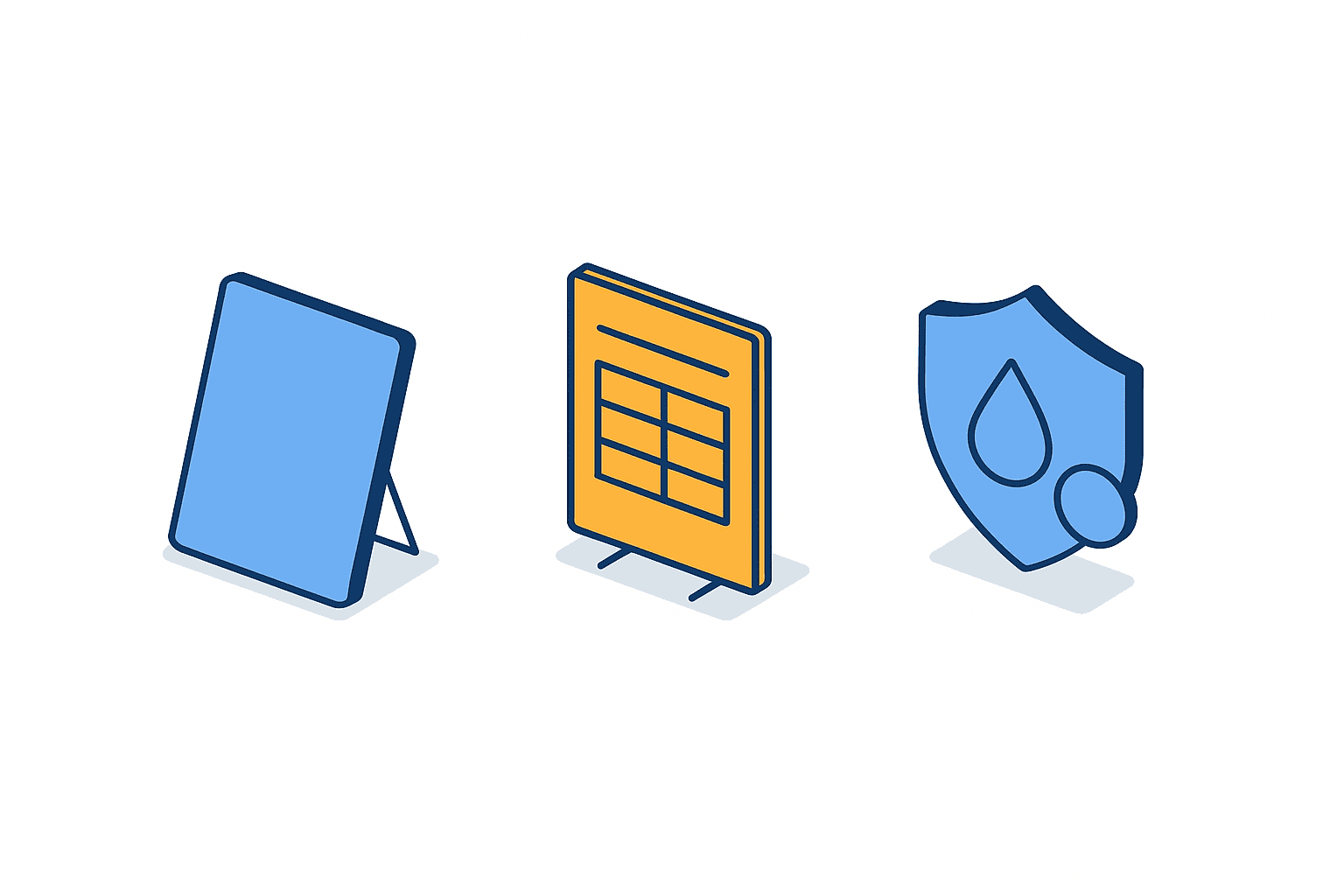
When you actually design tablet input for shop-floor daily reports, there are three points to get right. Miss them and the floor stops using it and goes back to paper.
The first is choosing the form pattern. Platio’s article on digitizing daily reports sets out two approaches — one that reproduces the layout of the existing paper form as-is, and one that lays the input items out as a web form. Our reading is that the layout-faithful pattern meets less resistance because the floor migrates with the same arrangement they already know, and it is easier to roll out at factories where the existing format differs line by line. The web form pattern, on the other hand, standardises the input items and makes it easier to enforce required fields and constrain entry through pick lists. Neither is superior in the abstract. Where formats are still inconsistent across the floor, take the former; where standardisation is already done and you want to raise the accuracy of the aggregation, take the latter.
The second is making it operable with one hand. The same article points out that one-handed operation on the floor is a practical requirement. The person entering the daily report beside the line may well be holding a part or a tool in the other hand. A screen design that needs both hands to hold, or that demands repeated fine scrolling, gets avoided for that reason alone. Cutting the number of input fields, making anything that can be a pick list a pick list, and minimising keyboard entry translate directly into adoption.
The third is choosing the hardware itself. That article also notes dust and splash resistance as a practical requirement in device selection. A moulding plant throws off oil and dust; a machining plant throws off cutting fluid and mist. Bring in an office tablet unchanged and the touch panel stops responding, or the connectors corrode, early in its life. Rugged cases and screen protectors are one way to cope, but choosing a model built for dust and splash resistance from the start usually costs less in the end.
| Design point | Where the decision lies | What happens if you get it wrong |
|---|---|---|
| Form pattern | Faithful to the paper layout, or a web form | The floor resists entering data, or aggregation accuracy does not improve |
| One-handed operation | Mostly pick lists, or mostly keyboard entry | Entry gets postponed and reverts to batch writing |
| Device durability | Whether the model is dust and splash resistant | Early failure, extra cost and lost trust on the floor |
One note on the 3 tablets included in the upfront cost of our model case: that is one device per line. Cut the count and share devices and you get a scramble for the tablet at shift changeover, which ends with people jotting notes on paper and entering them afterwards. Measured against the actual purpose — removing double entry — trimming device count is a poor kind of saving.
Two pitfalls that trip up rollouts
Even with the design right, the wrong rollout approach stops adoption. Two pitfalls are especially common.
The first is running paper and digital in parallel for too long. Deciding that “for a while, people should keep writing on paper too” is a common safety measure during migration, but the longer that period runs, the longer entry effort on the floor stays doubled. Worse, if you have not decided which source is authoritative when the paper and the digital record disagree, the office picks up a brand-new task of reconciling the two. You introduced the system to remove a transcription step and instead added a cross-checking step. If you are going to run in parallel, fix the duration up front and commit to collecting the paper forms when that period ends.
The second is digitizing only the input side without designing the output. Even once the floor is entering on tablets, if nobody has decided which screen management looks at, at what level of aggregation, and when, the office staff will end up exporting the data to Excel and reworking it “so it is readable”. That is transcription in a different costume — the step you thought you removed has come back. When you evaluate daily report digitization, spend as much time on output design as on the entry screen, if not more. The screen the plant manager reads in the morning, the weekly roll-up production control looks at, the monthly report that goes to head office. Decide those three outputs first, then work backwards to the input fields you need. That is the correct order.
What both pitfalls share is that each one appears the moment you drift away from the actual purpose — removing the transcription step. When a decision is unclear, ask whether the option in front of you pushes double entry down or up. That question will land you on the right side most of the time.
How to proceed — four steps
Finally, here is the practical sequence in four steps. It is simply everything above turned into work instructions.
| Step | What to do | How you know it is done |
|---|---|---|
| 1. Inventory the transcription step | Measure who re-types the daily report, when, and for how many minutes | Transcription time per day exists as a number in minutes |
| 2. Design the outputs | Decide what the plant manager, production control and head office each look at, and when | The reports and screens to be produced are concretely listed |
| 3. Work backwards to input fields and design the form | Derive the input fields from the outputs and lay them out for one-handed use | Entry time per sheet has been estimated |
| 4. Pilot on one line, then switch over | Run on a single line, and collect the paper within a fixed period | No paper daily reports are being produced on that line |
Evaluations that skip step 1 and start from product selection almost always struggle. If you take quotations without knowing how many minutes transcription takes, there is no internal basis for judging whether the price quoted is high or low. The 48 minutes in our model case is a placeholder figure — but measure it in your own plant and it stops being a placeholder and becomes your number. The time you spend sitting next to the office staff member with a stopwatch is what determines how persuasive the approval request is.
There is also a reason step 4 is limited to one line. Switch all 3 lines at once and, when something goes wrong, you cannot tell whether the cause is the form design, the device or the operating rules. Run one line for a fixed period, gather the entry times and the reactions from the floor, and expand from there — counterintuitively, that gets you to full adoption faster.
Frequently asked questions
What should we tackle first in manufacturing daily report digitization?
Not selecting a product — measuring how many minutes are currently spent transcribing daily reports and by whom. Our model case sets 48 minutes per day and 20 hours per month, but these are numbers you can measure yourself. Start the evaluation without measured figures and you will run the whole discussion with no internal basis for judging whether a quoted price is reasonable.
How much does daily report digitization at a factory cost?
In our own estimate, upfront cost including 3 tablets, entry form design and rollout training is set at 95,000 THB, with a cloud forms service monthly fee of 4,500 THB. Annual service cost is 54,000 THB and the first-year total is 149,000 THB. That said, this is a model case, and the actual amounts move with the complexity of the forms and whether integration with existing systems is required.
Will tablet input for shop-floor daily reports actually stick?
Whether it sticks is determined by three design choices — the form pattern, support for one-handed operation, and device durability. Which of the two patterns you pick, whether you have reduced keyboard entry by leading with pick lists, and whether you chose a dust and splash resistant device. Get those three wrong and the floor will write notes on paper first and enter them later, which simply relocates the double entry to the shop floor.
Can systematising production daily reports pay for itself through labour savings?
Not in our model case. Against 25,800 THB of annual transcription cost savings, first-year cost is 149,000 THB, so the return stays at about 17.3%. It is safer to assume that any proposal resting mainly on labour savings can only produce numbers of that magnitude. The value of digitization lies in the freshness of information — being able to see a spike in downtime reasons or defect counts on the spot rather than the next morning — and whether you can make that your evaluation criterion is what decides the call.
Conclusion
Explain manufacturing daily report digitization as “an initiative to get rid of paper” and the benefit is capped at the cost of forms and storage space. What this article put at the centre instead is eliminating the transcription step itself — the office staff member re-typing what the floor wrote by hand into Excel the next morning. In our own estimate for a plastic moulding plant in Rayong Province, transcription takes 48 minutes a day and 20 hours a month, annual transcription labour cost is 24,000 THB, rework for transcription errors is 1,800 THB, and the total is 25,800 THB. Against that, the first-year cost of digitization is 149,000 THB and the return is about 17.3%. If transcription cost reduction is your only justification, the investment does not balance.
The reason digitization is still worth considering is that it changes the underlying structure in which a daily report cannot be seen until the next morning. That benefit cannot be priced without assuming both a probability of occurrence and a size of loss, which is why we have deliberately left it unconverted here. Instead, we recommend comparing one measurable indicator before and after — the time between an abnormality occurring and management becoming aware of it. As for sequence, work through the four steps in order: inventory the transcription step, design the outputs, work backwards to the input fields, and pilot on one line. Not skipping that first inventory is what supports both the persuasiveness of the approval request and your ability to verify results afterwards.
We provide shop-floor solutions such as production management and energy management to Japanese manufacturers in Thailand, and daily reports and forms come up regularly in those conversations. You do not need to be at the product selection stage. Even just a walkthrough of how much time your current daily report transcription is actually costing you, and how to run that inventory, is something we are happy to work through together. Feel free to get in touch via our contact page.
References
- JETRO — Manufacturing DX Company Catalog 2026 Vol.3
- JETRO — Huawei Cloud and AIS of Thailand partner to build a factory digital platform (context only, no daily-report figures or pricing appear in this article)
- JETRO — Manufacturing DX and AI seminar and business matching event in Bangkok, Thailand
- Fuji Chimera Research Institute — IT investment trends by industry, 2026 edition, press release (the 46.5% share is Japanese domestic market data and is not used for Thai price levels or the model case in this article)
- Platio — Practical points for digitizing daily reports (used only as general practical guidance, no pricing or effect figures appear in this article)


